You searched this because something is wrong. A red warning in Chrome, a hosting suspension email, spam pages in Google that you never wrote. Take a breath, Operator*. Here’s what cleanup actually costs in 2026 — verified prices, no scare-quote inflation — and the hidden bill that arrives after the malware is gone.
The Short Answer
There is no honest single number, because “malware removal” is sold four different ways:
- DIY: $0 in cash, if you have clean backups and hours of nerve. Realistically it costs your weekend — and a second infection if you miss one backdoor.
- Security platform with cleanup included: Sucuri’s Website Security Platform runs $229/year (Basic), $339 (Pro), $549 (Business) — cleanup is included in the plan; their firewall alone starts at $9.99/mo [1].
- Freelancer: general WordPress rates run $25–$150/hour [2]; WPBeginner puts freelancers at $25–$100+/hour [3]; vetted experts on Codeable bill $80–$120/hour plus a 17.5% service fee [4]. A cleanup is rarely a one-hour job.
- Dedicated cleanup service: fixed-fee, fast-turnaround removal. ProWebCare’s Operators have cleaned 3,000+ hacked WordPress and Joomla sites, with removal in 24 hours and 30 days of protection included* [5].
One thing you should know before comparing quotes: we found no reliable primary source for an industry-average cleanup cost. Any article quoting “the average hack costs $X to clean” without a source is guessing. What we can verify are the prices above — and the cost of the damage, which is where the real money goes.
Why We Say One Hack Costs €3,000+
On our own pricing page we make a blunt claim: “One hack costs €3,000+ to fix” [6]. That’s our positioning, drawn from our own cleanup work, and here’s the anatomy behind it: the cleanup itself is only the first line item. The rest of the invoice is written by the Agents* — in downtime, lost trust, and recovery work that has nothing to do with deleting infected files.
A cleanup quote covers removing the malware. It does not cover:
- rebuilding content the attacker defaced or deleted,
- emergency developer hours at freelance rates ($80–$120/hour on Codeable, before the 17.5% fee [4]),
- the marketing cost of winning back visitors who saw a browser warning with your name on it,
- and every hour the site was down.
Which brings us to the hidden ledger.
The Hidden Costs: Blacklists, SEO, and Downtime
Downtime. ITIC data (via EN Computers’ analysis, updated August 2025) puts downtime at roughly $1,670 per minute — about $100,000/hour — even for the smallest businesses, and the source itself calls that conservative [7]. Your brochure site is not losing six figures an hour; but a store, a booking system, or a lead-generation site bleeds real revenue for every hour it sits behind a warning page.
Survival risk. The VikingCloud 2025 SMB Threat Landscape Report (cited in the same analysis) found that 1 in 5 small businesses could not survive a breach costing as little as $10,000 [7]. Read that again next to any cleanup quote. The cleanup is not the expensive part.
Blacklists and SEO. When Google or a browser vendor flags your site, visitors see a warning instead of your homepage, and the flag doesn’t lift the moment the malware is gone — you must clean the site, then request review, then wait. Meanwhile spam pages the attacker injected can linger in search results, pointing your hard-earned rankings at pharmacy spam. There’s no verified dollar figure for this damage — anyone who gives you one is inventing it — but every day on a blacklist is a day your traffic goes to a competitor whose site loads without a red screen.
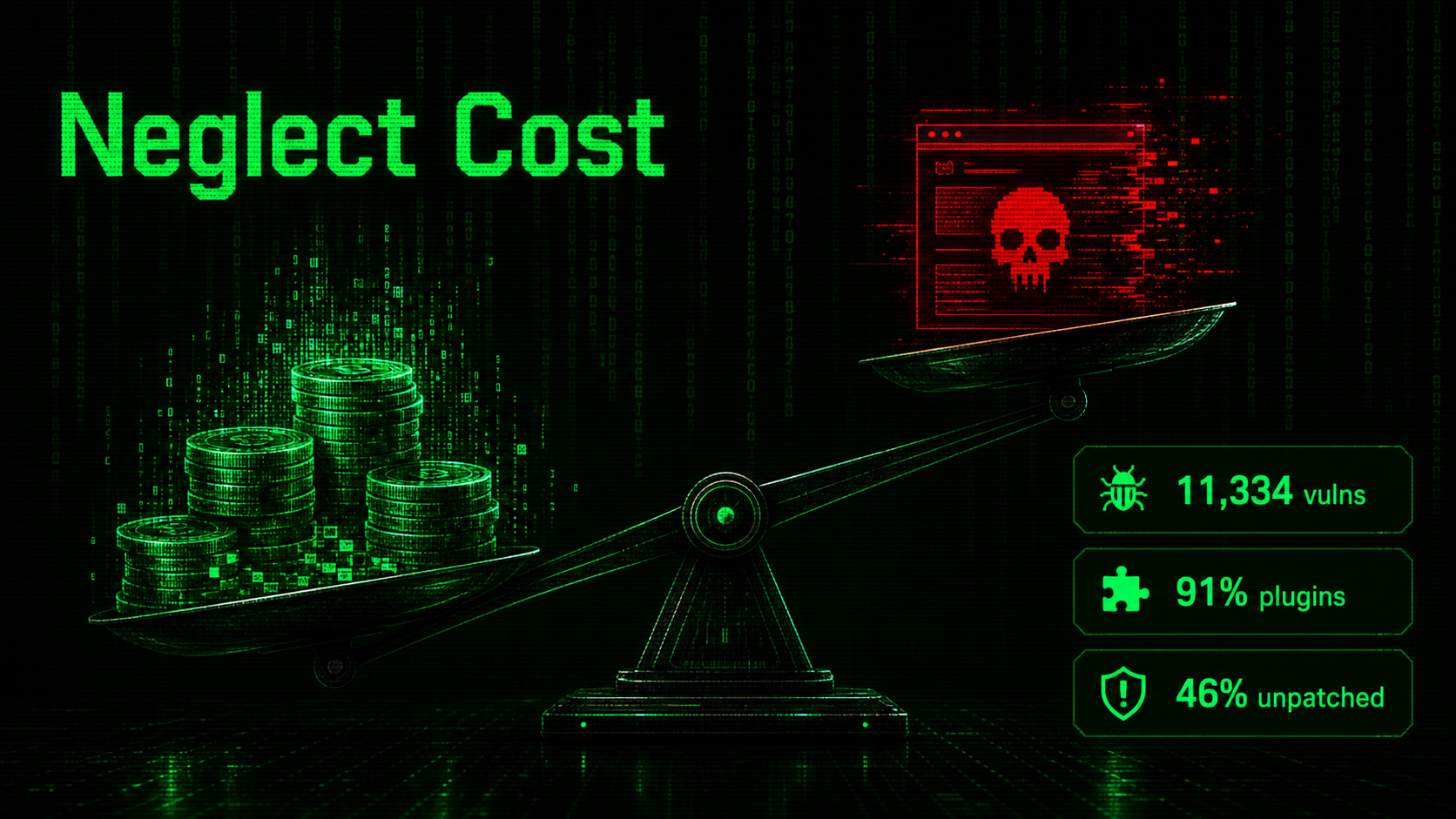
Reinfection. The cheapest cleanup is worthless if the door stays open. In 2025, 11,334 new WordPress vulnerabilities were disclosed (+42% year over year), 91% of them in plugins, and 46% had no patch available at disclosure [8]. If the vulnerable plugin that let the attacker in is still installed after the cleanup, you haven’t bought a fix — you’ve bought an intermission.
DIY Removal: When It’s Reasonable (and When It’s Not)
DIY is reasonable if all of the following are true: you have a clean, tested backup from before the infection, you know your way around SFTP and the database, and the site is not your income. Restore the backup, change every password, update everything, and watch the logs.
DIY is a trap when the infection predates your oldest backup, when you can’t tell an infected file from a legitimate one, or when the site earns money for every hour it’s up. Attackers plant multiple backdoors precisely so that the obvious one gets found and the quiet one survives. Miss one and you’ll do this all again — this time with a longer blacklist history. We wrote a full post on the mistakes people make in the first 48 hours after a hack; read it before you touch anything. 5 mistakes people make after a site gets hacked
Comparing the Paid Options
| Option | Verified cost | What you’re buying |
|---|---|---|
| Sucuri platform | $229–$549/yr [1] | Ongoing security platform; cleanup included in the subscription |
| Freelancer | $25–$150/hr [2][3]; Codeable $80–$120/hr + 17.5% [4] | Hourly expertise; total cost depends on how deep the infection goes |
| ProWebCare malware removal | See /malware-removal/ [5] | 24-hour removal, 30 days of protection included, by a team that has cleaned 3,000+ sites |
Three questions to ask any provider before you pay:
- How fast? Every hour matters when downtime runs into real money [7].
- What happens after? A cleanup without hardening and follow-up protection is a revolving door — remember, 46% of disclosed vulnerabilities ship without a patch [8], so someone has to keep watching.
- Who does the work? A scanner deletes signatures it recognizes. A human Operator* reads the access logs, finds the entry point, and closes it.
The Cheapest Malware Removal Is the One You Never Buy
Here’s the uncomfortable arithmetic. A maintenance plan that keeps plugins patched, backups tested, and a firewall in front of the site costs a fraction of one incident — we’ve covered exactly what maintenance costs in 2026, with verified market prices, in a separate post. what maintenance costs in 2026 Set any care plan against a single prevented incident — against downtime billed at $1,670/minute [7], against the 1-in-5 survival statistic [7], against our own €3,000+ hack figure [6] — and prevention stops looking like an expense.
But that’s a post-recovery conversation. If you’re reading this with a hacked site open in the next tab, the order of operations is: clean first, harden second, plan third.
Hacked Right Now? Take the Red Pill*
Our Operators have pulled 3,000+ WordPress and Joomla sites out of the Matrix’s worst neighborhoods. Malware removal in 24 hours, 30 days of protection included [5] — a human being finds the entry point, closes it, and stays on watch while the Agents* look for a way back in.
Send us the URL for malware removal. We’ve seen worse. We’ve cleaned worse.
Sources
- Sucuri Website Security Platform — sucuri.net/website-security-platform/signup/
- Hostinger, “Website Maintenance Cost,” May 22, 2026 — hostinger.com/tutorials/website-maintenance-cost
- WPBeginner, “WordPress Maintenance Costs,” Dec 3, 2025 — wpbeginner.com/beginners-guide/wordpress-maintenance-costs-how-much-should-you-pay/
- Codeable pricing — codeable.io/pricing/
- ProWebCare malware removal — prowebcare.com/malware-removal/
- ProWebCare maintenance plans — prowebcare.com/maintenance-plans/
- EN Computers downtime analysis (updated Aug 2025; citing ITIC and VikingCloud 2025 SMB Threat Landscape Report) — encomputers.com/2024/03/small-business-cost-of-downtime/
- Patchstack, “State of WordPress Security in 2026” — patchstack.com/whitepaper/state-of-wordpress-security-in-2026/