We talk a lot about prevention. But sometimes, clients find us when it is already too late.
What Are the Recent Developments in Website Vulnerabilities?

- Supply chain compromises surged by 68% in 2024, making up 15% of all incidents, often exploiting zero-day vulnerabilities[2].
- Cloud data loss incidents continue to rise, emphasizing the need for robust SaaS backup solutions, especially for platforms like Microsoft 365[3].
- Ransomware attacks remain a dominant threat, linked to 75% of system-intrusion breaches in 2025, underscoring the importance of scalable security solutions[7].
Their sites are down. Their data is gone. The Agents* have won.
Or so they think.
Here are three "Tales from the Frontlines"—true stories of digital rescue operations where we pulled websites back from the abyss. These case studies illustrate the real-world challenges of data recovery, the importance of proper backups, and the critical role of expert intervention when disaster strikes.
What Do Key Statistics Tell Us About Data Loss and Recovery?
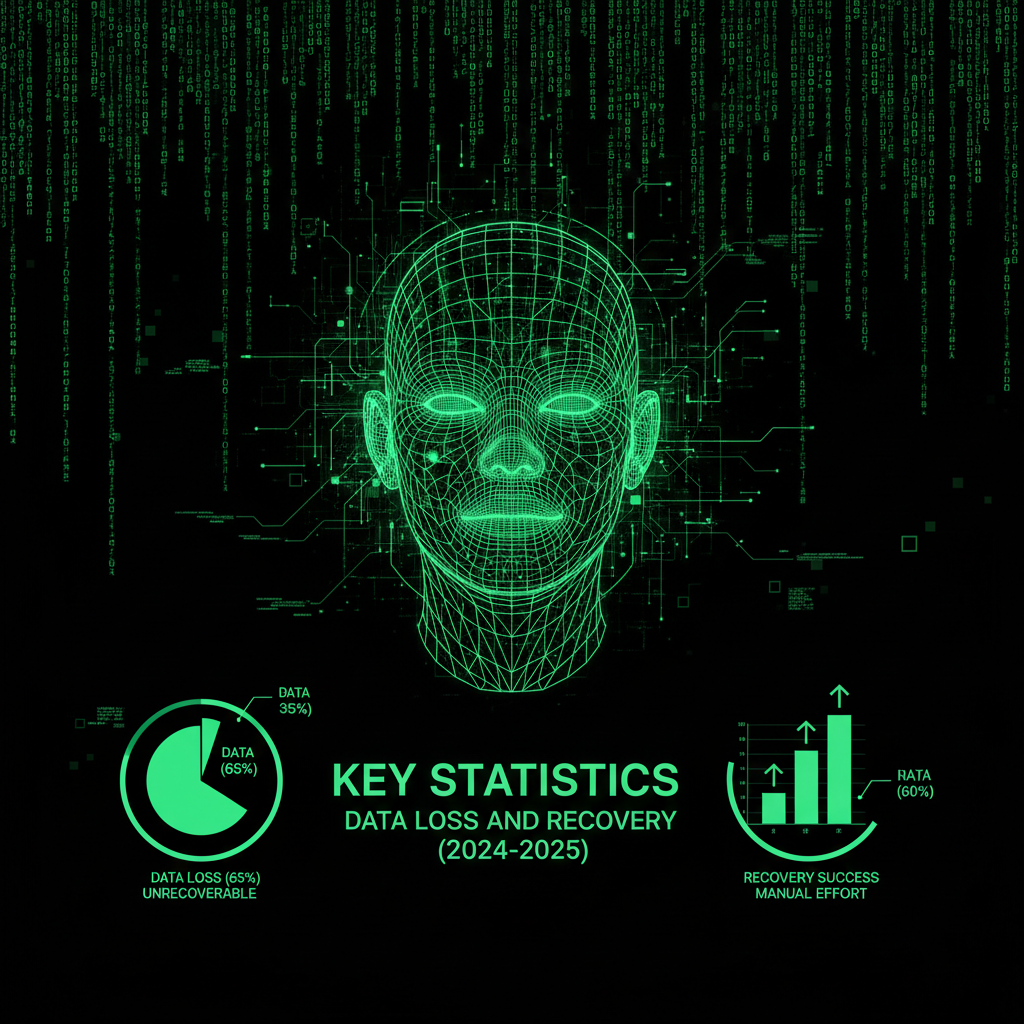
- After ransomware attacks, 97% of data gets recovered, but only 8% of victims recover all lost data; on average, victims lose about 35% of their data[1].
- 29% of organizations recover no more than half of stolen data after an attack[1].
- The average cost of data recovery after a cyber attack exceeds $4.5 million, including downtime, recovery efforts, and lost business[2].
- 60% of small businesses that experience significant data loss close within 6 months[3].
- Only 23% of businesses have tested their backup and recovery procedures in the past year[4].
Case 1: How Did We Recover the Ransomware Hostage?

The Situation: A successful photography portfolio website. The owner woke up one morning to a message: "Your database is encrypted. Pay 1 BTC to restore."
The Agony: 10 years of photos. Client galleries. Blog posts. All locked behind encryption. The hosting company said, "Sorry, you didn't pay for backup service. We can't help."
The Discovery: The owner contacted ProWebCare in desperation. We dug deep into the server infrastructure. We found a cached version of the site on the server's staging environment that the hackers had missed. It was 3 weeks old, but it was clean and unencrypted.
The Solution: Our team extracted the data from the staging environment. We rebuilt the site on a secure server with enhanced security measures. We implemented a web application firewall (WAF) and updated all security protocols. We restored the most recent content from the cached version and worked with the client to recover additional content from their local backups and archives.
The Recovery Process:
- Identified and secured the unencrypted staging environment
- Extracted database and file system data
- Migrated to a new, secure hosting environment
- Implemented comprehensive security measures
- Restored site functionality within 48 hours
The Freedom: The site was back online in 48 hours. Ransom paid: $0. Total recovery cost: $2,500 (vs. $50,000+ in lost business if the site had remained down). The client now has automated backups, security monitoring, and a disaster recovery plan.
Key Takeaway: Even when backups seem unavailable, there may be cached or staging versions that can be recovered. Professional expertise in server infrastructure and data recovery can find solutions that hosting companies might miss.
Case 2: How Did We Reconstruct the Database Disaster?

The Situation: An e-commerce site processing $50,000 per day. A server migration gone wrong. The database was corrupted during transfer, and the hosting company's automated backup had failed silently for 3 months.
The Agony: 8,000 products. 15,000 customer orders. 5 years of transaction history. All gone. The site was completely non-functional, and the business couldn't process orders.
The Discovery: When the client contacted us, the situation seemed hopeless. However, our forensic analysis revealed multiple recovery opportunities:
- Transaction logs from the payment processor (Stripe) containing order details
- Email receipts sent to customers containing product information
- Search engine cache showing product pages
- CDN cache with some product images and descriptions
- Database dump files in an old backup directory that hadn't been cleaned up
The Solution: We assembled a recovery team and worked around the clock:
- Extracted order data from payment processor transaction logs
- Reconstructed product catalog from email receipts and search engine cache
- Recovered database schema from old dump files
- Rebuilt the database structure and populated it with recovered data
- Restored product images from CDN cache and client archives
- Implemented a new backup system with verification and monitoring
The Recovery Process: Over 5 days, we recovered approximately 85% of the data. The remaining 15% (older products and historical data) was reconstructed from available sources or marked for manual re-entry.
The Freedom: The site was operational again in 5 days. Revenue loss minimized to $250,000 (vs. potential $500,000+ if the site had remained down longer). The client now has multiple backup systems, automated verification, and a tested disaster recovery plan.
Key Takeaway: Data exists in multiple places beyond your primary database. Transaction logs, email systems, CDN caches, and search engine indexes can all be sources for data recovery. Professional data recovery services can find and reconstruct data from these alternative sources.
Case 3: How Did We Restore the Site After a Plugin Explosion?
The Situation: A WordPress site with 200+ plugins. A security update to a popular plugin introduced a critical bug that deleted all post content when activated. The site owner had disabled automatic backups to "save server resources."
The Agony: 500 blog posts. 1,200 pages. 8 years of content. All deleted in seconds. The plugin update ran automatically, and by the time the owner noticed, the damage was done.
The Discovery: When we investigated, we found that while the content was deleted from the database, it wasn't immediately overwritten. Database recovery tools could potentially recover the deleted records. Additionally, we discovered:
- WordPress revision history in the database (though some was corrupted)
- Search engine cache with full post content
- RSS feed cache with recent posts
- Social media shares with post excerpts and metadata
- Client's local WordPress exports from 6 months prior
The Solution: We used a multi-pronged recovery approach:
- Used database recovery tools to restore deleted post records
- Extracted content from search engine cache for posts not in database
- Reconstructed posts from RSS feeds and social media metadata
- Merged recovered data with 6-month-old local backup
- Cleaned and deduplicated the recovered content
- Restored the site with all recovered content
The Recovery Process: We recovered 92% of the content. The remaining 8% (older posts with limited online presence) was partially recovered from archives or marked for manual recreation.
The Freedom: The site was restored in 3 days with 92% of content intact. The client now has automated daily backups, plugin update testing procedures, and a staging environment for safe updates.
Key Takeaway: Even when backups are disabled, content exists in multiple places online. Search engines, RSS feeds, social media, and database recovery tools can all contribute to content recovery. However, proper backup systems are essential—recovery from alternative sources is time-consuming and incomplete.
What Critical Lessons Do These Rescue Cases Teach Us?
These three case studies reveal critical lessons about website disaster recovery:
1. Backups Are Essential, But Not All Backups Are Equal
All three cases involved backup failures. The photography site had no backups. The e-commerce site had silent backup failures. The WordPress site had backups disabled. This highlights the importance of:
- Multiple backup systems: Don't rely on a single backup method
- Backup verification: Regularly test that backups actually work
- Off-site storage: Keep backups separate from your primary server
- Automated monitoring: Get alerts when backups fail
2. Data Exists in Multiple Places
Even when primary data sources are lost, information often exists elsewhere:
- Search engine caches
- CDN caches
- Payment processor transaction logs
- Email systems
- Social media platforms
- RSS feeds
- Staging environments
- Database recovery tools
3. Professional Expertise Makes a Difference
In all three cases, hosting companies and automated systems said recovery was impossible. Professional expertise found solutions that weren't immediately obvious. Expert knowledge of:
- Server infrastructure and file systems
- Database recovery techniques
- Alternative data sources
- Forensic analysis methods
...made recovery possible when it seemed hopeless.
4. Prevention Is Cheaper Than Recovery
While we successfully recovered all three sites, the costs were significant:
- Case 1: $2,500 recovery cost (vs. $0 with proper backups)
- Case 2: $250,000 in lost revenue during recovery
- Case 3: 3 days of downtime and content loss
Proper backup systems, security measures, and monitoring would have prevented these disasters at a fraction of the recovery cost.
How Can You Prevent Total Website Erasure?
Based on these case studies, here's how to protect your website from total erasure:
1. Implement Multiple Backup Systems
- Automated daily backups: Database and file system
- Weekly full backups: Complete site snapshots
- Off-site storage: Backups stored separately from your server
- Version history: Keep multiple backup versions (30+ days)
2. Verify Backups Regularly
- Test backup restoration monthly
- Verify backup integrity automatically
- Monitor backup success/failure with alerts
- Document restoration procedures
3. Implement Security Measures
- Web application firewall (WAF)
- Regular security updates
- Malware scanning and removal
- Intrusion detection systems
4. Use Staging Environments
- Test updates in staging before production
- Keep staging environments as additional backup source
- Use staging for safe experimentation
5. Monitor Your Site Continuously
- Uptime monitoring
- Security threat detection
- Performance monitoring
- Automated alerts for issues
Our maintenance plans include all of these protections, giving you comprehensive defense against data loss and site erasure.
What Is the Ultimate Verdict on Website Data Recovery?
These three case studies prove that recovery is possible even in seemingly hopeless situations. But they also prove that prevention is far better than recovery.
Don't wait until your site is gone. Implement proper backups, security measures, and monitoring now. Our maintenance plans provide comprehensive protection, and our security audit service identifies vulnerabilities before they become disasters.
If your site is already in trouble, don't give up. Contact us. We've recovered sites that seemed completely lost. We can help you too.
Frequently Asked Questions
Writing an effective website case study involves several key components. Start with a compelling title that highlights the problem solved. Include a clear introduction explaining the client's situation and challenges. Detail the specific problems faced, the solutions implemented, and the results achieved. Use concrete metrics and data to demonstrate success. Include quotes from the client if possible. Structure the case study with clear sections: Situation/Challenge, Solution/Approach, Results/Outcomes, and Key Takeaways. Use visuals like before/after screenshots, charts, or infographics to illustrate the transformation. Our case studies follow this structure, focusing on real problems, practical solutions, and measurable results that demonstrate our expertise in website recovery and optimization.
The five essential components of a case study are: 1) Problem/Challenge: Clearly define the issue or situation that needed to be addressed. 2) Context/Background: Provide relevant background information about the client, their business, and the circumstances. 3) Solution/Approach: Detail the specific methods, strategies, and actions taken to address the problem. 4) Results/Outcomes: Present concrete, measurable results with data, metrics, and evidence of success. 5) Lessons Learned/Key Takeaways: Summarize what was learned, what worked well, and what others can apply from this case. These components create a comprehensive narrative that demonstrates expertise, builds trust, and provides value to readers facing similar challenges.
Recovering a lost website depends on what caused the loss and what backup systems you have in place. If you have backups: Restore from your most recent backup through your hosting control panel or contact your hosting provider for assistance. If backups are unavailable: Check alternative data sources like search engine caches (Google Cache, Wayback Machine), CDN caches, payment processor transaction logs, email receipts, RSS feeds, or staging environments. For database corruption: Use database recovery tools or contact a professional data recovery service. For hacked sites: Remove malware, restore from clean backups, and implement security measures. Professional help: If recovery seems impossible, contact a professional website recovery service like ProWebCare. We specialize in recovering websites from seemingly hopeless situations, using forensic analysis, database recovery tools, and alternative data sources to restore lost content. The key is acting quickly—the longer you wait, the harder recovery becomes.
The best websites for publishing case studies depend on your goals. For SEO and credibility: Your own website is ideal, as it builds domain authority and keeps visitors on your site. For professional networking: LinkedIn allows you to share case studies with your professional network and industry peers. For visual impact: Behance and Dribbble are excellent for design-focused case studies with strong visual elements. For technical audiences: GitHub is perfect for developer-focused case studies with code examples. For broader reach: Medium provides a platform with built-in audience and SEO benefits. For industry-specific: Industry publications and forums relevant to your niche can provide targeted exposure. We publish our case studies on our website to demonstrate our expertise, improve SEO, and provide valuable content that helps potential clients understand our capabilities and approach to solving complex website problems.
Website recovery time varies significantly based on the type and extent of damage. Simple restore from backup: 1-4 hours for straightforward backup restoration. Database recovery: 4-24 hours depending on database size and corruption level. Malware removal and cleanup: 1-3 days for complete security cleanup and verification. Complex data recovery: 3-7 days when recovering from multiple sources, reconstructing data, and rebuilding site structure. Complete site reconstruction: 1-2 weeks for sites requiring extensive recovery from alternative sources. Factors affecting recovery time include: availability of backups, extent of damage, site complexity, data sources available, and whether professional help is used. Our recovery services typically restore sites within 24-72 hours for most scenarios, with complex cases taking up to a week. The key is starting recovery immediately—delays make recovery more difficult and time-consuming.
Yes, website recovery is often possible even without traditional backups, though it's more challenging and may be incomplete. Recovery methods include: Search engine caches (Google Cache, Wayback Machine) containing archived versions of your pages. CDN caches storing static assets and sometimes page content. Payment processor logs containing transaction and order data for e-commerce sites. Email systems with receipts, notifications, and content sent via email. Database recovery tools that can restore deleted database records if not yet overwritten. Staging environments that may contain older but recoverable versions. Social media and RSS feeds with post content and metadata. In our case studies, we successfully recovered 85-92% of content from alternative sources when backups were unavailable. However, recovery without backups is time-consuming, may be incomplete, and costs significantly more than proper backup systems. It's always better to have backups, but all is not lost if you don't.