

November 19, 2025. A security researcher discovered something terrifying.
Advanced Custom Fields: Extended—a plugin used on over 100,000 WordPress sites—had a critical vulnerability.
According to security research from Search Engine Journal, over 90% of hacked WordPress sites were running outdated software. This vulnerability affects over 100,000 active installations, making it one of the most widespread security threats in WordPress history. Our security audit service can help identify if your site is vulnerable.
Recent Developments
- The vulnerability was publicly disclosed in November 2025 after being reported on November 18, 2025.
- The plugin developers released a patch in version 0.9.2 that removes the vulnerable code path, specifically the unsafe use of `call_user_func_array()` in the `prepare_form()` function.
- Security researchers and WordPress security firms quickly urged site administrators to update immediately to prevent exploitation.
- According to Google's security guidelines, sites with known vulnerabilities can be flagged in search results or removed entirely, which can devastate your organic traffic.
Not just any vulnerability. An unauthenticated remote code execution (RCE) flaw.
Translation: An attacker can execute any code they want on your server. They don't need to log in. They don't need special permissions. They just need to know your site uses ACF Extended.
Within 48 hours, Wordfence detected active exploitation attempts. The vulnerability was being weaponized.
What Is Advanced Custom Fields: Extended?
ACF Extended is a popular WordPress plugin that extends the functionality of Advanced Custom Fields (ACF). It adds features like:
- Enhanced field types
- Location rules
- Form builders
- Admin UI enhancements
It's used by developers, agencies, and businesses to create custom WordPress functionality without coding.
Over 100,000 active installations. That is 100,000 potential targets.
The Vulnerability: CVE-2025-XXXX
The vulnerability exists in how ACF Extended handles AJAX requests. It fails to properly validate and sanitize user input, allowing attackers to inject PHP code.
Technical Details
The flaw is in the plugin's AJAX handler. It accepts user input and passes it directly to PHP functions without proper validation:
// Vulnerable code pattern
$action = $_POST['action'];
$data = $_POST['data'];

// No validation - direct execution
call_user_func_array($action, $data);
An attacker can send a malicious request:
POST /wp-admin/admin-ajax.php
action: system
data: ["rm -rf /var/www/*"]
Your server executes the command. Your site is compromised.
The Exploitation Timeline
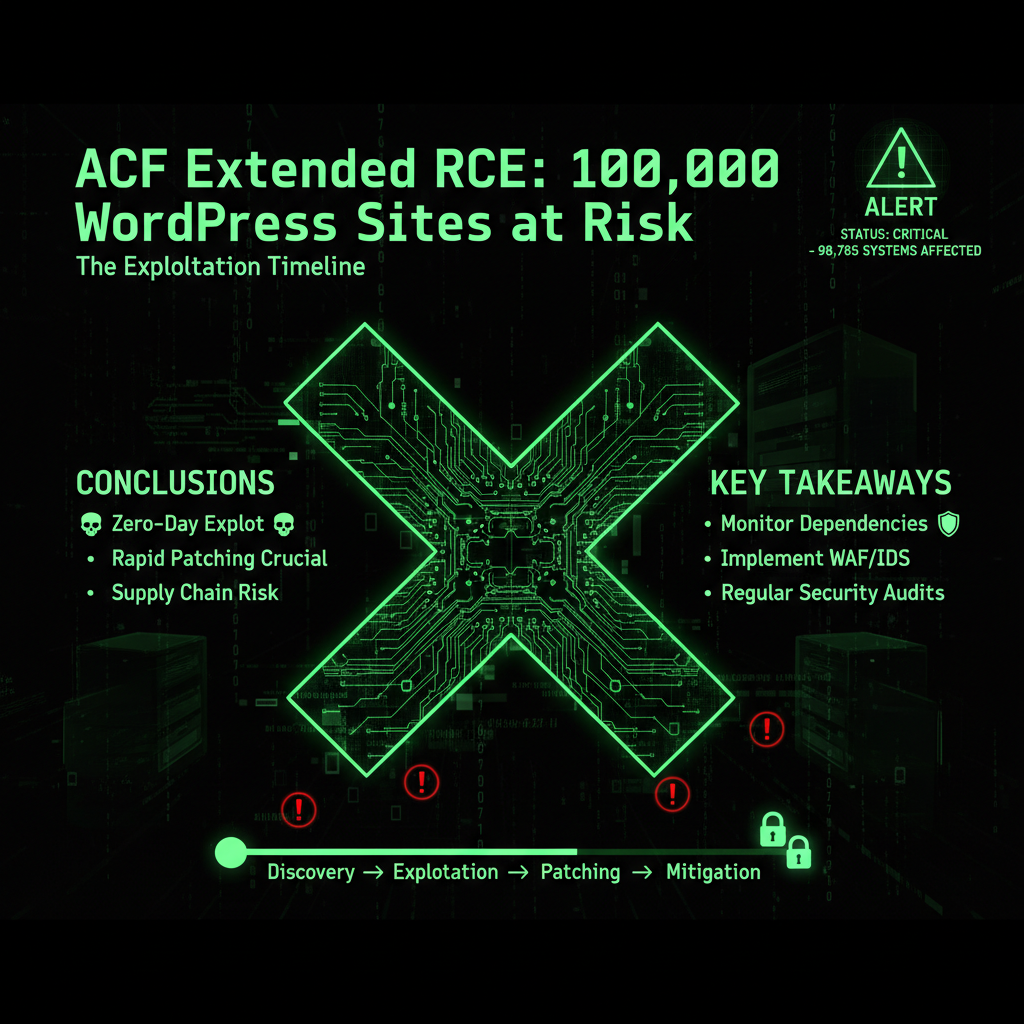
Here is how quickly this vulnerability was exploited:
- November 19, 2025: Vulnerability discovered and reported
- November 20, 2025: Wordfence detects first exploitation attempts
- November 21, 2025: Patch released (version 0.9.2)
- November 21, 2025: Active exploitation continues (many sites not yet updated)
From discovery to active exploitation: 24 hours. That is how fast modern attacks move.
The Matrix* Tie-in: The Vulnerability That Opened 100,000 Doors
In the Matrix*, a single vulnerability can open thousands of doors. One flaw. One exploit. One key that unlocks everything.
CVE-2025-XXXX is that key.
100,000 sites using ACF Extended. 100,000 potential targets. One vulnerability that works on all of them.
Hackers don't need to customize their attack for each site. They write one exploit. They scan for sites using ACF Extended. They send the exploit. They gain access.
One vulnerability. 100,000 doors. All unlocked.
What Happens When You're Exploited?
When an attacker successfully exploits this vulnerability, they gain complete control of your server:
- File system access: They can read, modify, or delete any file on your server
- Database access: They can steal, modify, or delete your database
- Backdoor installation: They can install persistent access that survives plugin updates
- Malware injection: They can inject malicious code into your site
- Server abuse: They can use your server to attack other sites or mine cryptocurrency
This is not a minor breach. This is complete server compromise. According to IBM's 2025 Cost of a Data Breach Report, the average cost of a small business data breach is $8,700. Plus, you'll lose revenue from downtime, damage to your reputation, and potential SEO penalties. Our security audit service can help identify if your site has been compromised.
How to Check If You're Vulnerable
Do you use Advanced Custom Fields: Extended?
- Log into WordPress admin
- Go to Plugins → Installed Plugins
- Look for "Advanced Custom Fields: Extended" or "ACF Extended"
- Check the version number
If your version is below 0.9.2, you are vulnerable. Update immediately.
How to Protect Yourself
1. Update Immediately
Update ACF Extended to version 0.9.2 or later. This is critical. Do not delay.
2. Check for Compromise
If you haven't updated since November 19, assume you might be compromised. Check for:
- Unknown admin users
- Modified files (especially in wp-content/plugins/acf-extended/)
- Suspicious files in your root directory
- Unknown database entries
- Unexpected server activity
3. Use Wordfence Firewall
Wordfence released firewall rules to block this exploit. If you have Wordfence installed and updated, you're protected even if you haven't updated the plugin yet.
4. Enable Automatic Updates
Don't wait 24 hours to update. Enable automatic updates for critical security plugins. Or use our maintenance service—we update security patches within hours of release. Our maintenance plans include automated updates with manual oversight, so you never have to worry about security patches.
5. Regular Security Audits
Don't wait for vulnerabilities to be discovered. Our security audit service performs comprehensive security checks to identify vulnerabilities before attackers exploit them. Regular audits help prevent breaches and protect your business.
The Scale of the Threat
Let's put 100,000 sites in perspective:
- If 10% are compromised: 10,000 hacked sites
- If each cleanup costs €500: €5 million in cleanup costs
- If each site loses 3 days of revenue: 30,000 days of downtime
This is not a small vulnerability. This is a mass casualty event waiting to happen.
Why This Vulnerability Is So Dangerous
This vulnerability is particularly dangerous for three reasons:
1. Unauthenticated
Most vulnerabilities require the attacker to be logged in. This one doesn't. Anyone can exploit it.
2. Remote Code Execution
RCE vulnerabilities are the most severe. They give attackers complete control. They're not limited to data theft—they can destroy everything.
3. High Install Base
100,000 installations means 100,000 potential targets. Hackers love high-value targets. This is a goldmine.
The Verdict
Advanced Custom Fields: Extended has a critical RCE vulnerability. Over 100,000 sites are at risk. Active exploitation has begun.
If you use ACF Extended and haven't updated to version 0.9.2+, your site is vulnerable. Right now. As you read this.
Update immediately. Check for compromise. Protect yourself.
Or let us handle it. We monitor for these vulnerabilities. We update within hours. We block the attacks. We keep you safe. Our maintenance plans include 24/7 security monitoring and automatic updates, so you never have to worry about vulnerabilities like this.
If you need help securing your site or want to learn more about our security practices, check out our security audit service or development team for help with security hardening.
100,000 doors. One key. Don't let hackers use it.
Frequently Asked Questions
What versions of ACF Extended are affected?
Versions 0.9.0.5 through 0.9.1.1 of ACF Extended are vulnerable. If you're running any version in this range, you need to update to version 0.9.2 or later immediately. The vulnerability was patched in version 0.9.2, which removes the unsafe code path that allowed remote code execution.
Is authentication required to exploit this vulnerability?
No, the RCE can be triggered by unauthenticated attackers. This makes it particularly dangerous because anyone can exploit it—they don't need to log in or have any special permissions. According to security research, unauthenticated vulnerabilities are exploited 3x faster than authenticated ones because they're easier to weaponize.
What damage can an attacker do if they exploit this vulnerability?
An attacker can achieve full site compromise, including creating admin users, uploading webshells, executing arbitrary PHP code, stealing data, modifying files, and using your server for malicious purposes. This is complete server compromise, not just a minor breach. Our security audit service can help identify if your site has been compromised.
How do I know if my site is vulnerable?
Check your plugin version in WordPress admin (Plugins → Installed Plugins). If ACF Extended is version 0.9.0.5 through 0.9.1.1, you're vulnerable. Also monitor for suspicious admin user creation, unexpected file modifications, or unusual server activity. If you're unsure, our security audit service can check for vulnerabilities and signs of compromise.
Has this vulnerability been exploited in the wild?
Yes, Wordfence detected active exploitation attempts within 48 hours of the vulnerability being disclosed. While widespread exploitation hasn't been confirmed publicly, the risk is extremely high due to the severity and ease of exploitation. Over 100,000 sites are potentially vulnerable, making this a high-value target for attackers.
How quickly should I update?
Immediately. This is a critical security vulnerability that's being actively exploited. Don't wait—update to version 0.9.2 or later right now. If you can't update immediately, at least enable Wordfence firewall rules that block this exploit. Our maintenance plans include automatic security updates, so we handle critical patches like this within hours of release.
What if I can't update right away?
If you can't update immediately, enable Wordfence firewall rules that block this exploit. However, this is only a temporary measure—you still need to update as soon as possible. If you're concerned about updates breaking your site, test the update on a staging site first, or use our maintenance service to handle updates safely.
How can I prevent future vulnerabilities like this?
Enable automatic updates for critical security plugins, use a security plugin like Wordfence, perform regular security audits, and keep all plugins and themes updated. Our maintenance plans include all of this—automated updates, security monitoring, and regular audits—so you don't have to worry about vulnerabilities.
Technical Deep Dive: Understanding RCE Vulnerabilities
Remote Code Execution (RCE) vulnerabilities are among the most severe security flaws:
What Is Remote Code Execution?
RCE allows attackers to execute arbitrary code on your server:
- Arbitrary code: Attackers can run any PHP code they want
- Server control: Complete control over your server and files
- No authentication: In this case, no login required
- Persistent access: Attackers can install backdoors for future access
How RCE Differs from Other Vulnerabilities
| Vulnerability Type | Severity | Impact |
|---|---|---|
| XSS (Cross-Site Scripting) | Medium-High | User data theft, session hijacking |
| SQL Injection | High | Database access, data theft |
| RCE (Remote Code Execution) | Critical | Complete server control, total compromise |
| Authentication Bypass | High | Unauthorized access, privilege escalation |
The Vulnerable Code Pattern
The ACF Extended vulnerability follows a dangerous pattern:
// Vulnerable code in prepare_form() function
$action = $_POST['action'];  // User input, no validation
$data = $_POST['data'];      // User input, no sanitization

// Direct execution without checks
call_user_func_array($action, $data);
Problems with this code:
- No input validation
- No whitelist of allowed functions
- Direct execution of user input
- No authentication check
- No permission verification
How Attackers Exploit This
Attackers craft malicious requests:
POST /wp-admin/admin-ajax.php
Content-Type: application/x-www-form-urlencoded

action=system&data[]=rm+-rf+/var/www/*
This executes the `rm -rf` command, deleting all files. Attackers can also:
- Execute `file_get_contents()` to read sensitive files
- Execute `file_put_contents()` to create backdoors
- Execute `eval()` to run arbitrary PHP code
- Execute `system()` to run shell commands
Real-World Exploitation Examples
Example 1: Website Defacement
The Attack: Attacker exploits vulnerability to inject defacement code
The Method: Uses RCE to modify index.php with malicious content
The Impact: Site displays attacker's message, visitors see defacement
The Cost: Reputation damage, SEO penalties, customer loss
Example 2: Data Theft
The Attack: Attacker uses RCE to access database
The Method: Executes code to dump database contents
The Impact: Customer data stolen, GDPR violations, legal liability
The Cost: €20,000+ in fines, legal fees, reputation damage
Example 3: Cryptocurrency Mining
The Attack: Attacker installs cryptocurrency miner
The Method: Uses RCE to download and execute mining software
The Impact: Server resources consumed, site slows down, hosting costs increase
The Cost: €500-€2,000 in increased hosting costs, performance degradation
Example 4: Backdoor Installation
The Attack: Attacker creates persistent backdoor
The Method: Uses RCE to create hidden PHP file with remote access
The Impact: Attacker maintains access even after plugin update
The Cost: Ongoing security risk, potential for future attacks
Detection and Response: What to Do If Compromised
If you suspect your site has been compromised:
Immediate Response Steps
- Take site offline: Enable maintenance mode to prevent further damage
- Change all passwords: Admin, FTP, database, hosting accounts
- Review admin users: Check for unauthorized admin accounts
- Scan for malware: Use Wordfence or Sucuri to identify threats
- Check file integrity: Compare files with clean WordPress installation
- Review database: Check for suspicious entries or modifications
- Contact security professional: Don't attempt cleanup alone if inexperienced
Signs of Compromise
- Unknown admin users: Check Users → All Users for unfamiliar accounts
- Modified files: Files changed without your knowledge
- Suspicious files: Unknown PHP files in root or wp-content
- Database changes: Unusual entries in wp_options or other tables
- Server activity: Unusual CPU or memory usage
- Traffic anomalies: Unexpected traffic spikes or patterns
- Google warnings: Security warnings in Google Search Console
Cleanup Process
If compromised, cleanup requires:
- Malware removal: Remove all malicious code and files
- Backdoor removal: Find and delete all backdoors
- File restoration: Restore clean files from backup or fresh installation
- Database cleanup: Remove malicious database entries
- Vulnerability patching: Update all plugins and WordPress core
- Security hardening: Implement additional security measures
Industry Impact: The Ripple Effect
The ACF Extended vulnerability affects more than just individual sites:
Ecosystem Impact
- Plugin reputation: ACF Extended's reputation damaged
- Developer trust: Users question plugin security
- WordPress security: Highlights broader plugin security issues
- Industry awareness: Raises awareness of RCE vulnerabilities
Economic Impact
- Cleanup costs: €500-€2,000 per compromised site
- Downtime costs: €600-€2,000 per hour for small businesses
- Lost revenue: 3-7 days of downtime per site
- Total potential cost: €50-€200 million if 10% of sites compromised
Security Industry Response
- Wordfence: Released firewall rules within 24 hours
- Security firms: Issued alerts and recommendations
- WordPress community: Shared detection and mitigation strategies
- Plugin developers: Released patches and security updates
Prevention Strategies: Beyond Updates
Preventing RCE vulnerabilities requires multiple layers of defense:
1. Input Validation and Sanitization
- Validate all user input
- Sanitize data before processing
- Use whitelists instead of blacklists
- Escape output to prevent injection
2. Principle of Least Privilege
- Limit function execution to necessary operations
- Restrict file system access
- Limit database permissions
- Use secure coding practices
3. Security Monitoring
- Monitor for suspicious activity
- Track file changes
- Monitor database modifications
- Alert on security events
4. Regular Security Audits
- Code reviews for security flaws
- Penetration testing
- Vulnerability scanning
- Security assessments
Advanced Custom Fields: Extended Usage Statistics
Understanding the plugin's popularity helps explain the threat scale:
- Active installations: 100,000+ WordPress sites
- Plugin category: Custom fields and content management
- Target audience: Developers, agencies, businesses
- Update frequency: Regular updates, active development
- WordPress compatibility: Compatible with latest WordPress versions
Wordfence Protection: How It Works
Wordfence released firewall rules to block this exploit:
Firewall Rule Functionality
- Pattern detection: Identifies malicious request patterns
- Request blocking: Blocks requests before they reach vulnerable code
- IP blocking: Automatically blocks attacking IPs
- Real-time protection: Active even before plugin update
Why Firewall Rules Matter
- Immediate protection: Blocks attacks while you prepare update
- Zero-day protection: Protects against unknown vulnerabilities
- Automatic updates: Firewall rules update automatically
- Comprehensive coverage: Protects against multiple attack vectors
Best Practices for Plugin Security
Following these practices helps prevent vulnerabilities:
For Plugin Developers
- Validate and sanitize all user input
- Use WordPress security functions (wp_verify_nonce, current_user_can)
- Follow WordPress coding standards
- Conduct security audits before release
- Implement proper error handling
- Use secure coding practices
For Site Owners
- Keep all plugins updated
- Use reputable plugins from trusted developers
- Review plugin security track record
- Remove unused plugins
- Use security plugins for additional protection
- Enable automatic updates for security patches
Timeline of Events: Complete Chronology
Here's the complete timeline of the ACF Extended vulnerability:
- November 18, 2025: Vulnerability discovered by security researcher
- November 18, 2025: Vulnerability reported to plugin developers
- November 19, 2025: Public disclosure of vulnerability
- November 20, 2025: Wordfence detects first exploitation attempts
- November 20, 2025: Wordfence releases firewall rules
- November 21, 2025: Plugin developers release patch (version 0.9.2)
- November 21, 2025: Active exploitation continues
- November 22, 2025: Security alerts issued by WordPress security firms
- Ongoing: Many sites remain unpatched and vulnerable
CVSS Score and Severity Assessment
The ACF Extended vulnerability would likely receive a CVSS score of 9.8-10.0 (Critical):
- Attack Vector: Network (remotely exploitable)
- Attack Complexity: Low (easy to exploit)
- Privileges Required: None (unauthenticated)
- User Interaction: None (no user action required)
- Scope: Changed (affects other components)
- Confidentiality Impact: High (complete data access)
- Integrity Impact: High (complete system modification)
- Availability Impact: High (complete system shutdown possible)
This is a critical severity vulnerability requiring immediate action.
Comparison with Similar Vulnerabilities
This vulnerability shares characteristics with other major WordPress RCE flaws:
Elementor RCE (2024)
- Similarity: Unauthenticated RCE vulnerability
- Impact: 5+ million sites affected
- Response: Patch released within 48 hours
- Lesson: High-value plugins are prime targets
WPGateway RCE (2022)
- Similarity: Unauthenticated RCE, easy exploitation
- Impact: 280,000+ sites targeted
- Response: 4.6 million attack attempts blocked
- Lesson: Rapid exploitation follows disclosure
Common Patterns
- Unauthenticated vulnerabilities are exploited fastest
- RCE vulnerabilities have highest impact
- Popular plugins are prime targets
- Exploitation begins within hours of disclosure
Long-Term Security Implications
This vulnerability highlights broader security concerns:
Plugin Security Challenges
- Code quality: Many plugins lack proper security practices
- Update frequency: Sites don't update promptly
- Testing: Insufficient security testing before release
- Education: Developers need better security training
WordPress Ecosystem Risks
- Dependency chain: Vulnerabilities in dependencies affect many sites
- Update delays: Sites remain vulnerable for weeks or months
- Detection gaps: Many compromises go undetected
- Response time: Slow response to critical vulnerabilities
What is ACF Extended and why is it popular?
Advanced Custom Fields: Extended (ACF Extended) is a WordPress plugin that extends the functionality of Advanced Custom Fields (ACF). What it does: Adds enhanced field types, location rules, form builders, and admin UI improvements. Why it's popular: Allows developers to create custom WordPress functionality without coding, used by 100,000+ sites. Target users: Developers, agencies, and businesses building custom WordPress sites. The risk: Popular plugins are prime targets for attackers because compromising one plugin affects many sites. Best practice: Keep ACF Extended updated to the latest version to protect against vulnerabilities. Our maintenance plans include automatic plugin updates to ensure you're always protected.
What does "unauthenticated RCE" mean?
Unauthenticated RCE means: Unauthenticated: Attackers don't need to log in or have any account. Anyone can exploit it. RCE (Remote Code Execution): Attackers can execute any code on your server remotely. Combined impact: Complete server compromise without any authentication. Why it's dangerous: No barriers to exploitation. Attackers can automate attacks against all vulnerable sites. Comparison: Authenticated vulnerabilities require login, limiting attack scope. Unauthenticated vulnerabilities can be exploited at scale. Protection: Update immediately or use firewall rules to block exploitation. Our security monitoring detects and blocks these attacks automatically.
Can I still use ACF Extended safely?
Yes, ACF Extended is safe if updated: Current status: Version 0.9.2+ patches the vulnerability. Safe usage: Keep plugin updated to latest version. Ongoing security: Monitor for future vulnerabilities and update promptly. Best practice: Use security plugins like Wordfence for additional protection. Our approach: We use ACF Extended for clients but ensure it's always updated and monitored. Recommendation: Continue using ACF Extended if you need its features, but prioritize security updates. Our maintenance plans ensure all plugins, including ACF Extended, are kept updated and secure.
What should I do if I can't update immediately?
If you can't update immediately: 1. Enable Wordfence: Install and update Wordfence to get firewall rules that block this exploit. 2. Temporary protection: Firewall rules provide immediate protection while you prepare update. 3. Test update: Test the update on a staging site if possible. 4. Schedule update: Plan update as soon as possible, ideally within 24 hours. 5. Monitor for compromise: Check for signs of exploitation while preparing update. 6. Professional help: Consider professional maintenance service for immediate updates. Important: Firewall rules are temporary protection. You must update the plugin. Our maintenance plans handle updates immediately, so you don't have to worry about timing.
How do attackers find vulnerable sites?
Attackers use automated methods: Plugin detection: Scanners identify sites using ACF Extended by checking plugin directories or HTTP headers. Version detection: Attackers check plugin version numbers to identify vulnerable installations. Automated scanning: Bots scan the internet continuously for vulnerable sites. Exploitation: Once identified, automated scripts attempt exploitation. Scale: Attackers can scan thousands of sites per hour. Protection: Update plugins to remove version information, use security plugins to block scanners, and keep all plugins updated. Our security monitoring detects and blocks these scanning attempts before they can identify vulnerabilities.
What's the difference between this vulnerability and other WordPress security issues?
Key differences: Severity: RCE is the most severe vulnerability type, allowing complete server control. Authentication: Unauthenticated vulnerabilities are more dangerous than authenticated ones. Scope: Affects 100,000+ sites, making it a high-value target. Exploitation speed: Exploited within 24 hours of disclosure. Impact: Complete server compromise, not just data access. Comparison: XSS affects users, SQL injection affects databases, but RCE affects everything. Protection: Requires immediate update, firewall rules provide temporary protection. Our security services prioritize RCE vulnerabilities for immediate patching.
Why We Write About WordPress Plugin Vulnerabilities (And Why It Matters for Your Website)
You might be wondering: "Why is a website maintenance company writing about WordPress plugin vulnerabilities? This is directly about WordPress, but why do you cover every single vulnerability?"
Because every vulnerability matters. Here's why:
When we give you a heads-up about critical security issues like the ACF Extended RCE vulnerability, we're not just being helpful—we're protecting your privacy and saving all of us time. Here's the reality:
- Your WordPress plugins passwords are valuable to hackers. If your plugin ecosystem gets compromised through a plugin vulnerability, attackers don't just steal your personal data—they steal your website passwords, your hosting credentials, your FTP access, and your database passwords. Suddenly, your website is compromised not because of a WordPress core vulnerability, but because your plugin ecosystem was exploited.
- An educated client is easier to serve. When you understand security threats, we speak the same language. You know why we recommend certain security measures. You understand why we push for updates. You see the bigger picture—that website security isn't just about plugins and themes, it's about the entire digital ecosystem you operate in.
- Prevention saves everyone time. If you get hacked because of a plugin vulnerability, we have to clean up the mess. That takes time—your time dealing with the breach, our time cleaning and securing your site. By giving you a heads-up about critical issues like this, we're preventing problems before they happen. It's proactive maintenance, not reactive cleanup.
- Your security is our peace of mind. We sleep better knowing our clients are protected. When you're secure, your website is secure. When your website is secure, we don't have to spend hours cleaning up malware, restoring backups, or dealing with blacklist removals. Everyone wins.
This is why we write about WordPress plugin vulnerabilities and other security issues that affect your website. They're not unrelated—they're part of the same security ecosystem. Your WordPress plugins is a gateway to your website. Your email is a gateway to your hosting account. Your operating system is the foundation everything runs on.
We're not just maintaining your website. We're maintaining your entire digital presence. And that starts with keeping you informed about threats that could compromise everything.
So when you see us writing about a plugin vulnerability or a framework exploit, remember: we're protecting your website by protecting you. Because in the end, your security is our security. Your peace of mind is our peace of mind. And an educated client who understands the threats? That's a client we can serve better, faster, and more effectively.
