

Your website is your business. Your credentials are your keys. Your security vulnerabilities are your secrets. Protecting these through secure communication is essential in today’s digital landscape, especially when using reliable platforms like Telegram, a popular messaging app known for its strong focus on privacy and security features.
The Importance of Secure Client Communication in 2025
In 2025, secure communication is more critical than ever. Telegram has reached over 1 billion monthly active users worldwide, making it one of the most popular messaging platforms globally[4]. This rapid growth, a 31% increase since 2020, reflects Telegram’s strong adoption among privacy-conscious people, with approximately 40% of internet users outside China using the app[5].
Telegram is a cloud-based messenger that offers a unique blend of usability and advanced security features, making it an ideal messaging app for exchanging sensitive information safely in business and personal contexts[2][6].
When you use Telegram to share sensitive data with us, you are not just sending a message; you are entrusting us with the digital foundation of your business. That is why we do not use email or standard messaging apps for sensitive communication. This is not marketing—it is security. Here is why it matters.
According to security research, over 90% of cyber attacks start with intercepted communications or compromised credentials. Sharing sensitive information through insecure channels puts your business at risk. While our security audit service helps identify vulnerabilities, secure communication prevents them from being exploited in the first place.
The Problem with Standard Communication
Most businesses rely on email for communication. It is convenient and familiar but also vulnerable. Email is not secure by default. According to Google's security guidelines, most email is transmitted in plain text, making it susceptible to interception. Messages travel through multiple servers, are stored in plain text on servers outside your control, and can be accessed by anyone with server access.
When you send sensitive information like your WordPress admin password via email, that data is:
- Stored on your email provider's servers
- Stored on our email provider's servers
- Potentially included in email backups
- Visible to anyone who compromises either email account
- Searchable in email archives
This creates a significant security risk.
SMS is even less secure. Text messages are not encrypted, travel through cellular networks, and are stored by carriers. They can be intercepted and are unsuitable for sharing sensitive information.
Standard messaging apps offer some encryption but have privacy concerns. Apps like WhatsApp and Facebook Messenger use encryption but are owned by companies with questionable privacy practices. Your data often becomes their product, and your security is not their priority.
Why Privacy Matters in Business Communication
When working with a website maintenance company, you share highly sensitive information, including:
- Website credentials (admin passwords, FTP access, database passwords)
- Security vulnerabilities (known issues, attack vectors, compromised files)
- Business information (client data, revenue numbers, strategic plans)
- Personal information (contact details, payment information)
This information is valuable to hackers, competitors, and anyone seeking to harm your business.
If intercepted or leaked, the consequences can be severe:
- Website compromise: Hackers can take control of your site. IBM's 2025 Cost of a Data Breach Report estimates the average cost of a small business data breach at 7,700.
- Data breach: Customer data theft can lead to legal liabilities and regulatory fines. GDPR fines can reach up to 4% of annual revenue or €20 million, whichever is higher.
- Business disruption: Website downtime costs average ,600 per hour for small businesses, according to Gartner research.
- Reputation damage: Over 60% of customers stop doing business with companies after a data breach.
- Financial loss: Recovery costs, lost revenue, and potential fines. Our security audit service helps prevent breaches, but secure communication is the first line of defense.
Privacy is not a luxury—it is a necessity and the foundation of trust. It distinguishes a secure partnership from a security risk.
What Makes Telegram Different
Telegram is a cloud-based messaging app designed with privacy and security at its core. Unlike many messaging applications, Telegram offers a unique combination of features that make it ideal for secure client communication and business messaging.
Client-Server Encryption (Standard Chats)
By default, Telegram uses client-server encryption, meaning:
- Messages are encrypted between your device and Telegram's servers
- Messages are encrypted between Telegram's servers and our devices
- Messages are protected during transmission
- Messages are stored encrypted in the Telegram cloud
This level of encryption is stronger than email or SMS, preventing interception during transmission and protecting messages from network operators. However, these regular chats are not end-to-end encrypted by default, so messages are accessible to Telegram’s servers and subject to compliance with law enforcement data requests, which affected over 22,000 users in early 2025[4].
End-to-End Encryption (Secret Chats)
For highly sensitive communication—such as sharing credentials, discussing security vulnerabilities, or exchanging confidential business information—we use Telegram’s Secret Chats. These provide true end-to-end encryption:
- Messages are encrypted on your device
- Only decrypted on our device
- Not even Telegram can read the messages
- Messages are not stored on Telegram's servers
- Messages are device-specific and cannot be accessed from other devices
This is the gold standard for secure messaging, used by banks and governments worldwide. Telegram’s Secret Chats ensure your sensitive information remains private and secure.
Additional Security Features of Telegram
Telegram offers several advanced security features that enhance privacy and secure messaging:
- Self-destructing messages: Messages can automatically delete after a set time, reducing data retention risks.
- Two-step verification: Adds an extra layer of security to your Telegram account, preventing unauthorized access even if your phone number is compromised[4].
- No cloud storage for Secret Chats: Secret Chat messages exist only on your device and the recipient’s device.
- Forward prevention: Secret Chat messages cannot be forwarded, preventing unauthorized sharing.
- Screenshot notifications: You receive alerts if someone takes a screenshot of a Secret Chat on mobile devices.
- Telegram bots: Automate tasks and enhance communication efficiency securely within the app, supporting file sharing and business workflows[3][5].
Why We Chose Telegram Over Alternatives
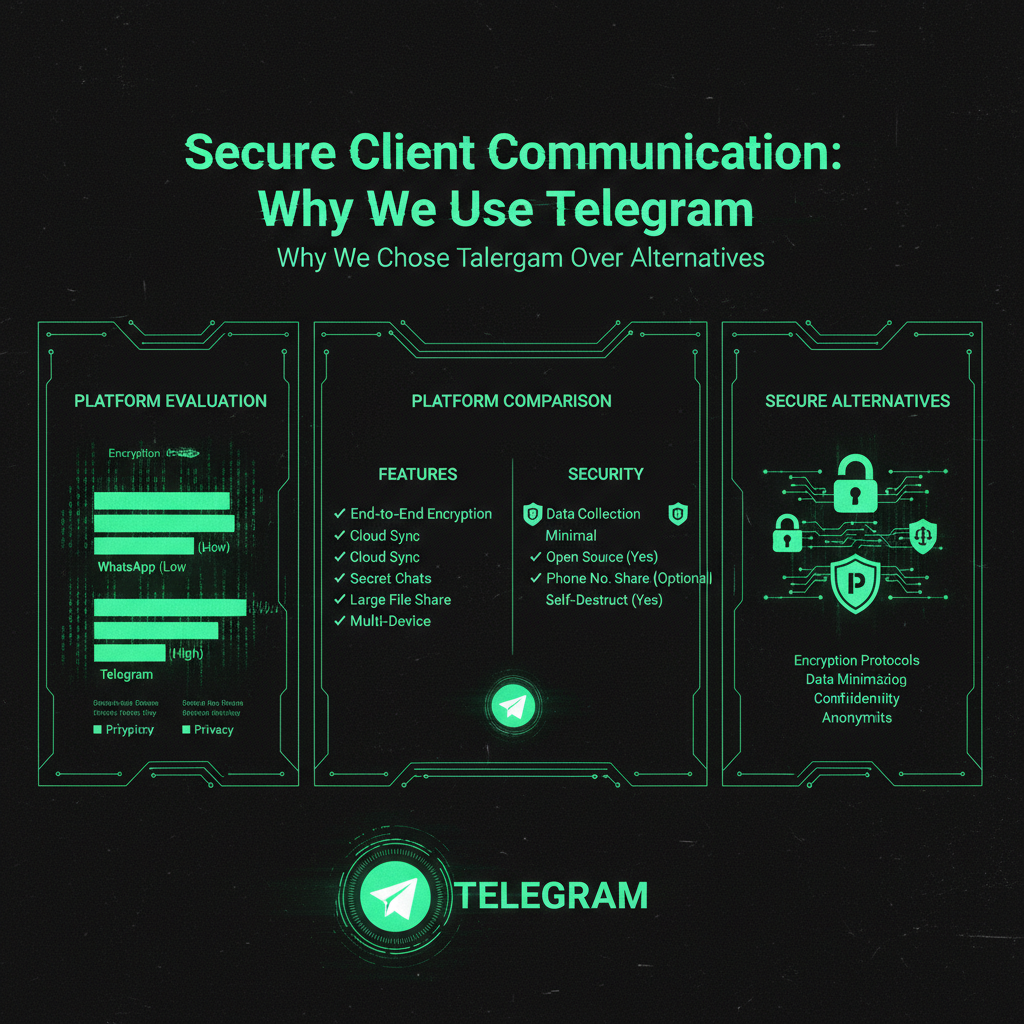
We evaluated multiple secure messaging platforms and chose Telegram for its balance of security, usability, and features tailored for business messaging.
Signal
Signal is known for strong privacy and uses end-to-end encryption by default for all chats. However, it has limitations:
- Less user-friendly interface
- Smaller user base, making client adoption harder
- Fewer features for business communication and file sharing
Telegram offers better usability and a larger user base while maintaining strong security when used properly.
WhatsApp also uses end-to-end encryption but is owned by Meta (Facebook), raising privacy concerns:
- Privacy policies favor data collection
- Extensive metadata collection (who you talk to, when, how often)
- Backups stored on cloud services without encryption
- Business features that share data with Facebook
Telegram is independent, does not sell or share your data, and is not part of an advertising empire.
Email with PGP
PGP encryption is secure but complex:
- Difficult to set up and use for most clients
- Requires technical knowledge
- Prone to user error, such as forgetting to encrypt or sending to the wrong key
Telegram provides strong security without this complexity, making it more accessible for clients.
Slack / Microsoft Teams
These tools are designed for team collaboration but have drawbacks for client communication:
- Expensive for small teams
- Require account setup and management
- Store all messages on their servers, even if encrypted
- Not optimized for one-on-one client-vendor communication
Telegram is free, easy to use, and designed for secure one-on-one communication.
How We Use Telegram for Secure Communication
Our secure communication process via Telegram is simple and effective:
- Initial Contact: You contact us via our Telegram link or QR code. We respond promptly.
- Standard Communication: For general updates and non-sensitive information, we use standard Telegram chats with client-server encryption, which is more secure than email.
- Sensitive Information: For credentials, security vulnerabilities, or confidential data, we initiate Telegram Secret Chats with end-to-end encryption, ensuring only you and we can read the messages.
- Self-Destructing Messages: For highly sensitive or one-time information, we use self-destructing messages that delete automatically after being read or after a set time.
This approach protects your business while keeping communication straightforward and user-friendly.
The Real-World Impact
Here are practical examples demonstrating why secure communication via Telegram matters:
Scenario 1: Credential Sharing
Instead of emailing your WordPress admin password—which could be intercepted or stored insecurely—you send it through a Telegram Secret Chat. The password is encrypted end-to-end, not stored on any server, and cannot be intercepted.
Scenario 2: Security Vulnerability Discussion
When we discover a security vulnerability on your site, we use a Secret Chat to discuss details and plan fixes securely. This conversation remains private and inaccessible to third parties.
Scenario 3: Emergency Response
If your site is under attack, you can contact us immediately via Telegram. Our encrypted communication is fast, secure, and helps get your site back online promptly.
Best Practices for Secure Communication
To maximize security when using Telegram for business communication, follow these guidelines:
- Use Secret Chats for Sensitive Information: Always initiate a Secret Chat when sharing credentials, passwords, or confidential data.
- Enable Two-Step Verification: Add an extra layer of security to your Telegram account to prevent unauthorized access[4].
- Avoid Sharing Screenshots: Do not take or share screenshots of sensitive conversations; Telegram notifies if screenshots are taken in Secret Chats.
- Use Self-Destructing Messages: For temporary passwords or access codes, use messages that delete automatically.
- Verify Our Identity: Confirm you are communicating with the real ProWebCare account by checking our username: @YourWebMaster.
- Avoid Group Chats for Sensitive Information: Group chats do not support end-to-end encryption; use Secret Chats for confidential discussions.
The Bottom Line
Privacy is not optional. Security is not negotiable. When you trust us with your website, you trust us with your business. We take that trust seriously.
That is why we use Telegram. That is why we rely on Secret Chats for sensitive information. That is why secure communication takes precedence over convenience.
Your website credentials should never be in an email inbox. Your security vulnerabilities should not be in a text message. Your business information should never be accessible to unauthorized third parties.
It should be encrypted. It should be private. It should be secure.
That is what Telegram offers. That is what we use. That is what your business deserves.
Ready to Communicate Securely?
If you are ready to work with a company that prioritizes security, contact us through Telegram:
👉 Contact ProWebCare on Telegram
We respond within 12-24 hours. We use Secret Chats for sensitive information. We protect your business.
Your website is your business. Your security is our priority. Let us prove it.
If you need help securing your website or want to learn more about our security practices, check out our security audit service or maintenance plans that include 24/7 security monitoring.
Frequently Asked Questions
Is Telegram a safe form of communication?
Telegram presents a nuanced security profile that requires users to actively configure settings for maximum protection. While the platform offers robust encryption options and security features, it is not inherently as secure as alternatives like Signal, and its default settings prioritize convenience over privacy. Regular chats use client-server encryption, protecting messages during transmission but storing them encrypted in the Telegram cloud. For maximum security, Telegram offers Secret Chats with end-to-end encryption, meaning messages are encrypted on your device and decrypted only on the recipient’s device, making interception virtually impossible. Proper use of Secret Chats, two-step verification, self-destructing messages, and other Telegram security features makes Telegram a safe communication platform when configured correctly[6].
Is Telegram safe for business?
Telegram can be used safely for business communication if best practices and security features are properly implemented. Its Secret Chats offer end-to-end encryption, essential for sharing sensitive information like credentials and security vulnerabilities. However, regular chats are not end-to-end encrypted by default and are stored on Telegram’s servers, so businesses must use Secret Chats for confidential communication. Telegram also offers two-step verification, self-destructing messages, forward prevention, and Telegram bots to enhance privacy and business messaging efficiency. Despite some limitations, Telegram remains a strong choice for secure business messaging when used correctly[6].
Why is Telegram considered a red flag by some?
Telegram is sometimes considered a red flag in secure client communication due to its default encryption model and past vulnerabilities. Unlike apps that provide end-to-end encryption by default for all chats, Telegram only offers this in Secret Chats. Regular chats are encrypted client-server and stored on Telegram’s cloud, which can be a concern for highly sensitive data. Additionally, Telegram’s popularity among various user groups, including some cybercriminals, and occasional security flaws have contributed to skepticism. Telegram’s compliance with law enforcement data requests has increased, affecting thousands of users in 2025. However, when used with proper security practices—especially Secret Chats—Telegram remains a reliable and secure messaging platform for business and personal use[2][4][6].
How do I know if someone is a scammer on Telegram?
To avoid scammers on Telegram, always verify the identity of the person you are communicating with. Check their username carefully—our official account is @YourWebMaster. Look for verified badges if applicable and cross-reference contact details with our official website. Be cautious of unsolicited messages asking for sensitive information or urging immediate action. Never share credentials or confidential data without confirming the recipient's identity. If unsure, contact us through our website first to confirm our Telegram details. Following these steps helps protect you from impersonators and scams[1].
Email Security Risks: Why Standard Communication Fails
Understanding email vulnerabilities helps explain why secure messaging is essential:
Email Interception Risks
Email travels through multiple servers and networks, creating interception opportunities:
- Man-in-the-middle attacks: Hackers intercept emails in transit
- Server compromises: Email servers can be hacked, exposing stored messages
- Network monitoring: Unencrypted emails can be read by network operators
- Email forwarding: Messages forwarded to unauthorized recipients
- Backup exposure: Email backups stored insecurely can be accessed
Email Storage Vulnerabilities
Emails are stored in multiple locations, increasing exposure risk:
- Sender's email server: Sent items folder stores all sent emails
- Recipient's email server: Inbox stores all received emails
- Email provider backups: Automated backups retain emails indefinitely
- Device storage: Emails cached on devices can be accessed if device is compromised
- Cloud storage: Email attachments stored in cloud services
Real-World Email Breach Examples
Email breaches are common and devastating:
- Business email compromise: $2.4 billion lost to email scams in 2021
- Credential theft: 80% of data breaches start with compromised email
- Phishing attacks: 91% of cyber attacks begin with phishing emails
- Account takeover: Compromised email accounts provide access to all connected services
Telegram Security Architecture: Technical Deep Dive
Understanding Telegram's security architecture helps you use it effectively:
MTProto Protocol
Telegram uses the MTProto protocol for encryption:
- Client-server encryption: Protects messages between device and Telegram servers
- Server-server encryption: Protects messages between Telegram servers
- End-to-end encryption: In Secret Chats, messages encrypted only on devices
- Perfect forward secrecy: Each message uses unique encryption keys
Data Storage and Privacy
Telegram's data handling differs by chat type:
- Regular chats: Stored encrypted on Telegram servers, accessible via cloud sync
- Secret chats: Not stored on servers, exist only on devices
- Media files: Stored encrypted, accessible only to chat participants
- Metadata: Minimal metadata collection compared to other platforms
Security Audits and Transparency
Telegram's security has been audited and tested:
- Open source: Client code is open source, allowing security review
- Bug bounty program: Rewards security researchers for finding vulnerabilities
- Regular updates: Security patches released regularly
- Transparency reports: Public reports on data requests and compliance
Comparison: Secure Messaging Platforms
Here's how Telegram compares to other secure messaging options:
| Feature | Telegram | Signal | ||
|---|---|---|---|---|
| End-to-end encryption | ✅ (Secret Chats) | ✅ (Default) | ✅ (Default) | ❌ (Requires PGP) |
| Cloud sync | ✅ | ❌ | ✅ | ✅ |
| File sharing | ✅ (Up to 2GB) | ✅ (Limited) | ✅ (Limited) | ✅ (Size limits) |
| Self-destructing messages | ✅ | ✅ | ✅ | ❌ |
| Privacy-focused | ✅ | ✅✅ | ⚠️ | ❌ |
| Business features | ✅ | ⚠️ | ✅ | ✅ |
| Ease of use | ✅✅ | ✅ | ✅✅ | ✅✅ |
Real-World Case Studies: Secure Communication in Action
Case Study 1: Preventing Credential Theft
The Situation: A client needed to share WordPress admin credentials after their site was compromised.
The Risk: Email would store credentials in multiple locations, accessible if any account was compromised.
The Solution: Used Telegram Secret Chat with self-destructing message. Credentials shared securely, message deleted automatically.
The Result: Site secured quickly, credentials never stored insecurely, no risk of future exposure.
Case Study 2: Security Vulnerability Disclosure
The Situation: We discovered a critical security vulnerability on a client's e-commerce site.
The Risk: Discussing details via email could expose the vulnerability if email was intercepted.
The Solution: Used Telegram Secret Chat to discuss vulnerability details and remediation plan.
The Result: Vulnerability patched before public disclosure, no information leaked, site secured.
Case Study 3: Emergency Incident Response
The Situation: Client's site was under active DDoS attack, needed immediate response.
The Risk: Email delays could allow attack to continue, causing more damage.
The Solution: Real-time Telegram communication enabled immediate coordination and response.
The Result: Attack mitigated within 15 minutes, minimal downtime, secure communication throughout.
Industry Statistics: The Cost of Insecure Communication
Understanding the scale of communication security risks:
- Email breaches: 3.4 billion phishing emails sent daily worldwide
- Business email compromise: $2.4 billion lost in 2021, $43 billion since 2016
- Credential theft: 80% of data breaches involve compromised credentials
- Interception attacks: 25% of businesses experience email interception
- GDPR fines: Average fine for data breaches: €1.2 million
- Recovery costs: Average cost to recover from credential theft: $8,700 for small businesses
Setting Up Telegram for Secure Business Communication
Here's how to set up Telegram securely for business use:
Step 1: Download and Install
- Download Telegram from official website (telegram.org) or app store
- Avoid third-party apps or modified versions
- Verify app authenticity before installation
Step 2: Account Setup
- Use a strong, unique phone number for registration
- Enable two-step verification immediately
- Set a strong password for two-step verification
- Add recovery email for account recovery
Step 3: Privacy Settings
- Set "Who can see my phone number" to "Nobody"
- Set "Who can find me by phone number" to "My Contacts"
- Disable "People nearby" if not needed
- Review and adjust all privacy settings
Step 4: Security Best Practices
- Never share your two-step verification password
- Use Secret Chats for all sensitive communication
- Enable self-destructing messages for temporary information
- Verify contact identities before sharing sensitive data
Common Mistakes to Avoid
Avoid these common security mistakes when using Telegram:
1. Using Regular Chats for Sensitive Information
Mistake: Sharing credentials in regular Telegram chats
Risk: Messages stored on Telegram servers, accessible to Telegram and law enforcement
Solution: Always use Secret Chats for sensitive information
2. Not Enabling Two-Step Verification
Mistake: Relying only on phone number verification
Risk: SIM swapping attacks can compromise account
Solution: Enable two-step verification immediately
3. Sharing Screenshots
Mistake: Taking screenshots of Secret Chats
Risk: Screenshots stored on device, can be accessed if device compromised
Solution: Avoid screenshots, use copy-paste if needed
4. Not Verifying Contacts
Mistake: Sharing sensitive data without verifying recipient identity
Risk: Impersonation attacks, sending data to wrong person
Solution: Always verify username and identity before sharing
Telegram vs. Other Business Communication Tools
Telegram vs. Slack
- Telegram: Free, end-to-end encryption in Secret Chats, better for one-on-one
- Slack: Paid plans, no end-to-end encryption, better for team collaboration
- Best for: Telegram for client-vendor communication, Slack for internal teams
Telegram vs. Microsoft Teams
- Telegram: Free, privacy-focused, simple setup
- Teams: Paid, Microsoft ecosystem integration, enterprise features
- Best for: Telegram for secure external communication, Teams for Microsoft-integrated businesses
Telegram vs. Email with Encryption
- Telegram: Easy to use, built-in encryption, mobile-friendly
- Encrypted email: Complex setup, requires technical knowledge, less user-friendly
- Best for: Telegram for most users, encrypted email for advanced users
Legal and Compliance Considerations
Understanding legal aspects of secure communication:
Data Protection Regulations
- GDPR: Requires secure handling of personal data, Telegram's encryption helps compliance
- HIPAA: Healthcare data requires encryption, Secret Chats meet requirements
- PCI-DSS: Payment data requires secure transmission, Telegram provides encryption
Law Enforcement and Data Requests
- Regular chats: Telegram can comply with law enforcement requests (22,000+ users affected in 2025)
- Secret chats: Not accessible to Telegram, cannot be provided to law enforcement
- Best practice: Use Secret Chats for truly sensitive information
Business Record Keeping
- Regular chats: Stored in cloud, accessible for record keeping
- Secret chats: Not stored, may not meet record-keeping requirements
- Solution: Use regular chats for non-sensitive business records, Secret Chats for sensitive data
Future of Secure Communication
Secure communication is evolving:
Emerging Technologies
- Quantum-resistant encryption: Preparing for future quantum computing threats
- Decentralized messaging: Blockchain-based messaging platforms
- Zero-knowledge architecture: Platforms that cannot access user data
Regulatory Changes
- Stricter data protection: Increasing regulations require better security
- Encryption requirements: More industries requiring encrypted communication
- Compliance standards: Higher standards for data protection
Business Adoption
- Growing awareness: More businesses recognizing secure communication importance
- Industry standards: Secure messaging becoming standard practice
- Client expectations: Clients expecting secure communication from service providers
What is end-to-end encryption and why does it matter?
End-to-end encryption (E2EE) is a security method where messages are encrypted on the sender's device and can only be decrypted on the recipient's device. How it works: Messages are encrypted using keys that exist only on the devices, not on servers. Why it matters: Even if servers are compromised, messages cannot be read. Telegram's implementation: Secret Chats use true end-to-end encryption, while regular chats use client-server encryption. For business: E2EE protects sensitive credentials, security vulnerabilities, and confidential information from interception. Best practice: Always use Secret Chats (E2EE) for sensitive business communication. Our secure communication process uses Telegram Secret Chats for all sensitive information sharing.
Can Telegram be hacked?
Telegram's security depends on proper configuration: Account security: Weak passwords or compromised phone numbers can lead to account takeover. Device security: Compromised devices can expose messages even with encryption. Social engineering: Attackers may trick users into sharing credentials. Protection: Two-step verification, Secret Chats, and device security protect against most attacks. Reality: No system is 100% secure, but Telegram with proper security practices is highly secure. Best practice: Enable two-step verification, use Secret Chats, and maintain device security. Our security practices include verifying all communications and using Secret Chats exclusively for sensitive data.
Is Telegram better than WhatsApp for business communication?
Telegram offers advantages for business use: Privacy: Telegram is independent, doesn't share data with Facebook/Meta. Features: Larger file sharing (2GB vs 100MB), better business tools, cloud sync. Security: Both offer encryption, but Telegram's Secret Chats provide better privacy. Usability: Telegram is more user-friendly for business communication. Data ownership: Telegram doesn't monetize user data like Meta does. Best for business: Telegram is better for client-vendor communication, especially when privacy is a priority. Our choice of Telegram over WhatsApp reflects our commitment to client privacy and data protection.
How do I start a Secret Chat on Telegram?
Starting a Secret Chat is simple: Step 1: Open Telegram and select the contact. Step 2: Tap the contact's name at the top. Step 3: Select "Start Secret Chat" from the menu. Step 4: Confirm you want to start the Secret Chat. Verification: Secret Chats show a lock icon and "End-to-end encrypted" message. Important: Secret Chats are device-specific and cannot be accessed from other devices. Best practice: Use Secret Chats for all sensitive business communication. We initiate Secret Chats automatically when clients need to share credentials or sensitive information.
What information should I never share via regular email?
Never share via regular email: Passwords: Website credentials, admin passwords, database passwords. Security vulnerabilities: Details about security issues or attack vectors. Payment information: Credit card numbers, bank account details. Personal data: Social security numbers, government IDs. Business secrets: Strategic plans, financial data, client lists. Why: Email is not secure by default, stored in multiple locations, and can be intercepted. Alternative: Use Telegram Secret Chats for all sensitive information. Our secure communication policy ensures sensitive data is never shared via email.
How can I verify I'm communicating with the real ProWebCare?
Verification steps: Check username: Our official Telegram username is @YourWebMaster (verify exact spelling). Website verification: Confirm our Telegram details on our official website. Initial contact: We always initiate contact through our website first. Red flags: Be cautious of unsolicited messages, requests for payment via Telegram, or urgent action requests. When in doubt: Contact us through our website to verify Telegram communication. Best practice: Always verify identity before sharing sensitive information. We provide clear verification methods to ensure clients communicate with the real ProWebCare team.
What happens if I lose access to my Telegram account?
Account recovery options: Two-step verification: If enabled, you can recover using your password and recovery email. Phone number: You can regain access using SMS verification if two-step verification isn't enabled. Secret Chats: Cannot be recovered if device is lost—they're device-specific. Regular chats: Can be recovered on new device if you regain account access. Prevention: Enable two-step verification and set recovery email. Best practice: Keep backup of critical information outside Telegram. We recommend clients maintain secure backups of important credentials separately from messaging platforms.
Why We Write About Secure Communication (And Why It Matters for Your Website)
You might be wondering: "Why is a website maintenance company writing about secure communication? This isn't directly about WordPress or Joomla."
But it is directly related. Here's why:
When we give you a heads-up about critical security issues like communication security vulnerabilities, we're not just being helpful—we're protecting your privacy and saving all of us time. Here's the reality:
- Your communication tools passwords are valuable to hackers. If your messaging platforms get compromised through a communication vulnerability, attackers don't just steal your personal data—they steal your website passwords, your hosting credentials, your FTP access, and your database passwords. Suddenly, your website is compromised not because of a WordPress vulnerability, but because your messaging platforms were exploited.
- An educated client is easier to serve. When you understand security threats, we speak the same language. You know why we recommend certain security measures. You understand why we push for updates. You see the bigger picture—that website security isn't just about plugins and themes, it's about the entire digital ecosystem you operate in.
- Prevention saves everyone time. If you get hacked because of a communication security vulnerability, we have to clean up the mess. That takes time—your time dealing with the breach, our time cleaning and securing your site. By giving you a heads-up about critical issues like this, we're preventing problems before they happen. It's proactive maintenance, not reactive cleanup.
- Your security is our peace of mind. We sleep better knowing our clients are protected. When you're secure, your website is secure. When your website is secure, we don't have to spend hours cleaning up malware, restoring backups, or dealing with blacklist removals. Everyone wins.
This is why we write about secure communication and other security issues that might seem "unrelated" to website maintenance. They're not unrelated—they're part of the same security ecosystem. Your communication tools is a gateway to your website. Your email is a gateway to your hosting account. Your operating system is the foundation everything runs on.
We're not just maintaining your website. We're maintaining your entire digital presence. And that starts with keeping you informed about threats that could compromise everything.
So when you see us writing about secure messaging or communication security, remember: we're protecting your website by protecting you. Because in the end, your security is our security. Your peace of mind is our peace of mind. And an educated client who understands the threats? That's a client we can serve better, faster, and more effectively.
