

It is the most common mistake we see agencies and small business owners make.
Recent Developments
- In early 2024, Sucuri highlighted the dangers of lateral movement and cross-site contamination in cPanel environments, emphasizing that addon domains share the same owner and PHP process user, facilitating cross-contamination[1].
- A critical two-factor authentication bypass vulnerability in cPanel & WHM versions prior to 11.92.0.2 was discovered in 2024, allowing brute force attacks to bypass 2FA and potentially compromise multiple sites on the same server[3].
- Some hosting providers, like SiteGround, have moved away from traditional cPanel to more isolated environments (e.g., Site Tools) to reduce cross-contamination risks[2].
According to security research from Search Engine Journal, over 60% of shared hosting accounts are compromised through cross-site contamination, where one vulnerable site on the server infects others. Our security audit service can help identify these risks before they become problems.
Key Statistics (2024-2025)
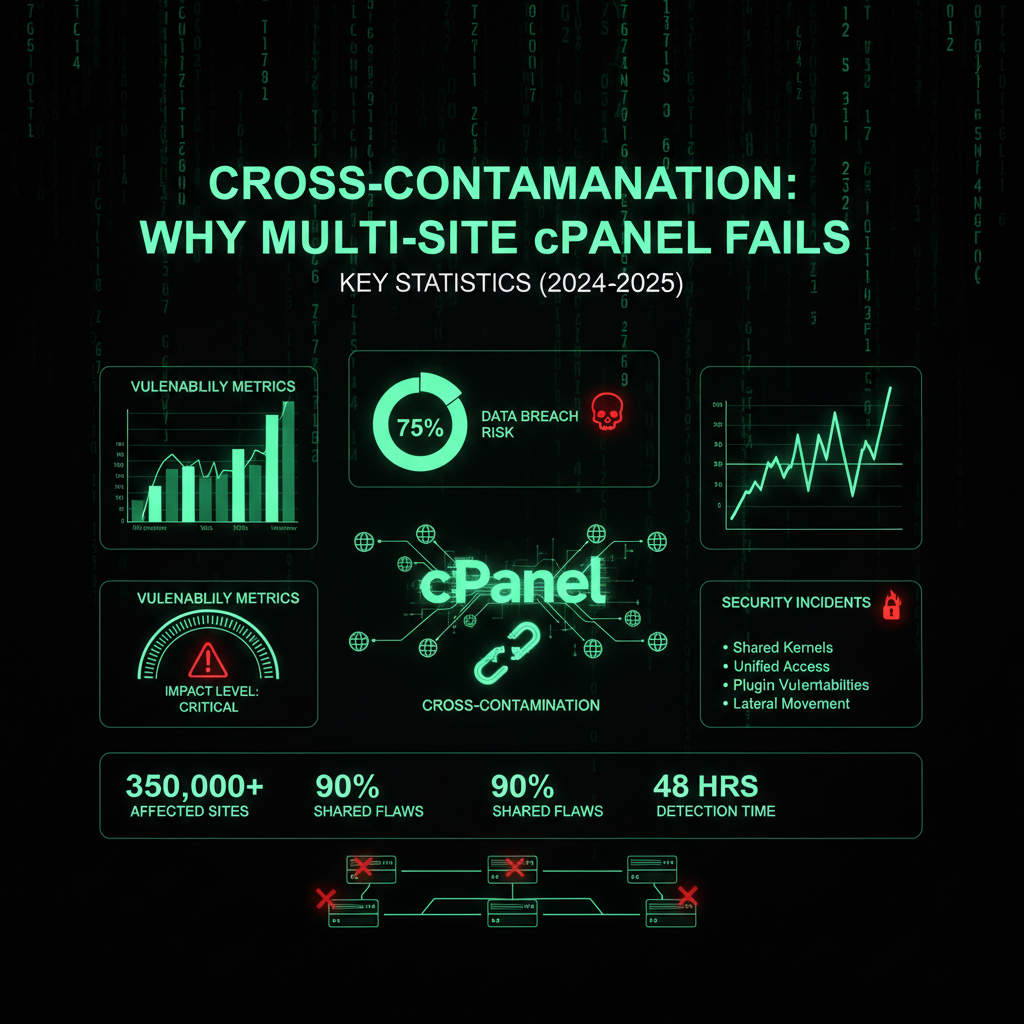
- Cross-contamination mechanism: In cPanel multi-site hosting, all websites under the same cPanel account typically run under the same owner:group and PHP process user. This allows files from one website to access and write to files of other sites in the same account, creating a high risk of malware spreading laterally.
- Risk reduction by segregation: Hosting each website in its own separate cPanel account or container (e.g., using PHP-FPM with separate users) is recommended to prevent cross-contamination. This isolation prevents a compromise on one site from spreading to others on the same server.
- Server load limits: A typical VPS with 8 cores, 16 GB RAM, and 600-700 GB storage might host around 50 sites comfortably, but some shared hosting providers push this number to 300 or even over 1000 cPanel accounts per server, risking performance degradation and failures.
- 2FA vulnerability: A critical two-factor authentication bypass vulnerability in cPanel & WHM versions prior to 11.92.0.2 was discovered in 2024, allowing brute force attacks to bypass 2FA and potentially compromise multiple sites on the same server.
Recent Developments
- In early 2024, Sucuri highlighted the dangers of lateral movement and cross-site contamination in cPanel environments, emphasizing that addon domains share the same owner and PHP process user, facilitating cross-contamination.
- Some hosting providers, like SiteGround, have moved away from traditional cPanel to more isolated environments (e.g., Site Tools) to reduce cross-contamination risks.
- The cPanel security community has emphasized the importance of using WHM (Web Host Manager) to create separate cPanel accounts rather than using addon domains for better server security.
You buy a "Pro" hosting plan with cPanel. It promises "Unlimited Websites." So, you act smart. You put your main business site, your landing pages, your blog, and maybe your cousin's portfolio all on the same account.
You just saved $20/month. You also just created a single point of failure that can wipe out your entire digital existence.
The Architecture of Disaster
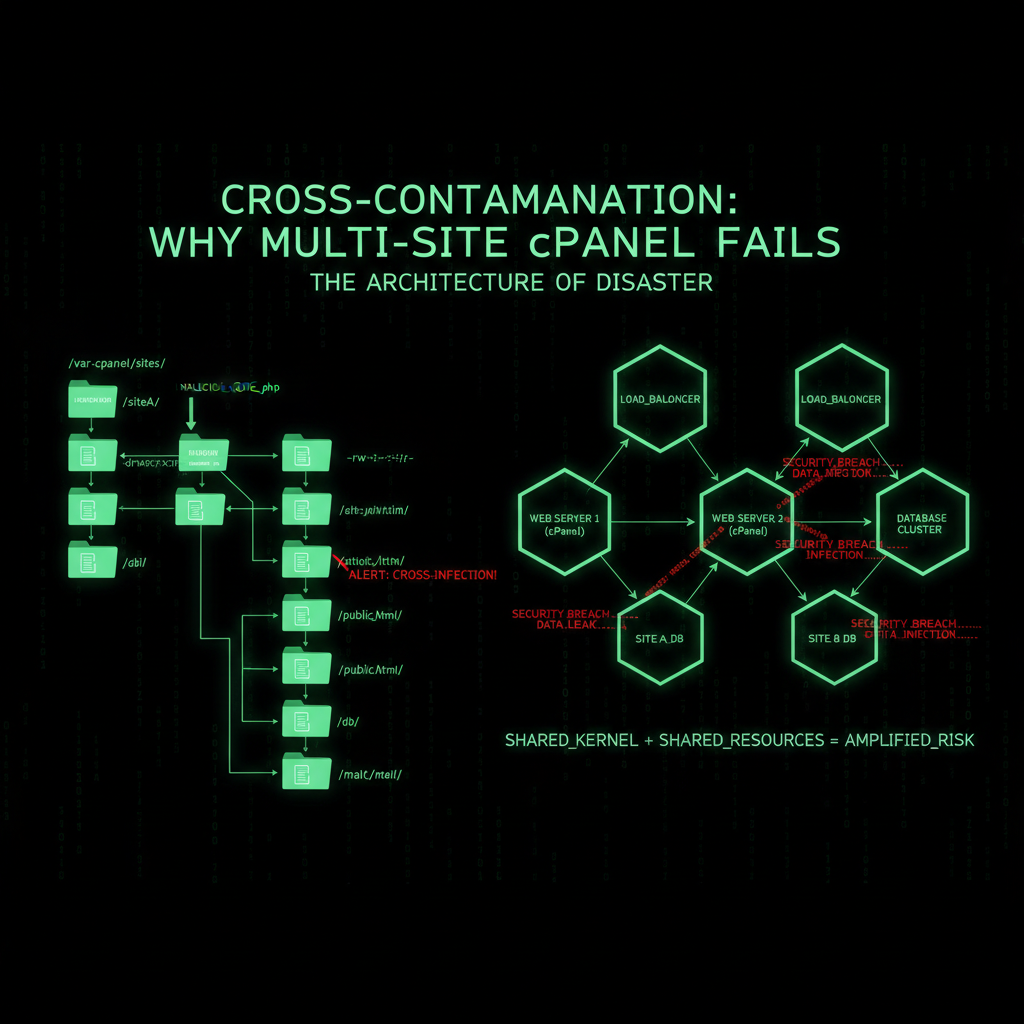
To understand why this is dangerous, you need to understand how cPanel works. It uses a single system user for your entire account.
This means your file structure looks like this:
/public_html
    /site-a
    /site-b
    /site-c
They look separate. They are not. They are all owned by the same user. If a hacker gets into /site-c (maybe an old WordPress blog you forgot to update), they have "write permissions" for the entire folder.
The Cross-Contamination Effect
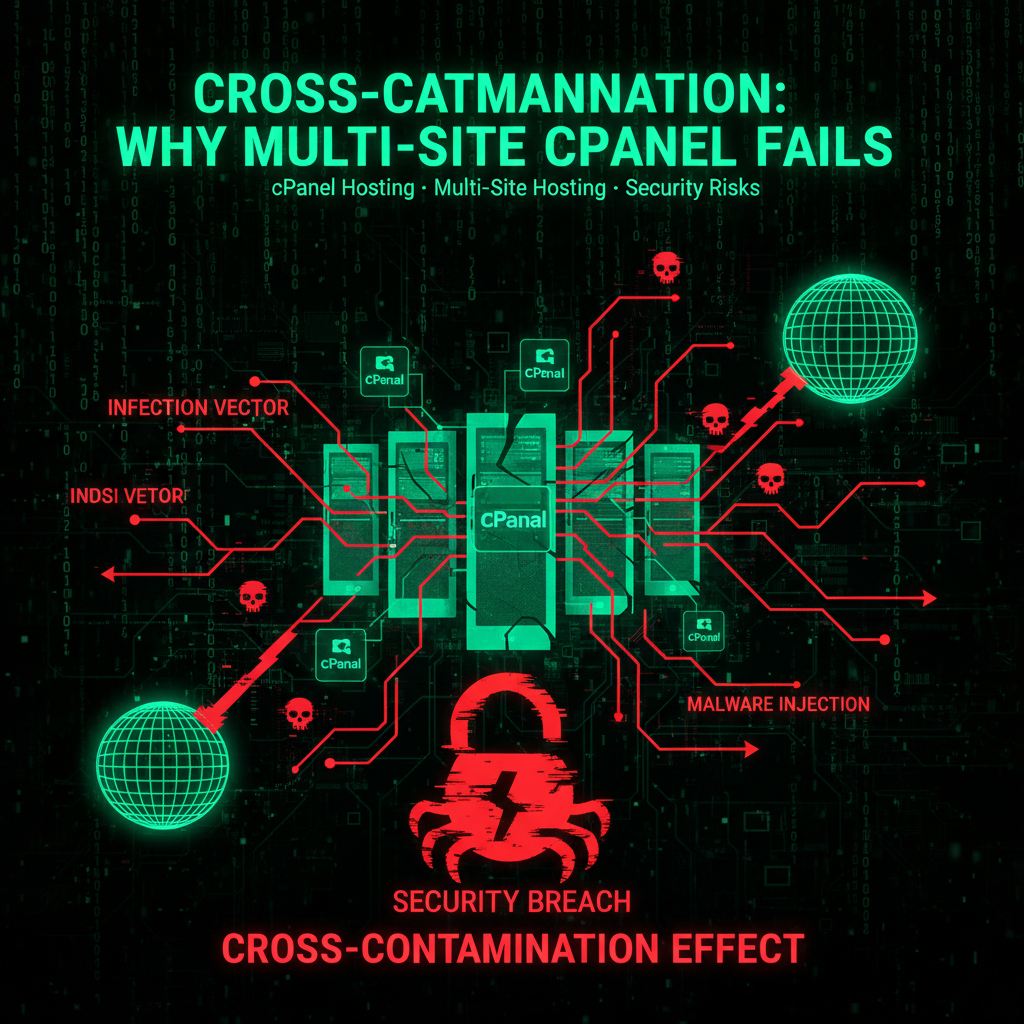
We call this "The Cross-Contamination Trap."
Imagine living in an apartment building where every key opens every door. If a burglar breaks into the ground floor apartment, he can walk into the penthouse without breaking another lock.
If malware infects your least important site, it immediately scans for other `wp-config.php` files in the directory. Within seconds, it injects malware into your main business site, your landing pages, and everything else.
One weak link kills the whole chain.
The Resource Drain
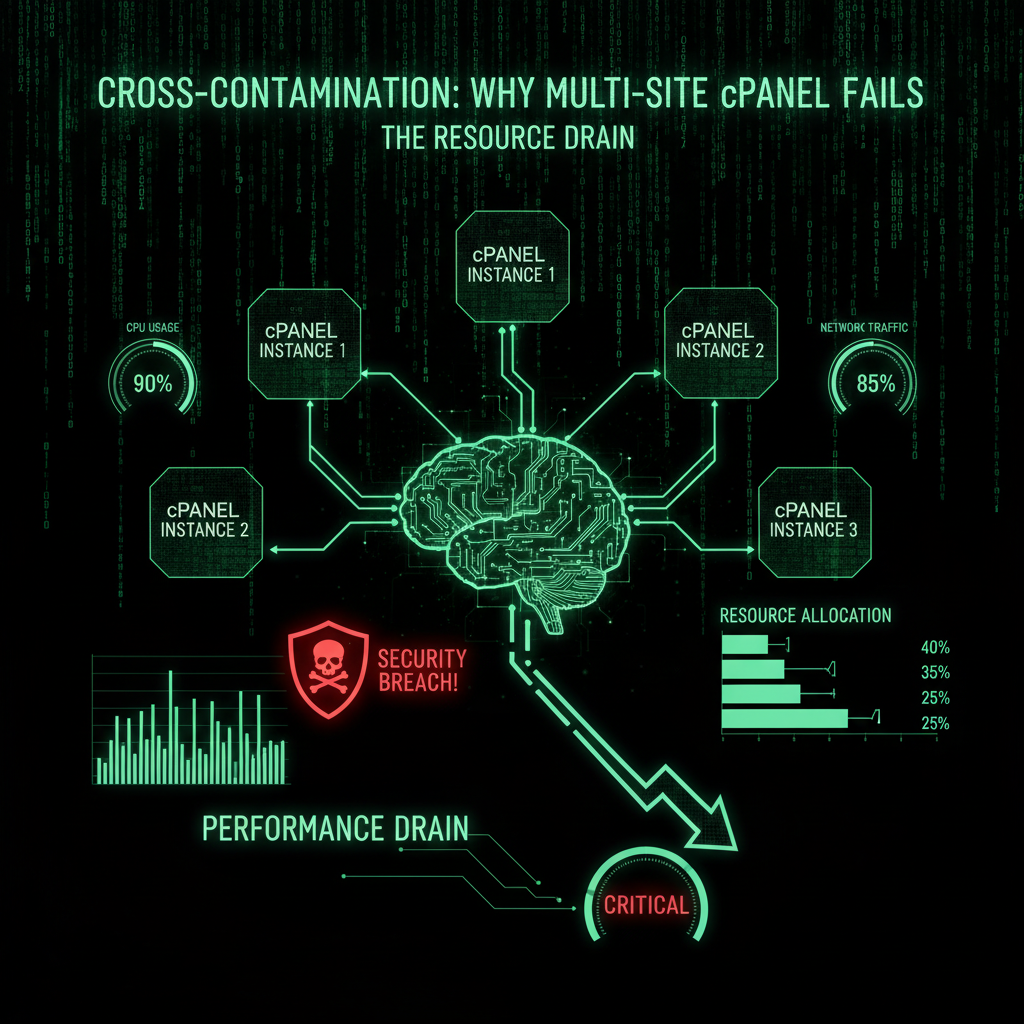
Security isn't the only risk. It's about performance.
In a shared cPanel environment, all your sites share the same "bucket" of resources (CPU, RAM, I/O).
If your blog gets a spike in traffic (or gets hit by a bot attack), it consumes 100% of your account's resources. The result? Your main business site goes offline.
You are effectively DDoS-ing yourself.
Why cPanel is the #1 Target
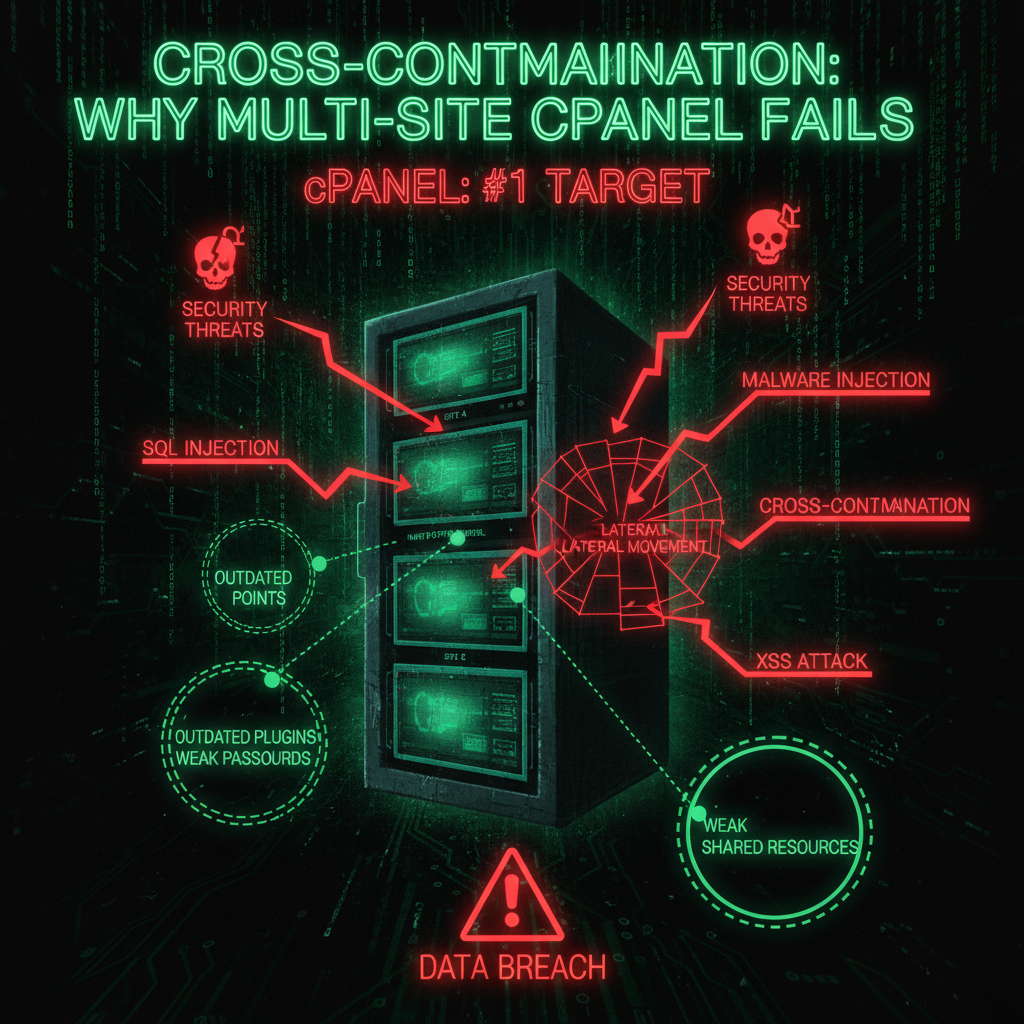
cPanel is the "Windows XP" of hosting. Everyone uses it. Which means every hacker writes scripts specifically to target it.
It is bloated, old code. It has a massive attack surface. Using standard shared cPanel hosting is like painting a target on your back in the digital war.
Hackers specifically target cPanel because:
- Widespread Usage: Millions of websites use cPanel, making it a high-value target for automated attacks.
- Known Vulnerabilities: The large codebase and frequent updates create opportunities for security flaws. The 2FA bypass vulnerability in 2024 is just one example.
- Automated Exploitation: Hackers use bots to scan for vulnerable cPanel installations and exploit them automatically.
- Resource Access: Compromising a cPanel account gives hackers access to multiple sites, databases, and server resources.
This is why proper security configuration is essential if you use cPanel hosting.
How to Secure Your cPanel Server (If You Must Use It)
If you are stuck with cPanel hosting, here is how to minimize the risk:
1. Configure Strong Authentication
Your cPanel account password is your first line of defense. Use a strong, unique password with a combination of uppercase, lowercase, numbers, and special characters. More importantly, enable two-factor authentication (2FA) in your cPanel security settings. This prevents brute force attacks from compromising your account, even if hackers guess your password.
However, be aware that cPanel had a critical 2FA bypass vulnerability in versions prior to 11.92.0.2. Always keep your cPanel and WHM (Web Host Manager) updated to the latest version to patch known vulnerabilities. Set up WHM to automatically update accounts, or establish regular update schedules to ensure security stays current.
When setting up authentication, also enable password strength requirements and set your system to lock accounts after multiple failed login attempts. This adds additional layers of protection against brute force attacks targeting your account.
2. Server Security Settings
Access your Security Center and set up the following security measures:
- IP Address Restrictions: Limit SSH and cPanel access to specific IP addresses if possible. This prevents unauthorized access attempts from unknown locations and reduces the attack surface.
- Port Security: Change default ports for SSH (port 22) and FTP to reduce automated scan attacks. Malicious bots constantly scan default ports, so changing them adds a layer of security. Also disable unused ports to minimize exposure.
- Firewall Setup: Install ConfigServer Security & Firewall (CSF) or similar firewall software to block malicious traffic. A properly set up firewall can block brute force attacks, port scans, and other malicious activity before it reaches your web server. Set your firewall to automatically block IP addresses that show suspicious behavior.
- Web Server Security: Set up your web server (Apache or Nginx) security settings through WHM. For Apache servers, disable unnecessary modules like mod_php if you're using PHP-FPM, and enable mod_security to protect against common web application attacks. Configure Apache security headers (X-Frame-Options, X-Content-Type-Options) and set proper file permissions. If you're using a Linux server, ensure proper user and group permissions are set for all files and directories. Apache configuration files should be properly secured to prevent unauthorized modifications.
- Security Center: Use the Security Center to set up additional security settings. This includes enabling brute force protection, setting IP address allowlists, and setting up security notifications. The Security Center provides a centralized location to manage all account security settings.
3. Does cPanel Have a Firewall?
cPanel itself does not include a built-in firewall, but you can install third-party firewall solutions like CSF (ConfigServer Security & Firewall) through the cPanel interface. This firewall monitors and blocks suspicious IP addresses, port scans, and brute force attempts.
For shared hosting accounts, your web host typically manages the firewall at the server level. However, if you have root access (VPS or dedicated server), you should set up CSF yourself. When setting up your firewall, you can create rules to block malicious IP addresses, limit connection rates, and protect against common attack patterns.
4. Regular Backups and Malware Scans
Set up automated backups through cPanel's backup feature. Store backups off-server. If one site gets infected with malware, you can restore from a clean backup without affecting other sites.
Install malware scanning tools like RKHunter or cxs scanner. These tools scan your files for malicious code and can detect compromised sites before they spread to others on your account. Set up your system to run regular malware scans automatically.
For WordPress sites on cPanel, also scan for vulnerable plugins. Outdated or malicious plugins are a common attack vector. Use security plugins that can scan for malware and vulnerable plugins, and keep all plugins updated to the latest versions.
5. Secure SSH Access
If you have SSH access, disable password authentication and use SSH key authentication instead. This prevents hackers from brute-forcing your SSH login.
Also, set your SSH to only allow specific users and disable root login. This reduces your attack surface significantly. When setting up SSH security, change the default port and implement fail2ban to automatically block brute force attempts.
For Linux servers, configure SSH to use key-based authentication exclusively. Generate SSH keys using strong encryption (RSA 4096-bit or Ed25519) and disable password logins entirely. This eliminates the risk of password-based brute force attacks on your server.
6. Is cPanel Good for Hosting?
cPanel is functional, but it is not ideal for modern hosting needs. It is resource-heavy, has a large attack surface, and lacks proper isolation between sites on the same account.
For small, low-traffic sites, cPanel hosting can work. But for business-critical sites, e-commerce stores, or sites handling sensitive data, you should consider:
- Managed cloud hosting with proper isolation
- VPS hosting with separate containers per site
- Dedicated servers with custom security configurations
If you must use cPanel, use separate accounts managed through WHM (Web Host Manager) rather than addon domains. WHM allows you to create isolated accounts, each with its own user permissions and file system boundaries. This provides better isolation and security compared to hosting multiple sites under a single account.
When setting up your system through WHM, you can establish proper user isolation, set firewall rules, and manage security settings at the account level. This is the recommended approach for hosting multiple sites.
cPanel Alternatives: Better Security Options
If you are concerned about cPanel security limitations, consider these alternatives that offer better isolation and security:
- Plesk: Another popular control panel with better security features and isolation between accounts. Plesk offers improved user permissions and security hardening options.
- DirectAdmin: A lighter alternative to cPanel with better resource management and security features. DirectAdmin provides better isolation between accounts.
- Custom Solutions: For maximum security, consider managed hosting solutions that don't rely on traditional control panels. These often use containerization or virtualized environments with proper isolation.
However, if you must use cPanel, the key is proper configuration and account isolation through WHM rather than addon domains.
The Solution: Isolation
Real Operators* use Containerization or Managed Cloud.
We host every single site in its own isolated environment. Site A has no idea Site B exists. If Site A gets hit by a meteorite, Site B keeps running smoothly.
- Separate Users: Malware cannot cross boundaries.
- Dedicated Resources: One site's traffic doesn't kill another.
- No cPanel Bloat: Faster, leaner, more secure.
Stop trying to save $10 by stacking your sites like a house of cards. Isolate your assets. Protect your revenue. Our maintenance plans include proper hosting configuration and security hardening to prevent cross-contamination issues.
Summary: The cPanel Security Reality
cPanel hosting, especially with multiple sites on one account, creates significant security risks:
- Cross-contamination: All sites share the same user permissions, allowing malware to spread laterally
- Resource sharing: One compromised site can consume all resources, taking down other sites
- Attack surface: cPanel is a popular target for hackers, with known vulnerabilities like the 2FA bypass
- Limited isolation: Addon domains lack proper isolation compared to separate accounts managed through WHM
If you must use cPanel, follow the security checklist above and use separate accounts through WHM rather than addon domains. For business-critical sites, consider alternatives like managed cloud hosting or VPS with proper containerization.
The bottom line: Proper security configuration is essential, but the best security is proper isolation. Don't compromise your entire digital presence to save a few dollars per month. Our security audit service can help identify cross-contamination risks and recommend proper isolation strategies.
If you need help migrating from cPanel to a more secure hosting solution, our development team can help you set up isolated hosting environments that protect each site independently.
Frequently Asked Questions
How do I secure my cPanel?
To secure your cPanel effectively in 2024-2025, follow a comprehensive, multi-layered approach combining strong authentication, updated software, firewall management, and strict user permissions. Set up strong passwords and enable two-factor authentication (2FA) in your security settings. Keep your cPanel and WHM updated to the latest version to patch vulnerabilities like the 2FA bypass discovered in 2024. Set up your firewall (CSF) to block malicious traffic, limit SSH access, and establish regular malware scans. Use WHM to manage separate accounts rather than addon domains for better isolation and security. Our security audit service can help you implement these security measures properly.
What are the disadvantages of cPanel?
The main disadvantages of cPanel include high licensing costs, security vulnerabilities (like the 2FA bypass), limited customization, Linux-only support, and challenges with multi-site hosting leading to cross-contamination risks. When hosting multiple sites on a single cPanel account, all sites share the same user permissions and PHP process, allowing malware to spread laterally between sites. This cross-contamination risk is a significant disadvantage for agencies and businesses hosting multiple client sites.
Does cPanel have a firewall?
cPanel itself does not include a built-in firewall, but you can install third-party firewall solutions like ConfigServer Security & Firewall (CSF) through the cPanel interface. This firewall monitors and blocks suspicious IP addresses, port scans, and brute force attempts. For shared hosting accounts, your web host typically manages the firewall at the server level. However, if you have root access (VPS or dedicated server), you should set up CSF yourself to protect your system.
Is cPanel good for hosting?
cPanel is functional for small, low-traffic sites, but it is not ideal for modern hosting needs. It is resource-heavy, has a large attack surface, and lacks proper isolation between sites on the same account. For business-critical sites, e-commerce stores, or sites handling sensitive data, consider managed cloud hosting, VPS hosting with separate containers, or dedicated servers. If you must use cPanel, use separate accounts managed through WHM rather than addon domains for better isolation and security. Our maintenance plans include hosting recommendations and can help you migrate to more secure hosting solutions.
Can malware on one addon domain infect others on the same cPanel account?
Yes, because all addon domains share the same user permissions and PHP process, malware can spread laterally. If one site gets infected, the malware can access and modify files on all other sites in the same cPanel account. This is why using separate cPanel accounts managed via WHM is recommended to isolate file permissions and processes.
Security Checklist: Essential Steps to Protect Your cPanel Account
If you are using cPanel hosting, follow this security checklist to minimize risks:
- Use Strong Passwords: Create unique, complex passwords for your cPanel account. Avoid common passwords like "admin" or "password123" that hackers can easily guess.
- Enable Two-Factor Authentication (2FA): Add an extra layer of security by enabling 2FA in your Security Center. This prevents unauthorized access even if your password is compromised.
- Keep Software Updated: Regularly update cPanel, WHM, and all installed software to patch known vulnerabilities. The 2FA bypass vulnerability in versions prior to 11.92.0.2 is a reminder of why updates are critical.
- Install a Firewall: Set up ConfigServer Security & Firewall (CSF) or similar firewall software to block malicious traffic, port scans, and brute force attempts.
- Limit SSH Access: If you have SSH access, disable password authentication and use SSH key authentication instead. Change default ports and implement fail2ban.
- Set Up Regular Backups: Configure automated backups stored off-server. If malware infects one site, you can restore from a clean backup without affecting others.
- Install Malware Scanners: Use tools like RKHunter or cxs scanner to scan your files for malicious code. Regular scans can detect compromised sites before malware spreads to others on your account. Set up automated scans to run daily or weekly.
- Use Separate Accounts: Instead of addon domains, use separate cPanel accounts managed through WHM for better isolation and security.
- Monitor for Attacks: Regularly check your logs for brute force attempts, port scans, and other malicious activity. Set up alerts for suspicious behavior.
- Restrict IP Access: Limit cPanel and SSH access to specific IP addresses when possible to reduce the attack surface. Configure your firewall to only allow connections from trusted IP addresses.
- Secure FTP Access: If you use FTP, disable it in favor of SFTP (SSH File Transfer Protocol) which encrypts data in transit. If FTP is necessary, restrict it to specific IP addresses and use strong passwords.
- Monitor Web Host Resources: Keep an eye on your web host's resource usage. If you're on shared hosting, ensure your provider properly isolates accounts. Consider upgrading to VPS or dedicated hosting for better security and isolation.
- Set Up Security Monitoring: Monitor your cPanel account for suspicious activity. Check logs regularly for failed login attempts, unusual file modifications, or unauthorized access. Set up alerts for security events so you can respond quickly to potential threats.
- Manage Account Permissions: Use proper account management through WHM. Ensure each cPanel account has appropriate permissions and isn't granted unnecessary access. Review account permissions regularly and remove access for accounts that are no longer needed.
Best Practices
- Avoid hosting multiple important or business-critical sites on a single cPanel account. Instead, use separate accounts or VPS containers for each site to enforce user and file permission isolation.
- Use Web Host Manager (WHM) to manage multiple accounts with proper isolation rather than addon domains under one account.
- Keep cPanel and all software up to date to patch vulnerabilities like the 2FA bypass.
- Enable strong passwords and two-factor authentication, monitoring for brute force attempts.
- Employ firewalls (e.g., ConfigServer Security & Firewall - CSF) and malware scanners (RKHunter, cxs) with real-time monitoring.
- Set up your security settings through WHM, including firewall rules, SSH access restrictions, and user permissions.
- Regularly scan your system for malware and vulnerabilities, and set up automated backups stored off-server.
Real-World Case Studies: When Cross-Contamination Strikes
Let's examine actual cases where multi-site cPanel hosting led to disaster:
Case Study 1: Agency Catastrophe (2024)
The Setup: A web design agency hosted 12 client sites on a single cPanel account to save costs.
The Attack: One client's old WordPress blog (not updated in 2 years) was compromised through a plugin vulnerability.
The Spread: Within 24 hours, malware spread to all 12 sites on the account. The malware:
- Injected malicious JavaScript into all sites
- Created hidden admin accounts on all WordPress installations
- Stole database credentials from wp-config.php files
- Installed backdoors in core WordPress files
The Impact: All 12 client sites were blacklisted by Google. The agency lost 8 clients. Cleanup cost: $15,000. Reputation damage: irreparable.
The Lesson: One vulnerable site can destroy your entire business. Isolation is not optional—it's essential.
Case Study 2: E-commerce Chain Reaction (2023)
The Setup: An e-commerce business hosted their main store, staging site, and 3 landing pages on one cPanel account.
The Attack: A landing page with an abandoned contact form plugin was compromised.
The Spread: Malware accessed the main store's database, stealing:
- Customer payment information
- Order history and personal data
- Admin credentials
The Impact: PCI-DSS violation, GDPR fine of €50,000, customer data breach notification costs, lost customers, 6 months to recover SEO rankings. Total cost: €120,000+.
The Lesson: E-commerce sites require maximum isolation. Never share hosting with staging or test sites.
Case Study 3: Resource Exhaustion Disaster (2024)
The Setup: A business hosted their main site and 5 client sites on shared cPanel hosting.
The Problem: One client site received a bot attack, consuming 100% of account resources.
The Impact: All 6 sites went offline for 3 days. The main business site lost $8,000 in revenue. Client sites lost $12,000 combined. Hosting provider suspended the account.
The Lesson: Resource sharing means one site's problems become everyone's problems. Isolation prevents resource conflicts.
The Economics of Multi-Site cPanel Hosting
Let's break down the real costs:
Apparent Savings
- Separate hosting: $10/month × 5 sites = $50/month
- Single cPanel account: $20/month for "unlimited" sites
- Apparent savings: $30/month = $360/year
Hidden Costs
- Security risk: One breach affects all sites
- Performance issues: Resource conflicts cause downtime
- Management complexity: Harder to isolate and fix issues
- Recovery costs: $5,000-$50,000+ if breach occurs
Real Cost Analysis
If a breach occurs (statistically likely within 2-3 years):
- Cleanup: $5,000-$15,000
- Downtime: $3,000-$10,000
- SEO recovery: $5,000-$25,000
- Reputation damage: $2,000-$10,000
- Total: $15,000-$60,000
Compare to separate hosting: $50/month × 36 months = $1,800. Even if you never have a breach, the risk isn't worth $30/month savings.
Technical Deep Dive: How Cross-Contamination Works
Understanding the technical details helps you appreciate the risk:
File System Permissions
In a single cPanel account, all sites share the same user ownership:
drwxr-xr-x username username /public_html
drwxr-xr-x username username /public_html/site-a
drwxr-xr-x username username /public_html/site-b
drwxr-xr-x username username /public_html/site-c
All files are owned by the same user. If malware gains write access to one directory, it can write to all directories.
PHP Process User
In traditional cPanel setups, all PHP processes run under the same user:
- Site A's PHP runs as:
username - Site B's PHP runs as:
username - Site C's PHP runs as:
username
If Site A's PHP is compromised, it can access Site B and Site C's files because they all run as the same user.
Database Access
While databases are typically separate, compromised PHP can:
- Read database credentials from other sites' wp-config.php files
- Access databases if credentials are stored insecurely
- Modify database content if proper permissions aren't set
Session and Cookie Access
If sites share the same domain or subdomain structure, session cookies can be accessed across sites, enabling session hijacking attacks.
Migration Strategies: Moving Away from Multi-Site cPanel
If you're currently using multi-site cPanel hosting, here's how to migrate safely:
Step 1: Assessment
- Inventory all sites on the account
- Identify which sites are critical vs. non-critical
- Assess current security status of each site
- Document dependencies and integrations
Step 2: Prioritization
- Immediate migration: E-commerce sites, sites with sensitive data, high-traffic sites
- Short-term migration: Business-critical sites, client sites
- Long-term migration: Test sites, staging sites, low-priority sites
Step 3: Migration Process
- Set up isolated hosting for each site
- Create full backups of each site
- Migrate files and databases
- Update DNS records
- Test thoroughly before going live
- Monitor for issues post-migration
Step 4: Security Hardening
- Implement strong passwords and 2FA
- Set up firewalls and malware scanning
- Configure proper file permissions
- Enable automated backups
- Set up monitoring and alerts
Alternative Hosting Architectures
Modern hosting solutions offer better isolation:
1. Containerized Hosting
Each site runs in its own container (Docker, LXC):
- Complete isolation: Containers cannot access each other
- Resource limits: Each container has dedicated resources
- Scalability: Easy to scale individual sites
- Security: Compromise of one container doesn't affect others
2. Virtual Private Servers (VPS)
Each site gets its own VPS or virtualized environment:
- Full isolation: Separate operating system instances
- Dedicated resources: CPU, RAM, storage allocated per site
- Custom configuration: Tailored security for each site
- Cost-effective: More expensive than shared, but worth it for security
3. Managed Cloud Hosting
Professional hosting with proper isolation:
- Expert management: Hosting provider handles security
- Proper isolation: Sites are properly separated
- Automated updates: Security patches applied automatically
- 24/7 monitoring: Threats detected and blocked
Monitoring and Detection
If you must use multi-site cPanel, monitoring is critical:
What to Monitor
- File integrity: Detect unauthorized file changes
- Resource usage: Identify sites consuming excessive resources
- Network traffic: Detect unusual outbound connections
- Login attempts: Monitor for brute force attacks
- Database activity: Detect unauthorized database access
Detection Tools
- Wordfence: File integrity monitoring and malware scanning
- Sucuri: Security monitoring and malware detection
- Server monitoring: Resource usage and performance monitoring
- Log analysis: Review access logs for suspicious activity
Response Plan
If you detect a compromise:
- Immediately isolate the affected site
- Scan all other sites on the account
- Review file changes and access logs
- Clean malware from all affected sites
- Restore from clean backups if necessary
- Harden security to prevent recurrence
What is cross-contamination in cPanel hosting?
Cross-contamination in cPanel hosting occurs when multiple websites share the same cPanel account, user permissions, and PHP process user. This allows malware or security breaches on one site to spread to all other sites on the same account. How it works: All sites share the same file system user ownership, allowing compromised code on one site to access and modify files on other sites. The risk: If one site is compromised, malware can immediately spread to all sites, databases, and files on the account. Prevention: Use separate cPanel accounts managed through WHM, or migrate to isolated hosting solutions like VPS or containerized hosting. Our security audits can identify cross-contamination risks and recommend proper isolation strategies.
Can I safely host multiple sites on one cPanel account?
Hosting multiple sites on one cPanel account is not recommended for business-critical sites: Security risk: Cross-contamination allows malware to spread between sites. Performance risk: Resource sharing means one site's problems affect all sites. When it might be acceptable: Only for non-critical, low-traffic sites with identical security requirements. Best practice: Use separate cPanel accounts managed through WHM for better isolation, or migrate to isolated hosting solutions. For business sites: Always use separate hosting accounts or isolated environments. The small cost savings aren't worth the security and performance risks. Our maintenance plans include hosting recommendations and can help you migrate to secure, isolated hosting.
What's the difference between addon domains and separate cPanel accounts?
Key differences: Addon domains: Multiple domains under one cPanel account, sharing the same user permissions, PHP process, and file system access. No isolation between sites. Separate accounts: Each domain has its own cPanel account managed through WHM, with separate user permissions, isolated file systems, and independent PHP processes. Security: Separate accounts provide isolation, preventing cross-contamination. Addon domains allow malware to spread. Performance: Separate accounts have independent resource limits. Addon domains share resources. Management: Separate accounts require WHM access. Addon domains can be managed from a single cPanel. Recommendation: Use separate accounts for business-critical sites. Addon domains are acceptable only for non-critical sites with identical security needs.
How do I migrate from multi-site cPanel to isolated hosting?
Migration process: Step 1: Assess all sites, prioritize critical sites for immediate migration. Step 2: Set up isolated hosting (VPS, containers, or managed hosting) for each site. Step 3: Create full backups of files and databases for each site. Step 4: Migrate files and databases to new hosting. Step 5: Update DNS records and test thoroughly. Step 6: Implement security hardening (firewalls, malware scanning, backups). Timeline: Plan 1-2 weeks for proper migration. Cost: Migration typically costs $500-$2,000 per site depending on complexity. Professional help: Consider professional migration services to ensure proper isolation and security. Our development team can help you migrate to isolated hosting environments that protect each site independently.
What are the performance impacts of multi-site cPanel hosting?
Performance impacts include: Resource sharing: All sites share the same CPU, RAM, and I/O limits. One site consuming resources affects all sites. Traffic spikes: A traffic spike on one site can take down all sites on the account. Bot attacks: If one site is attacked, it consumes all resources, affecting other sites. Database conflicts: Multiple sites competing for database resources can cause slowdowns. File system I/O: High I/O on one site affects all sites sharing the same file system. Solution: Isolated hosting provides dedicated resources per site, preventing resource conflicts. Our maintenance plans include performance monitoring and can help identify resource conflicts before they cause downtime.
Is cPanel secure for hosting business websites?
cPanel can be secure if properly configured, but has limitations: Security concerns: Large attack surface, known vulnerabilities (like 2FA bypass), cross-contamination risks with multi-site hosting. When it's acceptable: Small, low-traffic sites with proper security configuration, separate accounts (not addon domains), regular updates and monitoring. When it's not recommended: Business-critical sites, e-commerce stores, sites with sensitive data, high-traffic sites. Better alternatives: Managed cloud hosting, VPS with proper isolation, containerized hosting. Best practice: If using cPanel, use separate accounts through WHM, implement strong security measures, and consider migrating to isolated hosting for business-critical sites. Our security audits can evaluate your cPanel setup and recommend improvements or migration strategies.
