

You ordered a website. You paid for it. You got it delivered.
But here's the question you never asked: Do you actually own it?
This is the story we hear every week. A business owner comes to us, frustrated, because their website developer has disappeared. Or their hosting expired. Or they need to make a change, but they don't have access.
They paid thousands of dollars for a website. But they don't own the domain. They don't control the hosting. They can't log in to make changes. They're locked out of their own digital property.
The Delivery Day Illusion
Here's how it usually happens:
You hire a developer or agency. They build your website. They show you the finished product. It looks great. You're happy. You pay the invoice. The developer hands you the keys—or so you think.
But what you got was a viewing key, not ownership.
You can see your website. You can show it to clients. But you can't move it. You can't change hosting. You can't update it yourself. You're a tenant in a house you think you own.
The Scale of the Problem
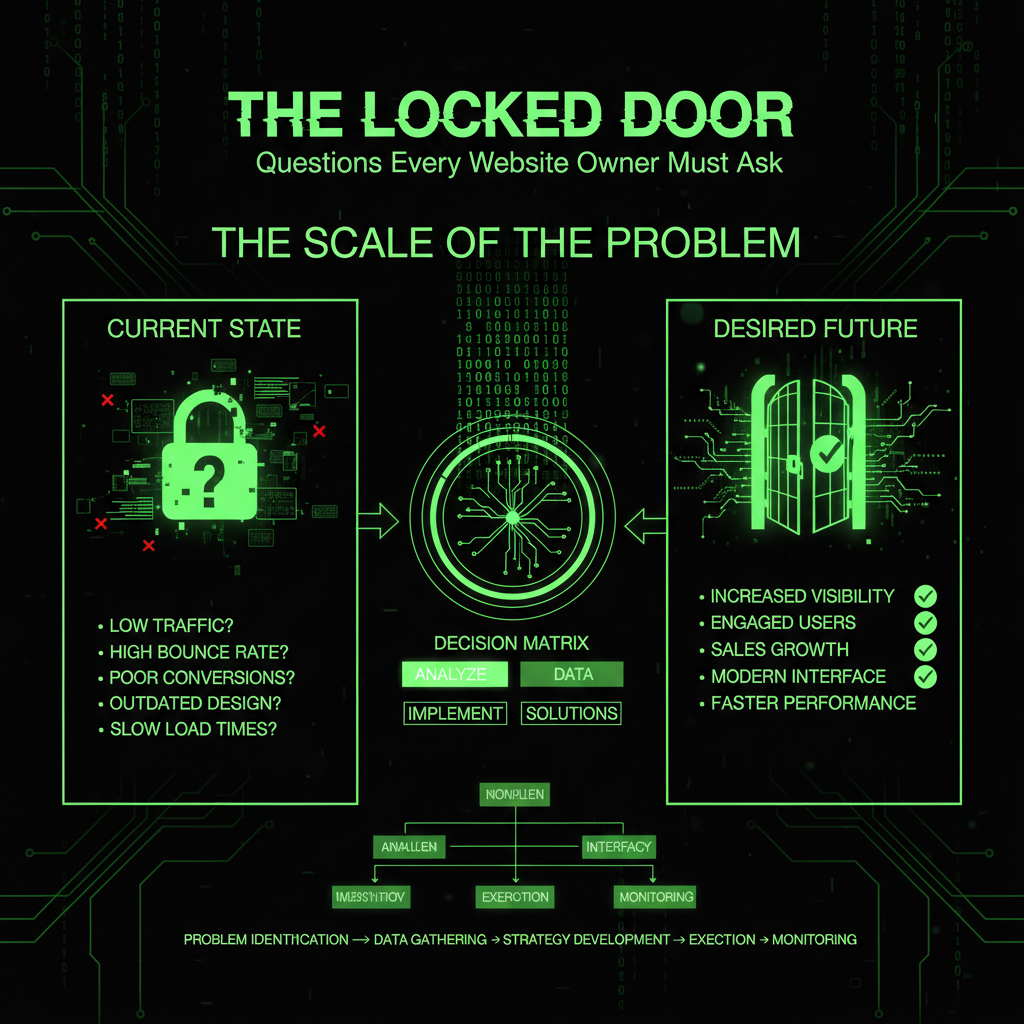
This isn't a rare occurrence. According to industry research, over 40% of small business website owners don't have full access to their own websites. Many discover this only when:
- Their developer disappears or becomes unresponsive
- They need to make urgent changes but can't access the site
- Their hosting expires and they can't renew it
- Their domain expires and they discover they don't own it
- They want to switch developers but can't transfer access
The cost of being locked out can be devastating: rebuilding a website costs $2,500-$10,000+, losing a domain can mean losing your entire online identity, and business downtime can cost hundreds or thousands of dollars per day.
The Questions You Should Have Asked
Before you sign a contract. Before you pay a deposit. Before you even start the project—you need to ask these questions.
We've compiled the complete checklist of questions every non-technical website owner must ask themselves and their developer.
Domain Name Questions
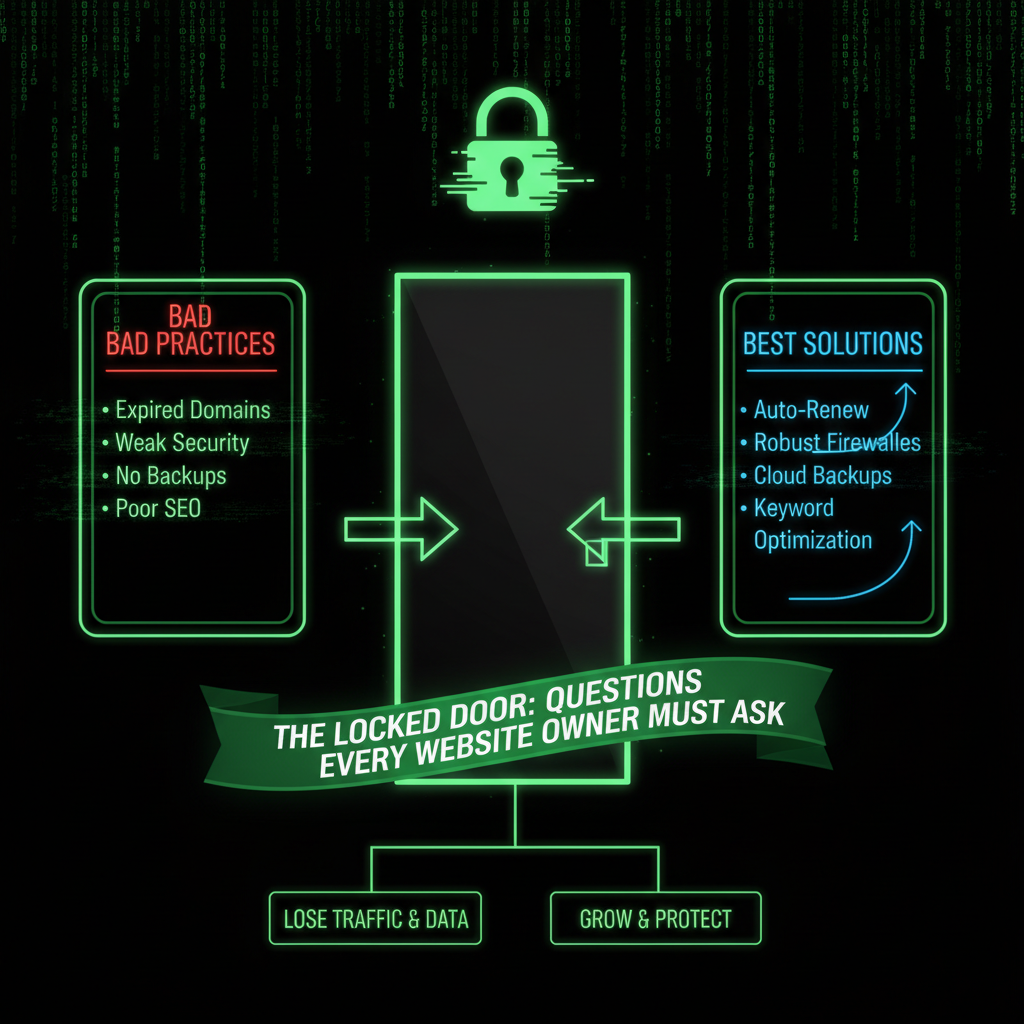
1. Who owns the domain name?
Why it matters: The domain name is your website's address. If you don't own it, you don't control your online identity.
What to ask: "Who is the registered owner of [yourdomain.com]? Is it registered in my name or your company's name?"
What you need: The domain should be registered in YOUR name (or your business name), not the developer's. You need access to the domain registrar account.
2. Where is the domain registered?
Why it matters: You need to know which company manages your domain (GoDaddy, Namecheap, etc.) so you can access it if needed.
What to ask: "Which domain registrar did you use? Can you show me the account details?"
What you need: The registrar name, account email, and access credentials.
3. When does the domain expire?
Why it matters: If the domain expires, your website goes offline. Forever. If you don't own it, you can't renew it.
What to ask: "What is the domain expiration date? How will I be notified when it's time to renew?"
What you need: Expiration date, renewal cost, and a plan for renewal notifications.
4. Do I have access to the domain registrar account?
Why it matters: Without access, you can't change DNS settings, transfer the domain, or renew it yourself.
What to ask: "Can you provide me with login credentials for the domain registrar account? Will the account be transferred to me?"
What you need: Full access to the domain registrar account, or confirmation that the domain will be transferred to an account you control.
5. Can I transfer the domain to a different registrar?
Why it matters: You should have the freedom to move your domain if needed, without the developer's permission.
What to ask: "Is the domain locked? What is the transfer process? Are there any restrictions?"
What you need: The domain should be unlocked and transferable. You should have the authorization code (EPP code) if needed.
6. Is domain privacy protection enabled?
Why it matters: Domain privacy (WHOIS privacy) protects your personal information from being publicly accessible in domain records, reducing spam and potential security risks.
What to ask: "Is WHOIS privacy enabled? Who is paying for it? Will it continue after the project?"
What you need: Domain privacy should be enabled and you should know the renewal cost.
Hosting Questions
7. Who owns the hosting account?
Why it matters: If the hosting is in the developer's name, they control your website files. If they disappear, you lose everything.
What to ask: "Is the hosting account in my name or yours? Can I see the hosting account details?"
What you need: The hosting account should be in YOUR name, or you should have full access to it.
8. Which hosting company are you using?
Why it matters: You need to know where your website lives. If the developer disappears, you need to be able to contact the hosting company directly.
What to ask: "What hosting company are you using? Can you provide me with the account information?"
What you need: Hosting company name, account number, and contact information.
8. What is the hosting renewal cost?
Why it matters: Hosting costs money every year. If you don't know the cost, you can't budget for it. If the developer stops paying, your site goes offline.
What to ask: "How much does hosting cost per year? Who is responsible for paying it? How will I be billed?"
What you need: Annual hosting cost, billing cycle, and a plan for who pays and how.
10. Do I have access to the hosting control panel?
Why it matters: Without hosting access, you can't back up your site, change settings, or move it if needed.
What to ask: "Can you provide me with cPanel/hosting control panel access? What are the login credentials?"
What you need: Full access to the hosting control panel (cPanel, Plesk, or whatever your host uses).
11. Can I get a backup of my website files?
Why it matters: You should always have a backup of your website. If something goes wrong, you can restore it.
What to ask: "Can you provide me with a complete backup of my website files and database? How often are backups created?"
What you need: Regular backups (daily or weekly) and access to download them.
Website Access Questions
12. Do I have admin access to my website?
Why it matters: If you can't log in to your own website, you can't make changes, add content, or manage it yourself.
What to ask: "Can you create an administrator account for me? What are the login credentials?"
What you need: Administrator-level access to WordPress/Joomla with your own username and password.
13. What content management system (CMS) is my website built on?
Why it matters: You need to know if it's WordPress, Joomla, or something else. This determines how you can manage it and who can help you.
What to ask: "What CMS is my website built on? Is it WordPress, Joomla, or something custom?"
What you need: Clear answer about the CMS and version number.
14. Can I update content myself?
Why it matters: You shouldn't have to pay the developer every time you want to change text or add a blog post.
What to ask: "Will I be able to update content, add blog posts, and make basic changes myself? Will you provide training?"
What you need: Confirmation that you'll have content editing access and basic training if needed.
15. What plugins/extensions are installed?
Why it matters: You need to know what your website depends on. Some plugins require licenses that you'll need to renew.
What to ask: "Can you provide me with a list of all plugins/extensions? Which ones require paid licenses?"
What you need: Complete list of plugins/extensions with license information and renewal costs.
16. Who owns the website code?
Why it matters: If the developer wrote custom code, you need to know if you own it or if they do. This affects whether you can hire someone else to modify it.
What to ask: "Do I own the website code, or do you retain rights? Can I hire another developer to modify it?"
What you need: Written confirmation that you own the code and can modify it with any developer you choose.
Email Questions
17. Where is my business email hosted?
Why it matters: Your business email ([email protected]) is critical. If it's tied to hosting you don't control, you could lose access.
What to ask: "Where is my email hosted? Is it with the hosting company, Google Workspace, Microsoft 365, or somewhere else?"
What you need: Email hosting provider name and account access.
18. Do I have access to my email accounts?
Why it matters: If you can't access your email, you can't receive customer inquiries or reset passwords.
What to ask: "Can you provide me with access to all email accounts? What are the passwords?"
What you need: Access to all business email accounts with the ability to change passwords.
19. What happens to my email if I change hosting?
Why it matters: If you move your website, you need to know if your email will still work and how to migrate it.
What to ask: "If I move my website to different hosting, what happens to my email? Can it be migrated?"
What you need: Understanding of email setup and migration process.
Security & Maintenance Questions
20. Who is responsible for website security?
Why it matters: Websites need regular security updates. If no one is responsible, your site will become vulnerable.
What to ask: "Who will handle security updates? How often will the website be updated? What security measures are in place?"
What you need: Clear plan for ongoing security updates and monitoring. Consider our maintenance plans for professional security management.
21. How are backups handled?
Why it matters: If your website breaks or gets hacked, backups are your only way to recover.
What to ask: "How often are backups created? Where are they stored? Can I access them? How long are they kept?"
What you need: Regular automated backups (daily or weekly) stored in a separate location with access for you.
22. What happens if the website breaks?
Why it matters: Websites break. Updates fail. Plugins conflict. You need to know who will fix it and how much it will cost.
What to ask: "What is your support policy after launch? How much do you charge for fixes? What is your response time?"
What you need: Clear support agreement with response times and pricing for ongoing maintenance.
Financial & Legal Questions
23. What are all the ongoing costs?
Why it matters: Websites have ongoing costs: hosting, domain renewal, plugin licenses, SSL certificates. You need to budget for these.
What to ask: "What are all the annual costs I'll need to pay? Domain? Hosting? Plugins? SSL? Email?"
What you need: Complete breakdown of all annual costs with renewal dates.
24. What happens if you (the developer) disappear?
Why it matters: Developers change careers, close businesses, or become unreachable. You need a plan for this scenario.
What to ask: "If you're no longer available, how do I get access to everything? Do you have documentation of all accounts and passwords?"
What you need: Complete documentation of all accounts, passwords, and access methods stored securely.
25. Can I hire another developer to work on this?
Why it matters: You should have the freedom to hire any developer you want, not be locked into one person or agency.
What to ask: "If I want to hire another developer in the future, will I be able to? Are there any restrictions?"
What you need: Confirmation that you can hire any developer and that all access will be provided.
26. What documentation will I receive?
Why it matters: You need documentation of how your website works, what accounts exist, and how to access everything.
What to ask: "Will you provide me with documentation? Login credentials? Account information? A website manual?"
What you need: Complete documentation package with all access information.
Additional Critical Questions
27. Is two-factor authentication (2FA) enabled?
Why it matters: 2FA adds an extra layer of security to prevent unauthorized access to your website and accounts.
What to ask: "Is two-factor authentication enabled for admin accounts? How do I set it up?"
What you need: 2FA should be enabled on all administrative accounts (domain, hosting, website admin).
28. Are email authentication protocols (SPF, DKIM, DMARC) configured?
Why it matters: These protocols prevent email spoofing and phishing attacks, ensuring your business emails are trusted.
What to ask: "Are SPF, DKIM, and DMARC records configured for my domain? Can you show me the settings?"
What you need: Proper email authentication records configured in your domain's DNS settings.
29. Is there a staging environment for testing changes?
Why it matters: A staging site allows you to test updates and changes without affecting your live website.
What to ask: "Is there a staging or test environment? How do I access it?"
What you need: Access to a staging environment for safe testing before making changes live.
30. Who has access to my website, and what are their permission levels?
Why it matters: You need to know who can access your website and what they can do. Too many admin users increase security risk.
What to ask: "Who else has access to my website? What are their user roles? Can I see a list of all users?"
What you need: Complete list of all users with their roles and permission levels. You should be able to remove or modify access as needed.
The Consequences of Not Asking
If you don't ask these questions, here's what can happen:
- You lose your website: Developer disappears, hosting expires, domain expires—your website is gone forever. According to industry data, over 30% of small businesses have experienced losing access to their website at some point.
- You can't make changes: Every small change requires paying the developer, who may charge high hourly rates ($75-$150/hour). This can cost thousands annually for simple updates.
- You're locked in: You can't switch developers, change hosting, or move your website. You're trapped with one provider, regardless of service quality or pricing.
- You lose your email: Business email stops working, and you can't access it. This can mean losing customer inquiries, important communications, and business opportunities.
- You pay ransom fees: Some developers charge exorbitant fees ($500-$2,000+) to "release" your website or provide access. This is essentially digital hostage-taking.
- You start over: If you can't get access, you may need to rebuild your website from scratch, costing $2,500-$10,000+ and weeks or months of work.
- Security vulnerabilities: Without proper access, you can't ensure security updates are applied, leaving your site vulnerable to attacks that can cost $5,000-$50,000+ to fix.
- Data loss: Without backup access, you risk losing all your website content, customer data, and business information if something goes wrong.
Real-World Statistics
Research shows the scope of this problem:
- 40%+ of small business website owners don't have full administrative access to their websites
- Over 30% of businesses have experienced losing access to their website at some point
- Average cost to recover a locked-out website: $2,500-$5,000
- Average cost to rebuild a website from scratch: $5,000-$15,000
- Domain expiration issues affect thousands of businesses annually, with many losing their domains permanently
- Security breaches from lack of access control cost small businesses an average of $25,000 per incident
What to Do If You're Already Locked Out
If you're reading this and you're already in this situation, here's what to do:
Step 1: Document Everything
Gather all contracts, invoices, emails, and any documentation you have. Look for domain names, hosting companies, and any access information. Create a folder with:
- All contracts and agreements
- Invoices and payment records
- Email correspondence with the developer
- Any login credentials you do have
- Screenshots of your website (proof of ownership)
Step 2: Contact the Developer
Try to contact the developer or agency through all available channels (email, phone, social media). Be professional but firm. Request all access information and account details in writing. Give them a reasonable deadline (7-14 days) to respond.
Step 3: Verify Domain Ownership
Use WHOIS lookup tools (whois.net, whois.com) to check domain registration details. If the domain is in your name, you may be able to regain access through the registrar. If it's in the developer's name, you'll need to prove ownership through contracts or legal means.
Step 4: Contact Domain Registrar
If you know which registrar was used (GoDaddy, Namecheap, etc.), contact their support. Provide proof of ownership (contracts, invoices). If the domain is in your name, they can help you regain access. If it's in the developer's name, you may need legal documentation.
Step 5: Contact Hosting Company
Contact the hosting company's support. Provide account information if you have it. If the account is in your name, they can help you regain access. If not, you may need to prove ownership through contracts or legal documentation. Some hosting companies will transfer accounts with proper proof of ownership.
Step 6: Check for Backups
If you have any backups of your website (even old ones), they can be valuable. Check your email, computer, or cloud storage for any backup files. Even partial backups can help reduce recovery costs.
Step 7: Get Professional Help
If you can't regain access, contact a professional immediately. Our website migration service can help you recover your website if you have backups or can prove ownership. Our website development service can help you rebuild if necessary. Time is critical—the longer you wait, the harder recovery becomes.
Step 8: Legal Action (If Necessary)
If the developer refuses to provide access and you have a contract stating you own the website, consult with a lawyer. Many contracts include clauses about ownership and access rights. Legal action may be necessary to enforce your rights.
Step 9: Prevent Future Problems
Once you regain control, immediately:
- Change all passwords
- Ensure all accounts are in your name
- Set up auto-renewal for domain and hosting
- Enable two-factor authentication everywhere
- Set up regular automated backups
- Document all access credentials securely
- Consider our maintenance plans to ensure your website stays secure and accessible
Prevention: The Checklist Before You Start
Before you hire a developer or sign a contract, use this checklist:
Contract Requirements
- ✓ Contract explicitly states you own the website, domain, and all content
- ✓ Contract specifies all accounts will be in your name
- ✓ Contract includes a clause requiring transfer of all access upon completion
- ✓ Contract specifies what happens if the developer becomes unavailable
- ✓ Contract includes a list of all accounts and services that will be created
Before Payment
- ✓ Verify domain will be registered in your name
- ✓ Verify hosting account will be in your name
- ✓ Get a list of all ongoing costs (domain, hosting, plugins, etc.)
- ✓ Confirm you'll receive all login credentials
- ✓ Confirm you'll receive documentation and training
Upon Completion
- ✓ Verify domain is registered in your name (check WHOIS)
- ✓ Verify hosting account is in your name
- ✓ Test all login credentials (domain, hosting, website admin)
- ✓ Receive complete documentation
- ✓ Set up auto-renewal for domain and hosting
- ✓ Enable two-factor authentication on all accounts
- ✓ Set up regular backups
- ✓ Get a complete backup of your website files and database
The Verdict
Your website is a business asset. Just like your physical office or equipment, you should own it, control it, and have full access to it.
Don't be a tenant in your own digital property. Ask these questions. Get everything in writing. Ensure you have full access.
If you're building a new website, use this checklist. If you already have a website, go through it now. Don't wait until it's too late.
The cost of prevention is zero. The cost of recovery can be thousands of dollars and weeks or months of lost business.
Your website is your business. Own it.
Need Help Regaining Access?
If you're locked out of your website, we can help. Our website migration service can recover your website if you have backups or can prove ownership. Our website development service can rebuild your site if recovery isn't possible.
Once you regain control, our maintenance plans ensure you'll never lose access again, with regular backups, security updates, and full documentation.
Frequently Asked Questions
What should I do if my developer won't give me access?
If your developer refuses to provide access, this is a serious problem. First, review your contract—it should specify that you own the website and have rights to access. Contact the developer in writing, requesting all access information. If they still refuse, you may need legal assistance. In some cases, you can contact the domain registrar or hosting company directly if accounts are in your name. If accounts are in the developer's name and they're uncooperative, legal action may be necessary. Our website migration service can help recover your website if you have backups or can prove ownership.
Can I transfer my website to a different developer?
Yes, you should be able to transfer your website to any developer you choose, as long as you own the website and have access to hosting and domain accounts. If your website is built on WordPress or Joomla, any developer familiar with these platforms can work on it. The key is having access: domain access, hosting access, and website admin access. If you have all three, you can hire any developer. If you don't have access, you'll need to regain it first. Our website development service can help with transfers and migrations.
What's the difference between owning a website and having access to it?
Owning a website means the website, domain, and hosting are registered in your name, and you have legal rights to them. Having access means you can log in and make changes, but the accounts may be in someone else's name. Ideally, you should both own AND have access. If you only have access but don't own the accounts, you're vulnerable—the owner can change passwords, cancel services, or disappear. If you own but don't have access, you may need to contact service providers to regain access. The best scenario is full ownership with full access to everything.
How much should I pay for ongoing website maintenance?
Ongoing website maintenance typically costs $199-$499 per month, depending on your website's complexity and needs. This should include: regular updates (WordPress/Joomla core, plugins, themes), security monitoring, backup management, performance optimization, and technical support. Some developers charge hourly rates ($75-$150/hour) for maintenance, which can add up quickly. Our maintenance plans start at $199/month and provide comprehensive maintenance with predictable pricing. When evaluating maintenance costs, consider: what's included, response times, expertise level, and whether you'll have access to make changes yourself.
What happens if my domain expires?
If your domain expires, your website goes offline immediately. Visitors can't access your site, and your email stops working. After expiration, there's usually a grace period (30-45 days) where you can renew at the standard price. After the grace period, the domain enters a redemption period where renewal costs increase significantly ($100-$200+). After redemption, the domain may be released for public registration, meaning anyone can buy it. If someone else buys your expired domain, you've lost it forever. This is why it's critical to: own your domain, have access to renew it, set up auto-renewal, and keep your contact information current with the registrar. Never let your domain expire.
Should I use the same company for hosting and domain?
It's generally better to keep your domain and hosting separate. Here's why: Flexibility: If you want to change hosting, you can do so easily without transferring the domain. Redundancy: If one company has problems, you don't lose both services. Better pricing: Domain registrars often offer better domain prices, while hosting companies focus on hosting. Easier management: You can manage domain and hosting separately, which is often simpler. However, using the same company can be convenient if you prefer one account for everything. The most important thing is that YOU own both accounts and have full access. Whether they're with the same company or different companies matters less than ensuring you have ownership and control.
