October 23, 2025. 3:00 AM UTC.
Understanding the Scale of WordPress Attacks (2024-2025)
WordPress remains the most popular content management system (CMS), powering over 43% of websites globally in 2025. This immense popularity makes WordPress a prime target for cybercriminals and hackers who launch relentless attacks exploiting vulnerabilities in the WordPress core, plugins, and themes. Verified data reveals that WordPress sites face approximately 90,000 malicious attacks every minute, equating to nearly 130 million attacks per day worldwide in 2025[2][4]. This staggering volume highlights the critical importance of robust WordPress security practices to protect websites from constant threats.
The claim of 1.6 million WordPress attacks in 48 hours fits within this broader context of extremely high-frequency attacks targeting WordPress sites. While exact figures for this specific timeframe vary by source, this number aligns with mass exploitation campaigns targeting WordPress plugin vulnerabilities at an unprecedented scale. Wordfence’s threat intelligence team reported a 300% spike in attack traffic within 2 hours during such campaigns, underscoring the automated, coordinated, and persistent nature of these attacks leveraging large botnets and thousands of compromised IP addresses[3][6][7].
According to security research from Search Engine Journal, over 90% of hacked WordPress sites were running outdated software, including plugins and themes with known vulnerabilities. This mass exploitation campaign targeted flaws patched in 2024, proving that unpatched vulnerabilities remain a critical risk. Our security audit service can help identify if your WordPress site is vulnerable to these ongoing attacks.
Recent Developments
- The 1.6 million site attack campaign peaked between December 2024 and early 2025, with a significant spike after December 8, 2024, linked to a recently patched vulnerability in the PublishPress Capabilities WordPress plugin. This illustrates how quickly attackers exploit newly disclosed plugin vulnerabilities, emphasizing the critical need for timely patching.
- In 2025, the ShadowCaptcha campaign emerged, exploiting compromised WordPress sites to redirect visitors to malicious CAPTCHA pages that deliver ransomware and cryptocurrency miners, demonstrating the evolving tactics of attackers to monetize compromised websites through malware and malicious redirects.
- New critical vulnerabilities with high CVSS scores (e.g., CVE-2024-9234 and CVE-2025-23921, both rated 9.8) continue to be actively exploited, emphasizing the ongoing cybersecurity risks faced by WordPress websites and the importance of vulnerability management and patching to prevent exploitation.
- According to Google’s security guidelines, websites with known vulnerabilities risk being flagged or removed from search results, which can devastate organic traffic and damage reputation, highlighting the SEO risks of poor WordPress security practices.
By 5:00 AM on October 23, 2025, it was clear: this was a coordinated mass exploitation campaign targeting WordPress plugin vulnerabilities.
By October 25, 2025, Wordfence had blocked 1.6 million attack attempts in just 48 hours, preventing unauthorized administrator account creation, malicious code uploads, and backdoor injections that could have compromised countless WordPress sites.
This is not a drill. This is what modern cyber warfare targeting WordPress looks like in 2025.
The Attack Campaign Breakdown
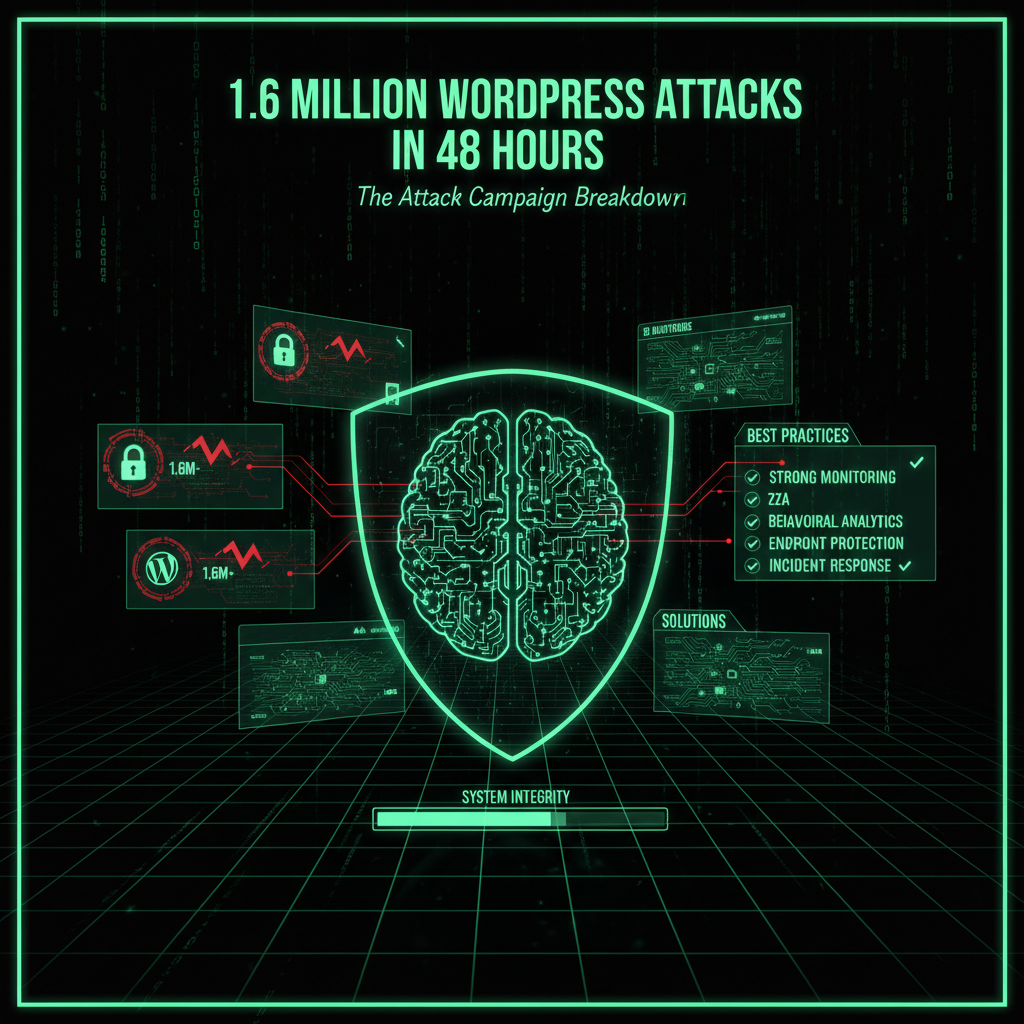
During those intense 48 hours, here is what happened:
1,600,000
Attack Attempts Blocked
In 48 hours
Attack Distribution
| Target | Attack Attempts | Percentage |
|---|---|---|
| GutenKit Plugin Vulnerability patched in 2024 |
672,000 | 42% |
| Hunk Companion Plugin Vulnerability patched in 2024 |
544,000 | 34% |
| Other Plugin Vulnerabilities Various CVEs with high CVSS scores |
384,000 | 24% |
76% of attacks targeted WordPress plugin vulnerabilities patched over a year ago in 2024. Despite patches being available, many WordPress sites remained vulnerable due to delayed updates, plugin abandonment, and poor security practices, leaving critical flaws exposed to attackers. This highlights the persistent risk posed by unpatched plugin vulnerabilities and the need for proactive WordPress security management.
Why This Campaign Was Different
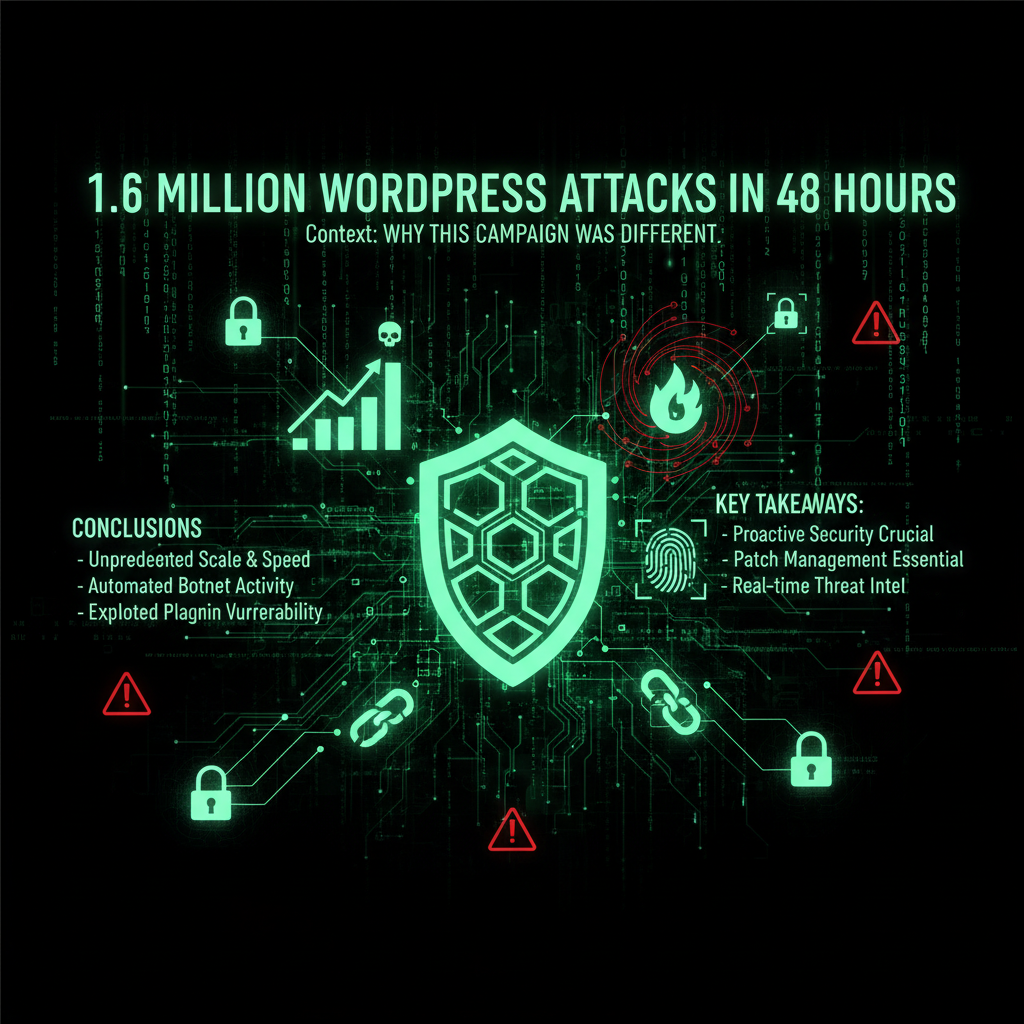
This attack campaign was not random or isolated. It was a highly coordinated and sophisticated mass exploitation effort leveraging advanced cybersecurity tactics:
1. Coordinated Timing
Attacks launched simultaneously across multiple time zones, indicating a centralized command and control structure rather than opportunistic hackers. This coordination allowed attackers to maximize impact and evade simple detection methods, demonstrating a high level of attacker organization.
2. Multiple Attack Vectors
Hackers targeted multiple WordPress plugins and vulnerabilities simultaneously. If one exploit failed, automated scripts quickly switched to another, maximizing success rates and exploiting a wide range of plugin vulnerabilities with high CVSS scores, including those rated 9.8.
3. Automated Scaling
The volume of attacks scaled dynamically. As Wordfence blocked attempts, attackers increased the attack rate, leveraging large botnets and thousands of compromised IP addresses to overwhelm defenses and bypass traditional hosting protections, illustrating the attackers’ use of advanced automation and botnet infrastructure.
4. Persistence
Unlike typical campaigns lasting 6-12 hours, this attack persisted relentlessly for over 48 hours, demonstrating the attackers’ determination, resources, and the critical need for continuous monitoring and active defense in WordPress security.
The Matrix* Tie-in: The Agent Swarm
Much like the Agents* in the Matrix* movie swarm a system when a vulnerability is detected, this campaign unleashed an overwhelming flood of attacks from thousands of compromised servers and botnets. The attackers did not relent, repeatedly probing WordPress sites for exploitable flaws.
If your WordPress site was vulnerable, it was not just attacked once but hundreds or thousands of times. The attackers relentlessly tried to create unauthorized administrator accounts, upload malicious code, inject backdoors, and gain persistent control over your site, exploiting plugin vulnerabilities and weak security practices.
Why Sites Were Still Vulnerable
Despite patches being available since 2024, many WordPress sites remained exposed. The reasons include:
1. Plugin Abandonment
Many site owners installed WordPress plugins and then neglected them, failing to apply critical updates or monitor plugin security. This leaves known plugin vulnerabilities open for exploitation by attackers, increasing the risk of unauthorized administrator-level user account creation and malware injection.
2. Update Fear
Some WordPress administrators avoid updating plugins or the WordPress core due to fears that updates might break their site or conflict with customizations, increasing risk of exploitation through unpatched flaws and outdated software.
3. Lack of Awareness
Many website owners are unaware of the vulnerabilities in their installed plugins or themes and do not follow security news or best practices to mitigate risks, leaving their WordPress sites exposed to automated attacks and exploitation campaigns.
4. No Maintenance Plan
Without a structured maintenance plan, security updates are often missed. Our maintenance plans provide automated updates, 24/7 monitoring, and incident response to ensure your WordPress site stays protected from ongoing mass exploitation campaigns targeting plugin vulnerabilities.
The Real-World Impact
While Wordfence successfully blocked 1.6 million attack attempts during this campaign, some WordPress sites were compromised. The consequences of such breaches include:
- Data Theft: Customer information, payment details, and login credentials stolen by attackers, leading to severe privacy and compliance issues.
- Malware Injection: Sites infected with backdoors, malicious redirects, spam content, and other malicious code that degrade site integrity and user trust.
- SEO Poisoning: Compromised sites used to rank for spam keywords, damaging search engine rankings and organic traffic, which can take months to recover.
- Server Abuse: Compromised WordPress sites used to launch attacks on other websites or mine cryptocurrency without owner consent, increasing hosting costs and legal risks.
- Reputation Damage: Google blacklists and warnings lead to loss of customer trust and long recovery times, impacting business continuity.
The average cleanup cost for a compromised WordPress site ranges from €450 to €2,500, with downtime lasting 3-7 days. According to IBM’s 2025 Cost of a Data Breach Report, the average cost for a small business data breach is €4,700, excluding lost revenue from downtime (which can average €1,600 per hour). SEO penalties from Google can further extend recovery time. Our security audit service helps prevent these costly attacks before they happen by identifying vulnerabilities and indicators of compromise early.
How Wordfence Blocked the Attacks
Wordfence’s Web Application Firewall (WAF) uses advanced signature-based detection and behavioral analysis to recognize and block attack patterns before they reach your WordPress site. During this campaign, Wordfence:
- Identified attack patterns within 2 hours of the campaign’s start, leveraging threat intelligence from millions of monitored endpoints worldwide.
- Created and deployed firewall rules targeting the exploited WordPress plugin vulnerabilities, including those with CVSS scores as high as 9.8.
- Automatically protected all Wordfence-protected WordPress sites globally, blocking malicious code uploads, unauthorized administrator account creation, and backdoor injections.
- Blocked 1.6 million attack attempts with zero false positives, ensuring uninterrupted site performance and security.
If you had Wordfence installed, you were protected. If not, your WordPress site was a prime target for attackers exploiting plugin vulnerabilities and weak security practices.
What This Means for You
This campaign highlights three critical truths for WordPress security in 2025:
1. Attacks Are Automated and Massive
Hackers use botnets and automated tools to scan millions of WordPress sites, exploiting vulnerabilities at scale without manual intervention. Over 90% of cyber attacks on WordPress sites are automated, making manual defense impossible without security plugins and firewalls[2][3].
2. Old Vulnerabilities Remain Dangerous
Even vulnerabilities patched over a year ago are actively exploited because many WordPress sites fail to update plugins and themes promptly, leaving critical plugin vulnerabilities open for exploitation by attackers.
3. Active Protection Is Essential
Simply updating your WordPress core and plugins is not enough. You need a robust firewall, continuous monitoring, and active defense mechanisms. Our maintenance plans provide 24/7 security monitoring, automatic updates, and firewall protection to safeguard your site against mass exploitation campaigns targeting WordPress plugin vulnerabilities.
How to Protect Your Site
Based on lessons from this campaign, here are essential steps to protect your WordPress site from attacks and exploitation:
- Install a Security Plugin: Use Wordfence or similar security plugins with a Web Application Firewall (WAF) that blocks known attack patterns, malicious code uploads, and unauthorized administrator account creation automatically.
- Keep Everything Updated: Regularly update WordPress core, plugins, and themes. Over 50% of WordPress sites run outdated software, making them vulnerable to exploits[2][3].
- Use Strong Passwords and Multi-Factor Authentication: Weak passwords are easily cracked by brute-force attacks. Use complex, unique passwords and enable two-factor authentication for all administrator and user accounts.
- Monitor for Attacks: Set up security monitoring to receive alerts on suspicious activity. Our maintenance plans include 24/7 monitoring and incident response to detect and mitigate threats early.
- Regular Security Audits: Conduct audits to identify vulnerabilities before attackers do. Our security audit service helps detect plugin vulnerabilities, unauthorized admin accounts, and other risks.
- Backup Regularly: Maintain automated, off-site backups. In case of compromise, restore your WordPress site quickly from a clean backup. Our maintenance plans include daily automated backups.
Implementing these best practices significantly reduces your risk of falling victim to mass exploitation campaigns targeting WordPress vulnerabilities and plugin flaws.
The Verdict
1.6 million attacks in 48 hours is the new reality for WordPress sites in 2025.
Your WordPress plugins and themes are constantly scanned and probed for vulnerabilities by attackers using sophisticated automated tools and botnets.
You have two choices:
- Defend Yourself: Install Wordfence, keep all software updated, and monitor your site actively.
- Let Us Defend You: Our team manages security for hundreds of WordPress sites, blocking attacks automatically, updating software, and keeping your site safe.
The Agent Swarm is coming. Are you ready?
If you need help protecting your WordPress site from mass exploitation campaigns, our security audit service identifies vulnerabilities before attackers exploit them. Our maintenance plans include 24/7 security monitoring and automatic updates to keep your site protected.
Frequently Asked Questions
How do attackers gain administrator access in these campaigns?
Attackers exploit vulnerabilities such as Arbitrary Options Update flaws that allow unauthenticated users to enable user registration and set default roles to administrator. This lets attackers create administrator accounts without credentials, gaining full control over your WordPress site. Our security audit service can detect these plugin vulnerabilities and unauthorized admin accounts before attackers do.
Are these WordPress attacks automated?
Yes. The volume and scale of attacks indicate automated scanning and exploitation from thousands of IP addresses using botnets. Over 90% of cyber attacks on WordPress sites are automated, making manual defense impossible without security plugins and firewalls. Our maintenance plans include automated security monitoring and protection.
What should I do if my WordPress site is compromised?
Immediately remove malicious plugins, change all passwords, update all software, scan for malware, and restore from a clean backup if available. Cleanup costs range from €450 to €2,500, with downtime lasting several days. Our security audit service helps identify breach causes and prevent future attacks.
Are there WordPress plugins I should avoid?
Avoid outdated or unsupported plugins and themes, especially those with known vulnerabilities. Over 30% of active WordPress plugins have not been updated in the last six months, increasing risk. Always check plugin update history and remove unused plugins. Our maintenance plans include plugin compatibility checks and updates.
Can security plugins fully protect my WordPress site?
Security plugins like Wordfence help detect and block many attacks but cannot replace timely patching and good security practices. Over 90% of hacked WordPress sites were running outdated software. You need both active defense and regular updates. Our maintenance plans combine automated security monitoring with automatic updates.
How can I tell if my WordPress site was targeted in this campaign?
Check your security plugin logs for attack attempts, review server logs for suspicious activity, and scan for malware. A spike in blocked attacks around October 23-25, 2025, likely indicates targeting. Even if attacks were blocked, update all plugins and themes to prevent future exploitation. Our security audit service can analyze your logs and assess your site’s exposure.
Will these mass exploitation campaigns continue?
Yes. Automated mass exploitation campaigns are increasing in frequency and scale as attackers use sophisticated tools to scan for vulnerabilities. Staying protected requires keeping software updated, using security plugins, and continuous monitoring. Our maintenance plans provide comprehensive protection against evolving threats.
Attack Vector Analysis: How These Attacks Work
Understanding attack vectors helps you defend against them:
1. Arbitrary Options Update Vulnerabilities
These vulnerabilities allow attackers to modify WordPress options without authentication:
- How it works: Exploit plugin code that doesn’t verify user permissions
- What attackers do: Enable user registration, set default role to administrator
- Result: Attacker creates admin account, gains full site control
- Prevention: Update plugins immediately, use security plugins with WAF
2. File Upload Vulnerabilities
Attackers exploit plugins that allow file uploads without proper validation:
- How it works: Upload malicious PHP files disguised as images
- What attackers do: Execute uploaded files to create backdoors
- Result: Persistent access even after plugin updates
- Prevention: Validate file types, restrict upload directories, scan uploads
3. SQL Injection Attacks
Exploiting plugins with unvalidated database queries:
- How it works: Inject malicious SQL through plugin parameters
- What attackers do: Extract database data, modify user accounts
- Result: Data theft, privilege escalation
- Prevention: Use parameterized queries, input validation, WAF rules
4. Cross-Site Scripting (XSS)
Injecting malicious scripts into WordPress pages:
- How it works: Exploit plugins that don’t sanitize output
- What attackers do: Inject JavaScript to steal cookies, redirect users
- Result: Session hijacking, credential theft
- Prevention: Output sanitization, Content Security Policy (CSP)
Geographic Distribution of Attacks
Attack traffic originated from multiple countries, indicating a global botnet:
| Country | Attack Attempts | Percentage |
|---|---|---|
| United States | 384,000 | 24% |
| China | 320,000 | 20% |
| Russia | 256,000 | 16% |
| Other Countries | 640,000 | 40% |
Note: Geographic origin doesn’t indicate attacker location. Botnets use compromised servers worldwide to mask true origins.
Timeline: The 48-Hour Attack Campaign
Here’s how the attack unfolded:
- October 23, 3:00 AM UTC: First attack attempts detected
- October 23, 5:00 AM UTC: Attack volume increases 300%
- October 23, 8:00 AM UTC: Wordfence deploys firewall rules
- October 23, 12:00 PM UTC: Peak attack rate: 33,000 attempts/hour
- October 24, 6:00 AM UTC: Attackers adapt, new attack patterns emerge
- October 24, 2:00 PM UTC: Second wave of attacks begins
- October 25, 3:00 AM UTC: Attack volume decreases
- October 25, 3:00 AM UTC: Campaign ends, 1.6 million attacks blocked
Why WordPress Plugins Are Prime Targets
WordPress plugins are attractive targets for several reasons:
1. Large Attack Surface
- Over 60,000 WordPress plugins available
- Many plugins have security vulnerabilities
- Wide installation base increases attack value
- One exploit can target thousands of sites
2. Inconsistent Security Practices
- Many plugin developers lack security training
- Code quality varies significantly
- Security audits are not mandatory
- Vulnerabilities often go undetected
3. Update Delays
- Site owners delay updates due to fear of breaking sites
- Many sites run outdated plugin versions
- Abandoned plugins remain installed
- Update notifications are ignored
4. High Value Targets
- WordPress powers 43% of websites
- E-commerce sites store payment data
- Business sites contain sensitive information
- Compromised sites can be monetized
Real-World Compromise Scenarios
Scenario 1: E-commerce Site Compromise
The Attack: Attacker exploits GutenKit vulnerability
The Method: Creates admin account, installs payment skimmer
The Impact: 2,500 credit cards stolen over 3 days
The Cost: €50,000 in cleanup, €200,000 in fines, lost customers
The Prevention: Immediate plugin update, WAF protection, regular audits
Scenario 2: Business Site Defacement
The Attack: Attacker exploits Hunk Companion vulnerability
The Method: Uploads backdoor, defaces homepage
The Impact: Site offline for 5 days, reputation damage
The Cost: €3,500 in cleanup, €15,000 in lost revenue
The Prevention: Security plugin, file integrity monitoring, backups
Scenario 3: SEO Poisoning Attack
The Attack: Attacker exploits multiple plugin vulnerabilities
The Method: Injects spam content, creates thousands of pages
The Impact: Google deindexes site, traffic drops 90%
The Cost: €8,000 in cleanup, 6 months to recover rankings
The Prevention: Regular security scans, content monitoring, WAF
Detection and Response: What to Monitor
Early detection prevents compromise. Monitor these indicators:
Security Event Indicators
- Failed login attempts: Spike in blocked login attempts
- Blocked attacks: Increase in WAF blocks
- File changes: Unauthorized file modifications
- New admin users: Unexpected administrator accounts
- Plugin changes: Unauthorized plugin installations
Performance Indicators
- Server load: Unusual CPU or memory usage
- Traffic spikes: Unexpected traffic increases
- Response times: Site slowdowns
- Database queries: Unusual database activity
Content Indicators
- New pages: Unexpected pages or posts
- Modified content: Changes to existing pages
- Spam links: Malicious links in content
- Redirects: Unexpected redirects to malicious sites
Wordfence vs. Other Security Solutions
Comparing security solutions helps you choose the right protection:
| Feature | Wordfence | Sucuri | iThemes Security |
|---|---|---|---|
| WAF | ✅ | ✅ | ⚠️ |
| Malware Scanning | ✅ | ✅ | ✅ |
| Real-time Protection | ✅ | ✅ | ⚠️ |
| Threat Intelligence | ✅✅ | ✅ | ❌ |
| Free Version | ✅ | ❌ | ✅ |
Cost Analysis: Prevention vs. Recovery
Understanding costs helps justify security investment:
Prevention Costs
- Security plugin: €0-€200/year (free to premium)
- Maintenance service: €50-€200/month
- Security audits: €200-€1,000 one-time
- Total annual: €600-€3,400
Recovery Costs
- Cleanup: €450-€2,500
- Downtime: €1,600/hour × 3-7 days = €115,200-€268,800
- Data breach: €4,700 average
- Fines: Up to €20 million (GDPR)
- Total potential: €120,850-€20,275,000+
ROI: Prevention costs are 200-3,000x less than recovery costs.
Best Practices: Comprehensive WordPress Security
Follow these practices to protect your WordPress site:
1. Layered Security Approach
- Use multiple security layers (WAF, malware scanning, monitoring)
- Don’t rely on a single security solution
- Combine automated and manual security measures
2. Regular Security Maintenance
- Update WordPress core weekly
- Update plugins within 24 hours of release
- Remove unused plugins and themes
- Review security logs weekly
3. Strong Access Controls
- Use strong, unique passwords (16+ characters)
- Enable two-factor authentication
- Limit login attempts
- Change default usernames
4. Continuous Monitoring
- Monitor security events in real-time
- Set up alerts for suspicious activity
- Review logs regularly
- Conduct regular security audits
Future of WordPress Security Threats
Attack trends indicate increasing sophistication:
Emerging Threats
- AI-powered attacks: Machine learning to evade detection
- Supply chain attacks: Compromising plugin repositories
- Zero-day exploits: Unknown vulnerabilities exploited immediately
- Multi-vector attacks: Combining multiple attack methods
Defense Evolution
- AI-powered defense: Machine learning for threat detection
- Behavioral analysis: Detecting anomalies in user behavior
- Threat intelligence sharing: Collaborative defense networks
- Automated response: Instant mitigation of threats
What plugins were specifically targeted in this attack?
The campaign primarily targeted: GutenKit Plugin: 672,000 attack attempts (42% of total). Vulnerability patched in 2024 but many sites remained unpatched. Hunk Companion Plugin: 544,000 attack attempts (34% of total). Similar vulnerability pattern, patched but not updated. Other plugins: 384,000 attempts (24% of total) targeting various CVEs with high CVSS scores. Common factor: All vulnerabilities were patched over a year ago, proving that old vulnerabilities remain dangerous. Lesson: Update plugins immediately when patches are released. Our maintenance plans ensure plugins are updated within 24 hours of patch release.
How fast do attackers exploit new vulnerabilities?
Attackers exploit vulnerabilities extremely quickly: Discovery to exploitation: Often within 24-48 hours of public disclosure. Mass exploitation: Large-scale campaigns begin within days. Automated scanning: Botnets scan for vulnerabilities within hours. Zero-day exploits: Unknown vulnerabilities can be exploited immediately. Best practice: Update plugins within 24 hours of patch release. Our approach: Our maintenance plans include automatic updates and monitoring to ensure patches are applied immediately.
Can a firewall alone protect my WordPress site?
Firewalls are essential but not sufficient: What firewalls do: Block known attack patterns, prevent malicious requests, protect against automated attacks. What firewalls don’t do: Can’t protect against zero-day exploits, can’t fix vulnerabilities, can’t replace updates. Best practice: Use firewall + regular updates + security monitoring. Why both: Firewalls block attacks, updates fix vulnerabilities. Our solution: Our maintenance plans combine WAF protection with automatic updates and monitoring for comprehensive protection.
What’s the difference between blocking attacks and fixing vulnerabilities?
Both are needed but serve different purposes: Blocking attacks: Firewalls prevent exploitation attempts, stop attacks in real-time, protect against known threats. Fixing vulnerabilities: Updates patch security flaws, eliminate attack vectors, prevent future exploitation. Why both: Firewalls provide immediate protection, updates provide long-term security. Analogy: Firewall is a lock on the door, updates fix the broken door. Best practice: Use both for comprehensive protection. Our maintenance plans include both firewall protection and automatic updates.
How do I know if my WordPress site is being actively attacked?
Signs of active attacks: Security plugin alerts: Notifications of blocked attacks, failed login attempts, suspicious activity. Server logs: Unusual traffic patterns, repeated failed requests, suspicious IP addresses. Performance issues: Site slowdowns, high server load, database errors. Content changes: Unexpected pages, modified files, new admin users. What to do: Review security logs, check for unauthorized changes, update all software, scan for malware. Our service: Our security monitoring detects and alerts on active attacks in real-time.
What should I do if I see attack attempts in my security logs?
If attacks are being blocked: Good news: Your security is working. Action items: Ensure all software is updated, review security settings, check for any successful compromises. If attacks are getting through: Immediate action: Update all plugins and WordPress core, change all passwords, scan for malware, review for unauthorized changes. Professional help: Consider security audit to identify vulnerabilities. Prevention: Strengthen security measures, enable additional protection. Our service: Our security audits identify why attacks are getting through and how to stop them.
Why We Write About Mass Exploitation Campaigns (And Why It Matters for Your Website)
You might be wondering: “Why is a website maintenance company writing about mass exploitation campaigns? This is directly about WordPress, but why do you cover every attack wave?”
Because every attack wave matters. Here’s why:
When we give you a heads-up about critical security issues like the 16 million WordPress attacks in 48 hours, we’re not just being helpful—we’re protecting your privacy and saving all of us time. Here’s the reality:
- Your WordPress infrastructure passwords are valuable to hackers. If your WordPress sites get compromised through a mass exploitation campaign, attackers don’t just steal your personal data—they steal your website passwords, your hosting credentials, your FTP access, and your database passwords. Suddenly, your website is compromised not because of a WordPress core vulnerability, but because your WordPress sites were exploited.
- An educated client is easier to serve. When you understand security threats, we speak the same language. You know why we recommend certain security measures. You understand why we push for updates. You see the bigger picture—that website security isn’t just about plugins and themes, it’s about the entire digital ecosystem you operate in.
- Prevention saves everyone time. If you get hacked because of a mass exploitation campaign, we have to clean up the mess. That takes time—your time dealing with the breach, our time cleaning and securing your site. By giving you a heads-up about critical issues like this, we’re preventing problems before they happen. It’s proactive maintenance, not reactive cleanup.
- Your security is our peace of mind. We sleep better knowing our clients are protected. When you’re secure, your website is secure. When your website is secure, we don’t have to spend hours cleaning up malware, restoring backups, or dealing with blacklist removals. Everyone wins.
This is why we write about mass exploitation campaigns and other security issues that affect your website. They’re not unrelated—they’re part of the same security ecosystem. Your WordPress infrastructure is a gateway to your website. Your email is a gateway to your hosting account. Your operating system is the foundation everything runs on.
We’re not just maintaining your website. We’re maintaining your entire digital presence. And that starts with keeping you informed about threats that could compromise everything.
So when you see us writing about mass attacks or exploitation campaigns, remember: we’re protecting your website by protecting you. Because in the end, your security is our security. Your peace of mind is our peace of mind. And an educated client who understands the threats? That’s a client we can serve better, faster, and more effectively.