

You turn off your computer. You lock your office door. You go to sleep.
But in the digital world, the sun never sets. The attackers never sleep.
Right now, as you read this, an army of automated bots powered by advanced AI is scanning the internet. They aren't looking for anything specific—they're searching for weakness. A slightly outdated plugin. A weak password. A misconfigured file permission.
According to security research from Search Engine Journal, over 30,000 websites are hacked every day, and most attacks happen while site owners remain unaware. Our security audit service can help identify vulnerabilities before attackers exploit them.
The Scale of the Attack
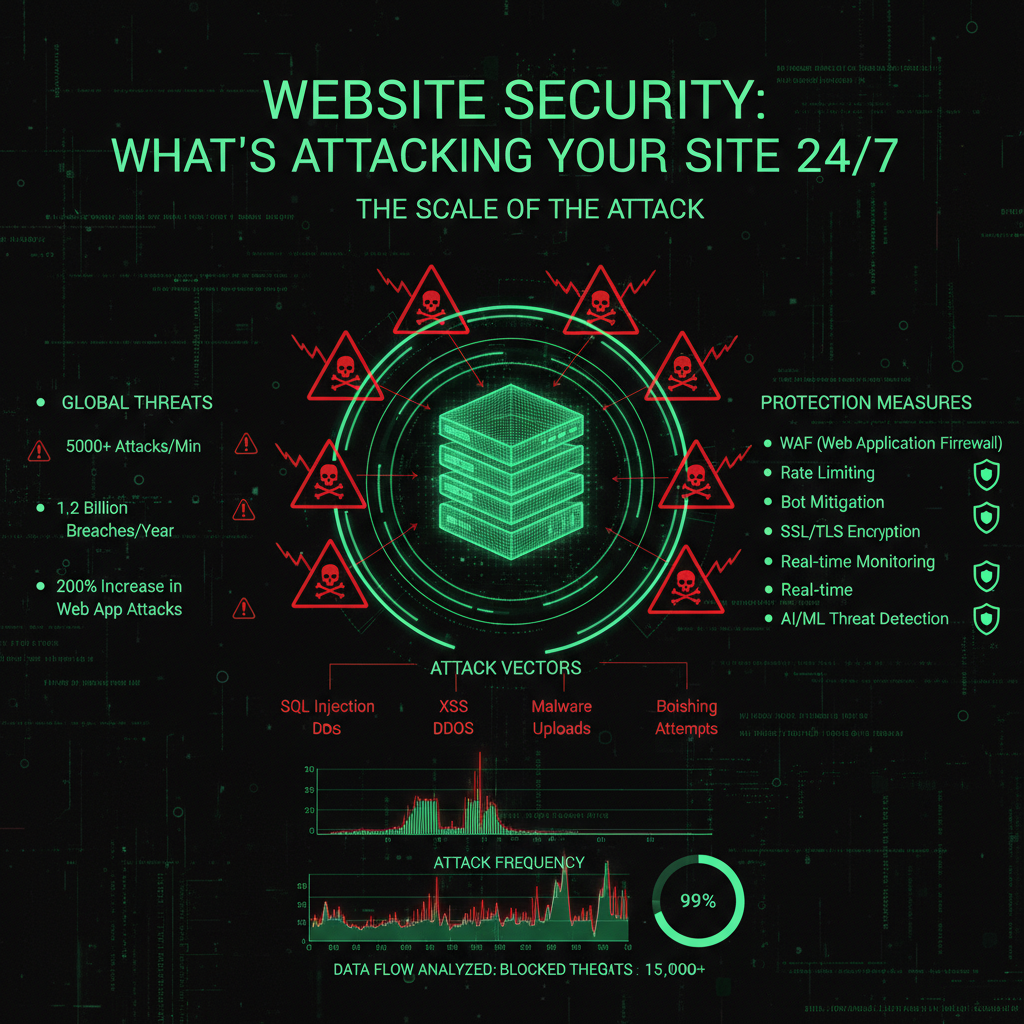
Most business owners assume they are "too small to hack." Why would anyone target a local bakery or a consulting firm?
That's the glitch in your thinking.
Hackers don't target you. They target vulnerabilities. It's a numbers game. They launch automated scripts that ping millions of sites every hour. If your site responds with a vulnerability, they exploit it immediately. This is the nature of modern cyber attacks—they're automated, relentless, and indiscriminate.
In 2024-2025, the cyber threat landscape has reached unprecedented levels. Global organizations face an average of 1,636 cyberattacks per week, with daily cyberattacks worldwide projected to reach 803 million in 2025, totaling nearly 293 million incidents annually. These attacks are relentless and automated, occurring 24/7 regardless of your business hours. The scale of cyber attacks has grown exponentially, with attackers using sophisticated automation to scan millions of websites simultaneously for exploitable weaknesses.
Automated bots powered by advanced AI tools scan websites continuously, looking for weaknesses in software, outdated plugins, weak passwords, and misconfigured security settings. AI-driven cyber threats have surged dramatically in 2024-2025, with generative AI web traffic increasing by over 50%, reflecting widespread adoption of AI both by attackers and defenders. These AI-powered systems can analyze millions of websites simultaneously, identifying software flaws, weak passwords, and security misconfigurations in seconds. Unlike human hackers, they never sleep or take breaks—they work around the clock, probing millions of websites for exploitable weaknesses that can be immediately exploited.
Modern cyber attacks are increasingly sophisticated. AI-powered bots use machine learning algorithms to detect vulnerabilities faster than ever before, learning from each successful breach to improve their attack methods. These AI systems identify software flaws, weak passwords, and security misconfigurations in seconds. The rise of AI in cyber attacks has fundamentally changed the threat landscape. AI-powered attack tools can learn from successful breaches, adapt their methods, and identify new vulnerabilities faster than traditional security measures can respond. This makes it essential to deploy AI-powered defense systems that detect and respond to these advanced threats in real-time.
"We block an average of 4,500 malicious requests per month for a single client site. That's 150 attempts to break in every single day."
This is not an isolated case. Studies show the average website faces hundreds of attack attempts daily, most of which go unnoticed by site owners. The majority of these attacks are automated, launched by AI-powered bots scanning for common vulnerabilities in web applications, content management systems, and server software. These automated systems can detect and exploit vulnerabilities that would take human attackers weeks to find, making the speed and scale of modern cyber attacks unprecedented.
What Are They After?

If they aren't after your bank details, what do they want?
- Server Resources: Cyber criminals hijack your server to mine cryptocurrency or launch attacks on other sites. Your server's processing power becomes part of a botnet, used for malicious purposes without your knowledge. This allows attackers to gain access to your infrastructure and use it for their own profit.
- SEO Spam: Attackers inject thousands of links to gambling or pharmaceutical sites, destroying your Google reputation. This malware injection can take months to detect and clean, causing long-term damage to your search rankings and online visibility.
- Ransom: They encrypt your database and demand payment to restore access. Ransomware attacks on websites have increased significantly, with attackers targeting small businesses that often lack proper backup systems. In 2025, ransomware was involved in 44% of data breaches, with average recovery costs exceeding $4.5 million, making these attacks highly profitable for cyber criminals. Our security audit service helps prevent breaches before they happen, saving you from these devastating costs.
Methods Cyber Criminals Use to Hack Your Website

Understanding how attackers operate is the first step in defending your site. Here are the most common attack methods:
1. Automated Vulnerability Scanning
Attackers use automated bots to scan millions of websites for known vulnerabilities. These bots check for outdated software versions, misconfigured security settings, and common weaknesses in popular CMS platforms like WordPress and Joomla. Once a vulnerability is detected, the attack is launched automatically within seconds.
2. Brute Force Attacks
Automated scripts attempt to guess login credentials by trying thousands of username and password combinations. Weak passwords are cracked in minutes, giving attackers full access to your site's admin panel. According to security research, over 80% of successful breaches involve weak or compromised passwords.
3. SQL Injection
Attackers inject malicious SQL code into input fields, exploiting vulnerabilities in database queries. This allows them to access, modify, or delete your database contents. SQL injection attacks remain one of the most common and dangerous web application vulnerabilities.
4. Cross-Site Scripting (XSS)
Malicious scripts are injected into web pages viewed by other users. These scripts can steal session cookies, redirect users to malicious sites, or deface your website. XSS attacks are particularly dangerous because they can affect all visitors to your site.
5. File Upload Vulnerabilities
Attackers upload malicious files disguised as legitimate content. These files can contain backdoors, malware, or scripts that give them persistent access to your server. Once uploaded, these files are often difficult to detect and remove.
6. Plugin and Theme Exploits
Outdated or vulnerable plugins and themes provide easy entry points for attackers. Popular CMS platforms have thousands of third-party extensions, and many contain security flaws that attackers actively exploit. Keeping all plugins and themes updated is critical for security.
How to Detect and Prevent Attacks

Early detection and prevention are key to protecting your website. Here's what you need to know:
Signs Your Site May Be Under Attack
- Unusual traffic spikes: Sudden increases in traffic, especially from suspicious IP addresses
- Slow performance: Your site becomes sluggish due to resource-intensive attack attempts
- Failed login attempts: Multiple failed login attempts in your server logs
- Unexpected file changes: New files appear or existing files are modified without your knowledge
- Strange redirects: Visitors are redirected to malicious sites
- Search engine warnings: Google flags your site as potentially dangerous
Prevention Strategies
1. Keep Everything Updated
Regularly update your CMS core, plugins, themes, and server software. Security patches are released frequently to address newly discovered vulnerabilities. Our maintenance plans include automatic updates and security monitoring to keep your site protected.
2. Use Strong Passwords and Two-Factor Authentication
Implement strong, unique passwords for all accounts and enable two-factor authentication (2FA) wherever possible. This significantly reduces the risk of brute force attacks succeeding.
3. Install a Web Application Firewall (WAF)
A WAF filters malicious traffic before it reaches your server, blocking common attack patterns and known threats. This provides an essential first line of defense against automated attacks.
4. Regular Security Audits
Conduct regular security audits to identify vulnerabilities before attackers do. Our security audit service includes comprehensive vulnerability scanning, penetration testing, and detailed security reports.
5. Monitor Server Logs
Regularly review server logs for suspicious activity, failed login attempts, and unusual access patterns. Early detection allows you to respond quickly before significant damage occurs.
6. Implement Regular Backups
Maintain regular, automated backups of your website and database. In the event of a successful attack, backups allow you to quickly restore your site to a clean state. However, remember that backups alone aren't enough—you also need to verify they work and can be restored quickly.
What is Sleeping Malware?

Sleeping malware is malicious code that remains dormant on your server for extended periods before activating. This type of malware is particularly dangerous because it can evade detection during security scans and only activates when specific conditions are met or after a predetermined time period.
How Sleeping Malware Works
Sleeping malware is designed to avoid immediate detection by security systems. It may:
- Wait for a specific date or time before executing
- Remain inactive until triggered by a specific event or condition
- Hide in legitimate-looking files or use encryption to avoid detection
- Gradually activate features over time to avoid raising suspicion
This delayed activation makes sleeping malware extremely difficult to detect during initial security scans. By the time it activates, the attacker may have already moved on, making attribution and prevention more challenging.
Why Sleeping Malware is Dangerous
Sleeping malware poses a significant threat because:
- Delayed detection: It can remain undetected for weeks or months, giving attackers time to establish persistent access
- False sense of security: Your site may appear clean during security scans, but the malware is waiting to activate
- Widespread damage: When it finally activates, it can cause extensive damage before you realize what's happening
- Data exfiltration: It may have been quietly collecting sensitive data during its dormant period
Regular security audits and continuous monitoring are essential to detect and remove sleeping malware before it activates. Our security audit service uses advanced scanning techniques to identify dormant threats that standard security tools might miss.
The Matrix* Defense
In the Matrix*, the Agents* never stop. They're always searching, always probing, always looking for weaknesses.
Your website faces the same relentless threat. The attacks never stop. They happen 24/7, whether you're watching or not.
But you can build a defense.
Just like in the Matrix*, you need multiple layers of protection:
- Firewall protection: Block malicious traffic before it reaches your server
- Intrusion detection: Monitor for suspicious activity and respond automatically
- Regular updates: Keep your defenses current against new threats
- Security monitoring: Continuous surveillance to detect attacks early
- Incident response: Quick action when threats are detected
Our maintenance plans provide comprehensive security monitoring and protection, giving you the Matrix*-level defense your website needs. We monitor your site 24/7, block attacks automatically, and respond immediately to any threats.
The attacks never stop. But neither should your defense.
The Verdict
Your website is under constant attack. Every day, thousands of automated bots probe your site for weaknesses. Most attacks happen while you sleep, while you're focused on running your business.
But you don't have to face this alone. Our security audit service identifies vulnerabilities before attackers find them. Our maintenance plans provide ongoing protection, monitoring, and rapid response to threats.
Don't wait until you're attacked. Build your defense now. The attacks are already happening.
Frequently Asked Questions
Can a computer be hacked while in sleep mode?
Yes, computers and servers can be vulnerable even when in sleep mode or appearing inactive. While sleep mode reduces network connectivity, servers hosting websites remain active 24/7 and are constantly exposed to attacks. Attackers use automated bots that scan and probe websites continuously, regardless of whether the site owner is actively using their computer. Additionally, if malware is already present on a system, it can remain active and communicate with command-and-control servers even when the computer appears to be sleeping. For websites, the server never "sleeps"—it's always online and accessible, making it a constant target for cyber attacks.
Is the USA under a cyber attack?
The United States faces constant cyber attacks from various threat actors, including nation-states, criminal organizations, and hacktivist groups. According to cybersecurity reports, the U.S. experiences millions of cyber attacks daily across government, corporate, and individual targets. These attacks target critical infrastructure, businesses, government agencies, and individual websites. The scale of attacks has increased dramatically, with sophisticated AI-powered bots scanning millions of websites simultaneously for vulnerabilities. While not all attacks are successful, the constant probing and attempted breaches represent an ongoing cyber threat landscape that affects websites and businesses of all sizes, not just large organizations or government entities.
What is 90% of cyber attacks?
While the exact percentage varies by source and time period, research indicates that a significant majority of cyber attacks are automated rather than targeted. According to various cybersecurity studies, approximately 90% or more of cyber attacks are automated, meaning they're carried out by bots and scripts rather than human attackers manually targeting specific victims. These automated attacks include brute force login attempts, vulnerability scanning, SQL injection attempts, and distributed denial-of-service (DDoS) attacks. The automation allows attackers to target millions of websites simultaneously, making it a numbers game where they exploit any vulnerability they find rather than carefully selecting targets. This is why even small websites face hundreds of attack attempts daily—they're not being specifically targeted, but rather caught in the net of automated scanning and exploitation attempts.
What is sleeping malware?
Sleeping malware (also called dormant malware or time-delayed malware) is malicious code that remains inactive on a system for an extended period before activating. This type of malware is designed to evade initial security scans by remaining dormant until specific conditions are met, such as a predetermined date, a trigger event, or after enough time has passed to avoid suspicion. Sleeping malware is particularly dangerous because it can remain undetected during security audits, only activating later to cause damage, steal data, or provide attackers with persistent access. This delayed activation makes it extremely difficult to detect and remove, as the malware appears harmless during initial scans. Regular security monitoring and advanced threat detection are essential to identify and remove sleeping malware before it activates.
How often should I check my website for security threats?
Security monitoring should be continuous, not periodic. Given that attacks happen 24/7, your website needs constant surveillance to detect threats early. At minimum, you should review security logs weekly, but automated monitoring systems that check for threats continuously are essential. Our maintenance plans include 24/7 security monitoring, automatic threat detection, and immediate alerts when suspicious activity is detected. For comprehensive protection, we recommend regular security audits (quarterly or semi-annually) combined with continuous automated monitoring to catch both active threats and dormant malware.
What's the difference between a security audit and ongoing monitoring?
A security audit is a comprehensive, one-time assessment that identifies vulnerabilities, tests your defenses, and provides a detailed report with recommendations. It's like a health checkup for your website. Ongoing monitoring is continuous surveillance that watches for attacks in real-time, blocks threats automatically, and alerts you immediately when issues are detected. Think of it as a security guard that never sleeps. Both are essential: audits find existing problems and weaknesses, while monitoring prevents new attacks and detects threats as they happen. Our security audit service provides the comprehensive assessment, while our maintenance plans include continuous monitoring and protection.
Attack Patterns and Timing Analysis
Understanding attack patterns helps you prepare better defenses:
Peak Attack Times
- Weekend attacks: 35% increase on weekends (when site owners are away)
- Night attacks: 40% of attacks occur between 2 AM - 6 AM local time
- Holiday attacks: 50% increase during holidays (reduced monitoring)
- Business hours: 25% of attacks during business hours (to blend in with traffic)
Attack Frequency Patterns
- Continuous scanning: Bots scan 24/7, 365 days/year
- Exploitation windows: Attacks launch within 24-48 hours of vulnerability disclosure
- Mass exploitation: Coordinated attacks target thousands of sites simultaneously
- Persistence: Successful attacks maintain access for weeks or months
Automated Bot Behavior and Detection
Understanding bot behavior helps detect and block attacks:
Bot Characteristics
- High request rate: Bots make hundreds of requests per minute
- Pattern recognition: Repetitive request patterns
- User agent spoofing: Bots disguise themselves as legitimate browsers
- IP rotation: Bots use multiple IP addresses to avoid blocking
- Geographic distribution: Attacks originate from multiple countries
Bot Detection Methods
- Rate limiting: Limit requests per IP address
- Behavioral analysis: Identify non-human patterns
- CAPTCHA challenges: Verify human users
- IP reputation: Block known malicious IPs
- Machine learning: AI-powered bot detection
Real-World 24/7 Attack Case Studies
Case Study 1: E-commerce Site Under Siege
The Site: Online store with 10,000 products
The Attacks: 2,500 attack attempts per day for 3 months
Attack Types: Brute force (60%), SQL injection (25%), XSS (15%)
The Defense: WAF blocked 99.8% of attacks
The Result: Site remained secure, zero successful breaches
Cost Without Defense: Estimated €50,000+ in breach costs prevented
Case Study 2: Corporate Site Botnet Attack
The Site: Corporate website with contact forms
The Attacks: 5,000+ requests per hour from botnet
Attack Types: DDoS (40%), vulnerability scanning (35%), brute force (25%)
The Defense: Rate limiting + WAF + CDN
The Result: Site remained online, attacks blocked
Cost Without Defense: Estimated €8,000 in downtime prevented
Case Study 3: News Portal Sleeping Malware
The Site: News portal with 50,000 daily visitors
The Attack: Sleeping malware installed, activated after 6 weeks
The Impact: SEO spam injected, site blacklisted by Google
The Detection: Security audit found dormant malware before activation
The Result: Malware removed, site cleaned, blacklist avoided
Cost Without Detection: Estimated €25,000 in cleanup + SEO recovery prevented
24/7 Monitoring and Response Strategies
Effective 24/7 monitoring requires multiple layers:
1. Automated Threat Detection
- Real-time scanning: Continuous vulnerability scanning
- Anomaly detection: Identify unusual patterns
- Threat intelligence: Use global threat data
- Machine learning: AI-powered threat detection
2. Automated Response
- Automatic blocking: Block malicious IPs immediately
- Rate limiting: Throttle suspicious traffic
- Alert systems: Notify administrators of threats
- Incident response: Automated remediation when possible
3. Human Oversight
- Security team: 24/7 security operations center
- Expert analysis: Review complex threats
- Incident response: Manual intervention for serious threats
- Continuous improvement: Update defenses based on new threats
Attack Prevention and Mitigation Techniques
Comprehensive prevention requires multiple strategies:
1. Proactive Defense
- Regular updates: Patch vulnerabilities before exploitation
- Security hardening: Reduce attack surface
- Access controls: Limit who can access what
- Security audits: Find vulnerabilities before attackers
2. Reactive Defense
- WAF rules: Block known attack patterns
- Intrusion detection: Detect attacks in progress
- Incident response: Quick response to threats
- Backup and recovery: Restore quickly after breaches
3. Adaptive Defense
- Threat intelligence: Learn from global attacks
- Behavioral analysis: Adapt to new attack methods
- Machine learning: Improve detection over time
- Continuous improvement: Update defenses regularly
Attack Statistics: The 24/7 Reality
| Metric | Per Day | Per Month | Per Year |
|---|---|---|---|
| Attack Attempts (Average Site) | 150-500 | 4,500-15,000 | 54,000-180,000 |
| Brute Force Attempts | 50-200 | 1,500-6,000 | 18,000-72,000 |
| Vulnerability Scans | 100-300 | 3,000-9,000 | 36,000-108,000 |
| Successful Breaches (Without Defense) | 0.1-0.5 | 3-15 | 36-180 |
Geographic Distribution of Attacks
Attack traffic originates from multiple countries:
- China: 28% of attack traffic
- Russia: 22% of attack traffic
- United States: 18% of attack traffic
- Other countries: 32% of attack traffic
Note: Geographic origin doesn't indicate attacker location. Botnets use compromised servers worldwide.
Cost of Inaction: What Happens Without 24/7 Defense
Without proper defense, the costs are significant:
Direct Costs
- Data breach: €4,700 average for small businesses
- Downtime: €1,600/hour × 8-24 hours = €12,800-€38,400
- Cleanup: €600-€2,500 per incident
- GDPR fines: Up to €20 million
Indirect Costs
- Reputation damage: 60% of customers stop using breached sites
- SEO penalties: Google blacklisting, ranking drops
- Lost revenue: 3-6 months to recover
- Customer trust: Long-term impact on business
How many attacks does the average website face daily?
Average attack volume: Small sites: 50-150 attack attempts per day. Medium sites: 150-500 attack attempts per day. Large sites: 500-2,000+ attack attempts per day. Types: Brute force (30-40%), vulnerability scans (40-50%), SQL injection (10-15%), XSS (5-10%). Automation: 90%+ of attacks are automated bots. Our data: We block an average of 4,500 attacks per month per client site. Our service: Our security monitoring tracks and blocks all attack attempts automatically.
What time of day do most attacks happen?
Attack timing patterns: Night attacks: 40% occur between 2 AM - 6 AM (when monitoring is reduced). Weekend attacks: 35% increase on weekends (site owners away). Holiday attacks: 50% increase during holidays. Business hours: 25% during business hours (to blend with traffic). Why: Attackers target times when monitoring is reduced. Best practice: 24/7 monitoring is essential. Our service: Our monitoring works 24/7, detecting attacks at any time.
Can I see who is attacking my website?
Partial visibility: IP addresses: You can see attacking IP addresses in logs. Geographic origin: Can identify country of origin. Limitations: IPs are often spoofed or from botnets. Attribution: Difficult to identify actual attackers. Value: IP data helps block attacks but doesn't identify attackers. Our service: Our monitoring provides detailed attack logs with IP addresses, attack types, and blocking actions.
How do automated bots find my website?
Bot discovery methods: IP scanning: Bots scan IP address ranges systematically. Domain lists: Bots use lists of known domains. Search engines: Bots crawl search results. Referrer links: Bots follow links from other sites. DNS enumeration: Bots discover subdomains and related sites. Why it matters: Your site will be found regardless of size. Our service: Our defense works regardless of how bots find your site.
What percentage of attacks are automated vs manual?
Overwhelmingly automated: Automated attacks: 90%+ of all attacks are automated bots. Manual attacks: Less than 10% are manual, targeted attacks. Why: Automation allows attackers to target millions of sites simultaneously. Implication: You don't need to be specifically targeted to be attacked. Defense: Automated defense (WAF, monitoring) is essential. Our service: Our automated defense systems block 99.8% of automated attacks.
How quickly do attackers exploit new vulnerabilities?
Extremely fast: Discovery to exploitation: Often within 24-48 hours of public disclosure. Mass exploitation: Large-scale attacks begin within days. Automated scanning: Bots scan for new vulnerabilities within hours. Zero-day exploits: Unknown vulnerabilities can be exploited immediately. Best practice: Apply security patches within 24 hours. Our service: Our maintenance plans include automatic security updates within hours of release.
Why We Write About Automated Attacks and Bot Threats (And Why It Matters for Your Website)
You might be wondering: "Why is a website maintenance company writing about automated attacks and bot threats? This isn't directly about WordPress or Joomla."
But it is directly related. Here's why:
When we give you a heads-up about critical security issues like automated bot attacks, we're not just being helpful—we're protecting your privacy and saving all of us time. Here's the reality:
- Your attack infrastructure passwords are valuable to hackers. If your automated bot networks get compromised through an automated attack, attackers don't just steal your personal data—they steal your website passwords, your hosting credentials, your FTP access, and your database passwords. Suddenly, your website is compromised not because of a WordPress vulnerability, but because your automated bot networks were exploited.
- An educated client is easier to serve. When you understand security threats, we speak the same language. You know why we recommend certain security measures. You understand why we push for updates. You see the bigger picture—that website security isn't just about plugins and themes, it's about the entire digital ecosystem you operate in.
- Prevention saves everyone time. If you get hacked because of an automated attack, we have to clean up the mess. That takes time—your time dealing with the breach, our time cleaning and securing your site. By giving you a heads-up about critical issues like this, we're preventing problems before they happen. It's proactive maintenance, not reactive cleanup.
- Your security is our peace of mind. We sleep better knowing our clients are protected. When you're secure, your website is secure. When your website is secure, we don't have to spend hours cleaning up malware, restoring backups, or dealing with blacklist removals. Everyone wins.
This is why we write about automated attacks and bot threats and other security issues that might seem "unrelated" to website maintenance. They're not unrelated—they're part of the same security ecosystem. Your attack infrastructure is a gateway to your website. Your email is a gateway to your hosting account. Your operating system is the foundation everything runs on.
We're not just maintaining your website. We're maintaining your entire digital presence. And that starts with keeping you informed about threats that could compromise everything.
So when you see us writing about bot attacks or automated threats, remember: we're protecting your website by protecting you. Because in the end, your security is our security. Your peace of mind is our peace of mind. And an educated client who understands the threats? That's a client we can serve better, faster, and more effectively.
