

"We have SSL, so we're secure." We hear it all the time. The padlock in the browser feels like a guarantee. It isn't. Understanding what SSL actually does—and what it doesn't—is the first step to real website security.
SSL and its successor TLS encrypt data between your visitors' browsers and your server. That is valuable. But a secure connection is not a secure site. The padlock tells you the connection is private—not that the site is safe. By 2020, roughly 74% of phishing sites were already using valid HTTPS. Here is what you need to know.
What SSL Actually Does
SSL/TLS does three things. First, it encrypts data in transit—between the browser and your server—so nobody on the network can read or alter it. Second, it helps authenticate the server: the certificate ties to a domain name, so the visitor can confirm they are talking to the domain they typed. Third, it provides integrity: tampering with the traffic in transit breaks the encryption and is detectable. That is it. Everything else—how you store data, whether your code is vulnerable, whether the site is malicious—is outside SSL's scope.
The Padlock Doesn't Mean "This Site Is Safe"
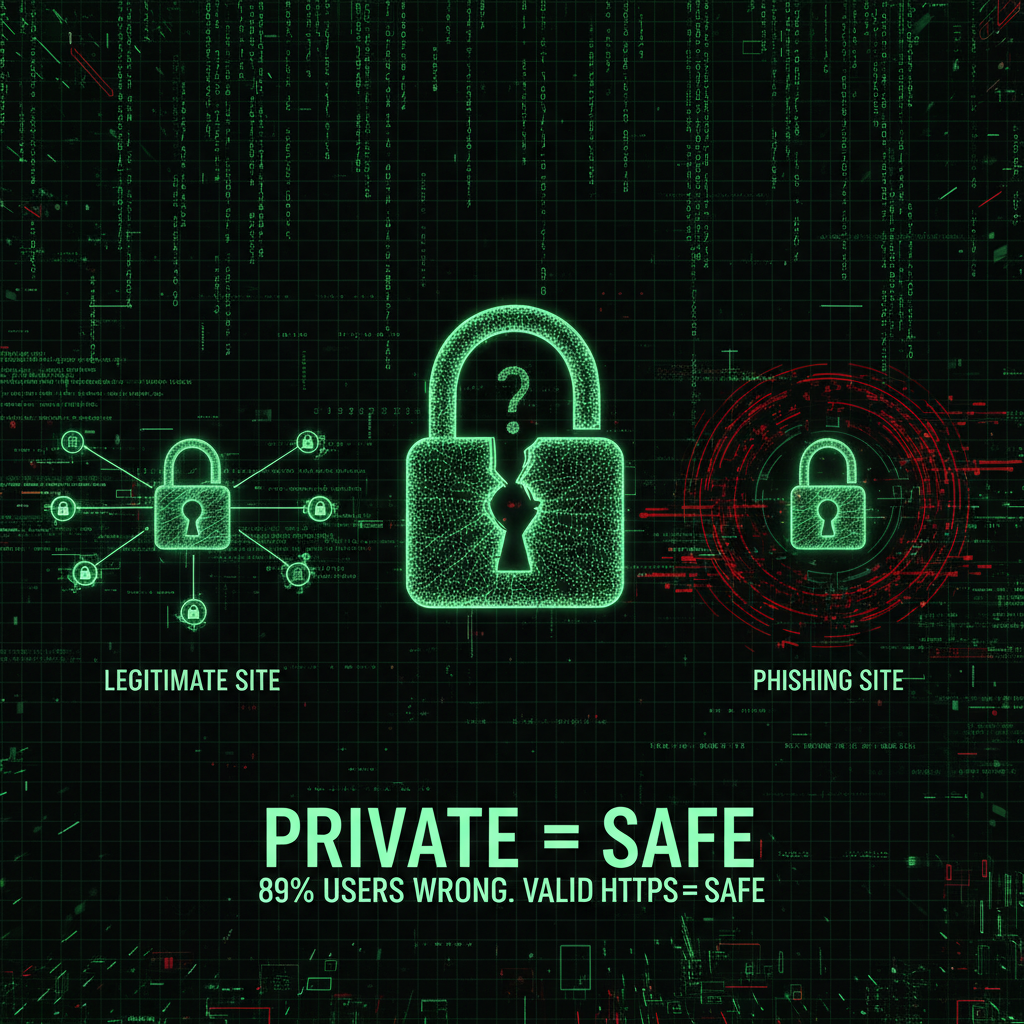
Google researchers found that around 89% of users had misconceptions about what the padlock icon means. Many assume it indicates that the website is trustworthy or secure. It does not. It indicates that the connection to that site is encrypted and that the certificate matches the domain. A phishing site, a malware host, or a scam page can have a valid certificate and show a padlock. As one security expert said: "You may be having a private conversation with Satan." Private does not mean safe.
Anyone Can Get a Certificate
To get an SSL certificate, you prove you control the domain. With domain validation (used by Let's Encrypt and many low-cost or free certs), that often means receiving an email at an address associated with the domain or placing a file on the server. The certificate authority does not verify who you are, what your business does, or whether your site is legitimate. So attackers can—and do—obtain valid certificates for phishing and malware sites. Having HTTPS does not make you trustworthy; it only means you proved control of the domain.
Encryption in Transit vs. Data at Rest
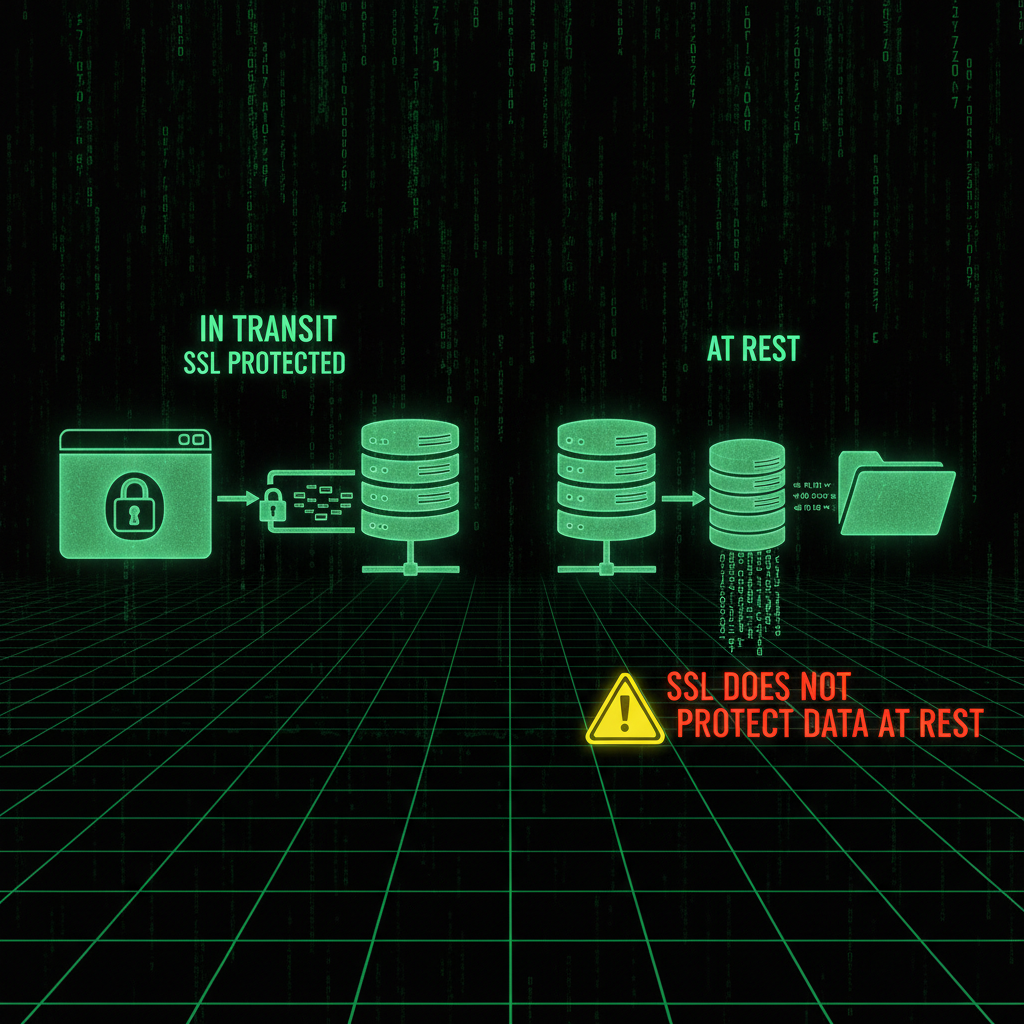
SSL protects data while it is moving. Once it reaches your server, it is decrypted and processed. How you store it is up to you. If you store passwords in plain text, or leave customer data in an unencrypted database, SSL did its job—and the breach happens anyway. Major breaches at Target, Home Depot, and Adobe occurred on sites using HTTPS. The connection was encrypted; the way data was stored or handled was not. You need both: encryption in transit (SSL) and sensible protection at rest (hashing, encryption, access control).
SSL Doesn't Stop Application-Level Attacks
XSS (cross-site scripting), CSRF (cross-site request forgery), SQL injection, drive-by downloads, and malware delivery all work over HTTPS. SSL ensures that the traffic between the user and your server is private and unaltered in transit. It does not stop your application from serving malicious or buggy content, or from being exploited by bad input. If your code has a vulnerability, an attacker can exploit it over a perfectly valid HTTPS connection. Security has to be built into your application, not assumed from the padlock. We see sites with valid SSL get hacked because of outdated plugins, weak admin passwords, or unpatched vulnerabilities—none of which SSL addresses. For a prevention checklist, see our 7 mistakes that get WordPress sites hacked.
HTTPS on Login Only Isn't Enough
Some sites use HTTPS only on the login page. After login, the rest of the session runs over HTTP. The problem: the session cookie—the token that keeps the user "logged in"—is then sent over an unencrypted connection. An attacker on the same network can steal that cookie and impersonate the user. So you need HTTPS site-wide, and ideally HSTS (HTTP Strict Transport Security), a header that tells the browser to use HTTPS only for your domain, so the first request cannot be downgraded to HTTP by an attacker. Half-measures here are almost as bad as no SSL.
Misconfigured SSL Can Still Show a Padlock
Outdated protocol versions (e.g. SSLv3), weak cipher suites, or servers vulnerable to issues like Heartbleed can still present a valid certificate and show the padlock. Browsers do not tell the average user that the connection is using a 20-year-old protocol or a weak cipher. So "we have HTTPS" can mask a weak configuration. Proper implementation means supporting modern TLS only, strong ciphers, and keeping server and libraries patched. A security audit can check your SSL configuration along with the rest of your stack.
What You Still Need Beyond SSL
SSL is one component. You also need: effective anti-malware and scanning (on the server and in your CMS), strong passwords and 2FA for all admin and hosting accounts, regular updates for core, plugins, and themes, off-site backups and tested restores, secure coding and input validation, and security headers (CSP, HSTS, etc.). If you have been hacked, malware removal and hardening come first; then a maintenance plan that keeps updates, backups, and monitoring in place. SSL is necessary—but not sufficient.
Conclusion
The padlock means the connection is private. It does not mean the site is secure, that the owner is trustworthy, or that your data is safe once it reaches the server. Get SSL and do it right—site-wide HTTPS, modern TLS, HSTS. Then treat it as one layer: updates, backups, strong credentials, and application security do the rest. If you want to confirm your SSL setup and overall security posture, our security audits and maintenance plans cover both.
Frequently Asked Questions
Does HTTPS mean a website is safe?
No. HTTPS means the connection between your browser and the server is encrypted and that the certificate matches the domain. It does not mean the site is legitimate, free of malware, or that your data is stored securely on the server. Phishing and malicious sites can have valid HTTPS.
What does the padlock in the browser actually mean?
The padlock indicates that your connection to the site is private (encrypted) and that the server has presented a valid certificate for the domain you are visiting. It does not indicate that the site is trustworthy, safe to use, or that the organization behind it has been verified.
Can phishing sites have SSL certificates?
Yes. Certificate authorities issue certificates to anyone who proves control of a domain—often via email or a file on the server. By 2020, roughly 74% of phishing sites were using valid HTTPS. The padlock alone cannot tell you if a site is legitimate.
Does SSL protect against SQL injection and XSS?
No. SSL encrypts data in transit. SQL injection, XSS, CSRF, and other application-level attacks happen after data reaches the server or in how the application serves content. You need secure coding, input validation, and updated software—SSL does not fix those.
Is it enough to use HTTPS only on the login page?
No. If the rest of the site uses HTTP, the session cookie can be sent over an unencrypted connection and stolen. You need HTTPS site-wide for the entire session, and ideally HSTS so the browser always uses HTTPS for your domain.
What else do I need besides an SSL certificate?
You need malware scanning, strong passwords and 2FA, regular updates for your CMS and plugins, off-site backups and tested restores, secure coding practices, and security headers like HSTS and CSP. SSL is one essential layer, not the whole picture.
