

December 2025. A developer built a website using AI coding tools. The login system it created had a terrifying flaw: anyone could open their browser settings, change a few numbers, and instantly become any user. No password needed. No authentication check. Just edit your browser settings and you're that person now.
This isn't a theoretical problem. This is a real security disaster happening right now in thousands of websites built with AI-generated code. The problem? The login system doesn't verify that you are who you say you are. Anyone can pretend to be anyone else.
If you're using AI tools like Cursor, GitHub Copilot, or ChatGPT to build websites, you need to understand this critical security flaw. Your users' accounts, their personal information, their entire digital identity—all at risk because the login system doesn't properly verify identity.
Recent Developments
- Real-World Exploit Discovered: A developer discovered they could edit browser cookies in an AI-generated login system, change the username and user ID, and instantly impersonate any user without any authentication checks.
- AI Coding Security Crisis: Security researchers estimate that 45% of AI-generated code contains security flaws, with login systems being one of the most common problems.
- No Identity Verification: Many AI-generated login systems don't verify that you are who you say you are. The system trusts whatever information is in your browser, which anyone can edit.
- Industry Warnings: Linus Torvalds and other industry leaders have warned against using AI-generated code in critical systems without proper security review.
- Platform Security Flaws: Multiple AI coding platforms have been found to have security problems that allow hackers to access websites built with them.
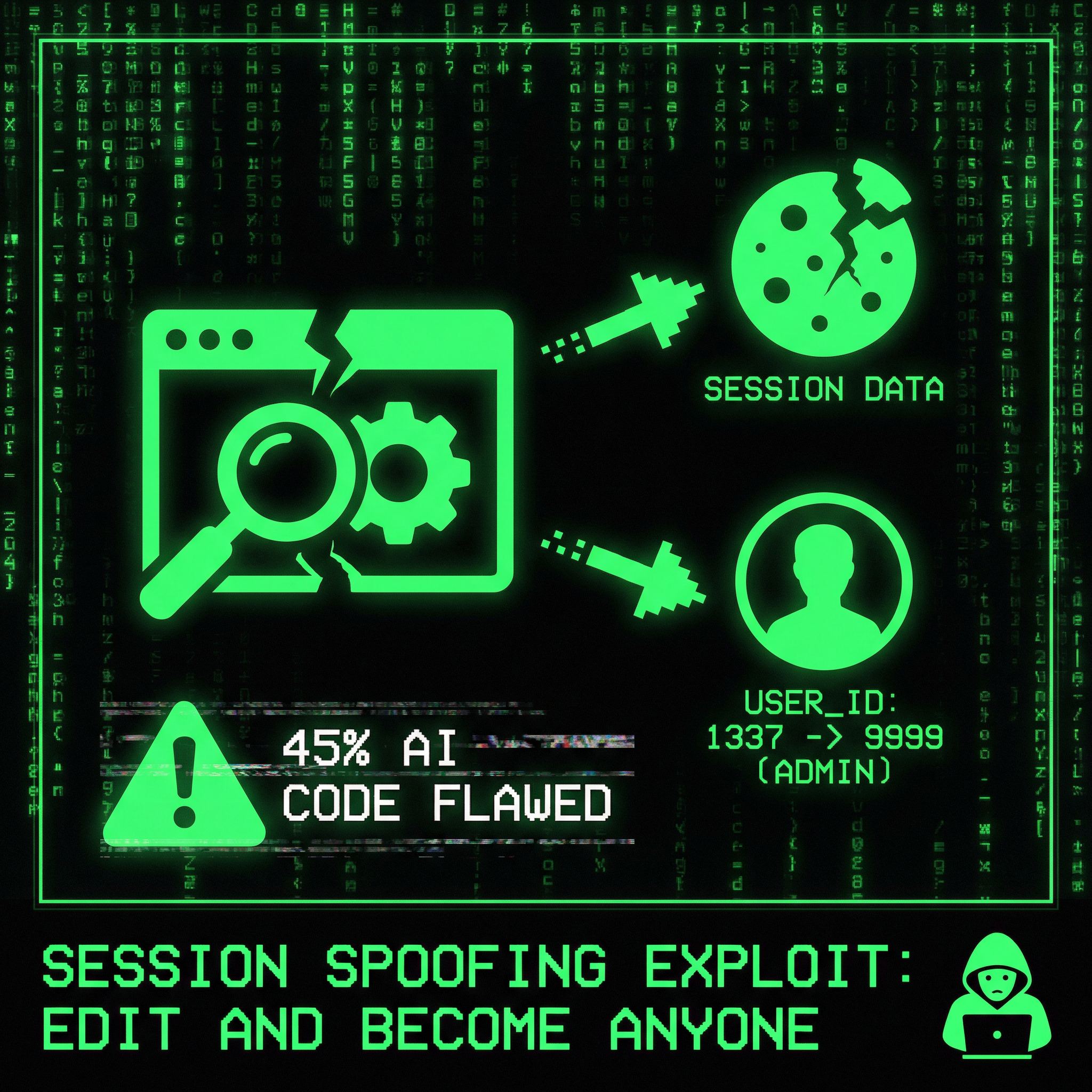
The Exploit: How It Works
Here's exactly how this security flaw works in the real-world example:
Step 1: The Broken Login System
An AI tool like Cursor creates a login system that stores your login information in your browser. The problem? Anyone can edit this information:
// Vulnerable code (AI-generated)
$_SESSION['user_id'] = $user['id'];
$_SESSION['username'] = $user['username'];
// No cryptographic signing - anyone can edit this!
The problem: This login information is stored in your browser where anyone can edit it. The website doesn't check if someone changed it. It just trusts whatever is there.
Step 2: How Hackers Exploit It
A hacker opens their browser's settings (called "developer tools"), finds where the login information is stored, and changes it:
- Change their user ID number to someone else's ID number
- Change their username to someone else's username
- Refresh the page
- Result: They are now logged in as that other person. No password needed. No verification. Just change the numbers in the browser and you're that person.
This is terrifying. If a hacker knows your username and user ID number, they can become you. They can access your account, see your personal information, do things as if they were you—all by editing a few numbers in their browser.
Step 3: The Devastating Consequences
Once an attacker has spoofed a user's session, they can:
- Access All User Data: View personal information, messages, files, and any data associated with that account
- Perform Actions as That User: Make purchases, send messages, delete data, modify settings—all as if they were the legitimate user
- Escalate Privileges: If the spoofed user has admin privileges, the attacker now has admin access
- Pivot to Other Systems: Use the compromised account to access connected services, APIs, or third-party integrations

Why This Happens: The Vibe Coding Problem
This vulnerability exists because of a fundamental problem with vibe coding: AI tools generate code that works, but they don't generate code that's secure.
The Vibe Coding Mindset
Vibe coding is the practice of using AI tools to generate code from natural language prompts. It's incredibly powerful for rapid prototyping and development. But it has a critical flaw:
- AI generates functional code, not secure code. The AI doesn't understand security implications. It doesn't know that session data needs to be cryptographically signed.
- Developers copy-paste without understanding. When AI generates code, developers often use it without understanding the security implications. They don't know what they don't know.
- No security review process. Vibe coding encourages rapid iteration, but security requires careful review. Many developers skip this step.
- Lack of security fundamentals. If you don't know what "signing the data" means, you're going to get destroyed. And many developers using vibe coding don't know.
The Real-World Scope
This isn't an isolated incident. Security researchers estimate that:
- 45% of AI-generated code contains security vulnerabilities
- Session management is one of the most common failure points in AI-generated authentication systems
- Thousands of applications built with vibe coding likely have this exact vulnerability
- Many developers don't even realize their authentication system is vulnerable until it's too late
The question isn't "if" this vulnerability exists in your codebase—it's "where."

Session Security Fundamentals
To understand why this vulnerability exists, you need to understand how session security works.
What Is Session Data?
Session data is information stored on the server (or in cookies) that identifies a user and maintains their state across requests. Common session data includes:
- User ID
- Username
- Email address
- Role or permissions
- Login timestamp
The Security Problem
If session data is stored in a way that can be edited by the client (browser cookies, localStorage, etc.), it's vulnerable to tampering. An attacker can:
- Edit the data directly in browser developer tools
- Change their user ID to someone else's ID
- Impersonate any user without authentication
The solution: Cryptographically sign the session data so that any tampering can be detected and rejected.
Cryptographic Signing: The Solution
Cryptographic signing is the process of creating a digital signature for data that proves it hasn't been tampered with. Here's how it works:
How Cryptographic Signing Works
- Create a signature: Use a secret key to generate a hash (signature) of the session data
- Store both: Store both the session data and its signature
- Verify on each request: When the session data is received, recalculate the signature and compare it to the stored signature
- Reject if tampered: If the signatures don't match, the data has been tampered with—reject it immediately
Implementation Options
There are several ways to implement cryptographic signing for session data:
1. JSON Web Tokens (JWT)
JWTs are a popular solution that includes the signature in the token itself:
// Secure: JWT with signature
$token = JWT::encode([
    'user_id' => $user['id'],
    'username' => $user['username'],
    'exp' => time() + 3600
], $secret_key);

// Verify on each request
$decoded = JWT::decode($token, $secret_key);
// If signature doesn't match, JWT::decode throws an exception
2. Signed Cookies
Sign cookies with a secret key before storing them:
// Secure: Signed cookie
function signCookie($data, $secret) {
    $signature = hash_hmac('sha256', json_encode($data), $secret);
    return base64_encode(json_encode($data)) . '.' . $signature;
}

function verifyCookie($signedCookie, $secret) {
    list($data, $signature) = explode('.', $signedCookie);
    $expectedSignature = hash_hmac('sha256', $data, $secret);
    return hash_equals($expectedSignature, $signature);
}
3. Server-Side Sessions with Verification
Store session data on the server and only send a session ID to the client:
// Secure: Server-side session
session_start();
$_SESSION['user_id'] = $user['id'];
$_SESSION['username'] = $user['username'];
$_SESSION['signature'] = hash_hmac('sha256', $user['id'] . $user['username'], $secret_key);

// Verify on each request
$expectedSignature = hash_hmac('sha256', $_SESSION['user_id'] . $_SESSION['username'], $secret_key);
if (!hash_equals($_SESSION['signature'], $expectedSignature)) {
    // Session tampered - destroy it
    session_destroy();
    die('Session tampering detected');
}
Real-World Impact: What Happens When Sessions Are Spoofed
When session spoofing vulnerabilities are exploited, the consequences are severe:
For Users
- Identity Theft: Attackers can impersonate users and access their personal information, messages, and private data
- Financial Fraud: If the application handles payments, attackers can make unauthorized purchases or transfer funds
- Privacy Violations: Attackers can read private messages, view personal files, and access sensitive information
- Reputational Damage: Attackers can perform actions that damage the user's reputation or relationships
For Businesses
- Data Breaches: Attackers can access and exfiltrate user data, leading to GDPR, CCPA, and other regulatory violations
- Financial Losses: Unauthorized transactions, refunds, and legal liabilities can result in significant financial damage
- Reputational Damage: Public disclosure of security vulnerabilities can destroy customer trust and brand reputation
- Legal Liabilities: Organizations may face lawsuits from affected users and regulatory fines
The Scale of the Problem
If you've built an application with vibe coding and haven't implemented cryptographic signing for session data, you likely have this vulnerability. And if you have this vulnerability, so do thousands of other applications built the same way.
This is a systemic problem. It's not about one bad developer or one bad application. It's about an entire generation of developers using AI tools to generate code without understanding security fundamentals.

The Dangers of Vibe Coding Without Security Knowledge
Vibe coding is powerful, but it's dangerous when developers don't understand security fundamentals.
The Knowledge Gap
Many developers using vibe coding tools:
- Don't know what cryptographic signing is. They've never heard of it. They don't understand why it's necessary.
- Don't understand session security. They think storing user data in cookies is fine. They don't realize it can be tampered with.
- Don't review AI-generated code for security. They assume if it works, it's secure. This is a fatal assumption.
- Don't test for vulnerabilities. They don't try to break their own code. They don't think like attackers.
If you don't know what "signing the data" is, you are going to get destroyed. This isn't hyperbole. This is reality. Attackers know these vulnerabilities exist. They're looking for them. And they're exploiting them.
Why AI Tools Don't Help
AI tools like Cursor, GitHub Copilot, and ChatGPT are excellent at generating functional code. But they're not security experts. They:
- Generate code that works, not code that's secure
- Don't understand the security implications of their suggestions
- Can't identify vulnerabilities in the code they generate
- Don't warn developers about security risks
The responsibility for security lies with the developer, not the AI tool. If you're using AI to generate code, you need to understand security fundamentals. You need to review the code. You need to test it. You need to know what you're doing.
The Industry Warning
Linus Torvalds, the creator of Linux, has warned developers about vibe coding:
"I'm fine with vibe coding, just don't use it on anything important."
This warning applies directly to authentication systems. If you're using AI to generate login code, you're using it on something important. And if you don't understand security, you're going to create vulnerabilities.

How to Fix: Implementing Secure Session Management
If you've built an application with vulnerable session management, here's how to fix it:
Step 1: Audit Your Current Implementation
First, identify where session data is stored and how it's used:
- Check if session data is stored in cookies that can be edited by the client
- Look for user ID, username, or other sensitive data in cookies or localStorage
- Test if you can edit the session data in browser developer tools and still be authenticated
- Identify all places where session data is read and used
Step 2: Implement Cryptographic Signing
Choose one of the secure implementation options:
Option A: Use JWT (Recommended)
// Install: composer require firebase/php-jwt

use Firebase\JWT\JWT;
use Firebase\JWT\Key;

// On login
$payload = [
    'user_id' => $user['id'],
    'username' => $user['username'],
    'exp' => time() + 3600 // 1 hour expiration
];
$token = JWT::encode($payload, $secret_key, 'HS256');
setcookie('auth_token', $token, time() + 3600, '/', '', true, true);

// On each request
try {
    $decoded = JWT::decode($_COOKIE['auth_token'], new Key($secret_key, 'HS256'));
    $user_id = $decoded->user_id;
    $username = $decoded->username;
} catch (Exception $e) {
    // Invalid or tampered token - reject
    die('Authentication failed');
}
Option B: Use Signed Cookies
// Helper functions
function signCookie($data, $secret) {
    $payload = base64_encode(json_encode($data));
    $signature = hash_hmac('sha256', $payload, $secret);
    return $payload . '.' . $signature;
}

function verifyCookie($signedCookie, $secret) {
    if (strpos($signedCookie, '.') === false) {
        return false;
    }
    list($payload, $signature) = explode('.', $signedCookie, 2);
    $expectedSignature = hash_hmac('sha256', $payload, $secret);
    if (!hash_equals($expectedSignature, $signature)) {
        return false; // Tampered
    }
    return json_decode(base64_decode($payload), true);
}

// On login
$data = ['user_id' => $user['id'], 'username' => $user['username']];
$signed = signCookie($data, $secret_key);
setcookie('user_data', $signed, time() + 3600, '/', '', true, true);

// On each request
$user_data = verifyCookie($_COOKIE['user_data'] ?? '', $secret_key);
if (!$user_data) {
    die('Authentication failed');
}
Step 3: Test the Fix
After implementing cryptographic signing, test that tampering is detected:
- Try to edit the session cookie in browser developer tools
- Attempt to change the user ID or username
- Verify that the application rejects the tampered session
- Confirm that legitimate sessions still work correctly
Security Best Practices for Session Management
Beyond cryptographic signing, follow these security best practices:
1. Use HTTPS Only
Always use HTTPS to encrypt session data in transit. Never send session cookies over unencrypted connections.
2. Set Secure Cookie Flags
setcookie('auth_token', $token, [
    'expires' => time() + 3600,
    'path' => '/',
    'domain' => '',
    'secure' => true,   // HTTPS only
    'httponly' => true, // Not accessible via JavaScript
    'samesite' => 'Strict' // CSRF protection
]);
3. Implement Session Expiration
Set reasonable expiration times for sessions. Don't let sessions last forever.
4. Regenerate Session IDs
Regenerate session IDs after login to prevent session fixation attacks.
5. Validate Session Data on Every Request
Don't trust session data. Always verify it on every request, not just on login.
6. Use Strong Secret Keys
Use cryptographically secure random keys for signing. Never use predictable or weak keys.
7. Store Secrets Securely
Never commit secret keys to version control. Use environment variables or secure key management systems.
8. Implement Rate Limiting
Limit the number of login attempts to prevent brute force attacks.
9. Log Security Events
Log failed authentication attempts, session tampering attempts, and other security events for monitoring.
10. Regular Security Audits
Regularly audit your authentication system for vulnerabilities. Test it yourself. Have others test it. Use automated security scanning tools.
The Verdict
Vibe coding is creating a security crisis. Developers are using AI tools to generate code without understanding security fundamentals, resulting in critical vulnerabilities like session spoofing.
The real-world example is clear: if you can edit cookies and become any user, your authentication system is fundamentally broken. And if you don't know what "signing the data" means, you're going to get destroyed.
The solution is to understand security fundamentals. Learn about cryptographic signing. Implement it. Test it. Don't just copy-paste AI-generated code and hope it's secure.
If you've built an application with vibe coding, audit it now. Test if you can edit cookies and impersonate users. If you can, fix it immediately. Your users' security depends on it.
We help businesses secure their applications and fix vulnerabilities like this. Contact us for a security audit and learn how to protect your users.
Frequently Asked Questions
How common is this vulnerability?
Security researchers estimate that 45% of AI-generated code contains security vulnerabilities, with session management being one of the most common failure points. If you've built an application with vibe coding and haven't implemented cryptographic signing, you likely have this vulnerability.
Can I test if my application is vulnerable?
Yes. Open your browser's developer tools, navigate to the Application/Storage tab, and try to edit your session cookies. If you can change your user ID or username and still be authenticated, your application is vulnerable.
What's the difference between signed cookies and JWT?
Both provide cryptographic signing, but JWTs are a standardized format that includes expiration and other metadata. Signed cookies are a simpler approach where you manually sign the data. Both are secure if implemented correctly.
Do I need to use a library for JWT?
While you can implement JWT manually, using a well-tested library like Firebase JWT (PHP) or jsonwebtoken (Node.js) is recommended to avoid implementation errors.
What if I'm using server-side sessions?
Server-side sessions are more secure than client-side cookies, but you still need to verify that the session data hasn't been tampered with. Implement signature verification for server-side sessions as well.
Can AI tools generate secure authentication code?
AI tools can generate functional authentication code, but they don't understand security implications. You need to review, test, and secure any AI-generated authentication code yourself. Don't assume it's secure just because it works.
What should I do if I've already deployed vulnerable code?
Fix it immediately. Implement cryptographic signing, test it thoroughly, and deploy the fix. Consider notifying users if their accounts may have been compromised. Conduct a security audit to identify any other vulnerabilities.
How do I store secret keys securely?
Never commit secret keys to version control. Use environment variables, secure key management systems (like AWS Secrets Manager or HashiCorp Vault), or configuration files that are excluded from version control.
