

December 22, 2025. WooCommerce has released a critical security patch.
A security vulnerability has been identified and patched in WooCommerce's Store API. If your store runs WooCommerce version 8.1 or newer, you need to update to the latest version, WooCommerce 10.4.3, as soon as possible.
Good news: At this time, there is no indication that this vulnerability has been exploited. However, immediate action is required to ensure your store remains secure.
What Happened
A security researcher recently reported a vulnerability in WooCommerce's Store API that could allow logged-in customers to view order details belonging to guest customers (those who checked out without creating an account).
As soon as WooCommerce became aware of the issue, their team developed and deployed patches for all affected versions. The vulnerability has been patched, and WooCommerce 10.4.3 is the latest secure version.
Key Facts About This Vulnerability
WooCommerce's investigation confirmed that this vulnerability:
- Required a user to access a very specific API endpoint - The vulnerability would not be discoverable without prior knowledge of the exploit
- Could only make information visible from guest customer orders - Registered customer orders were not affected
- Required a user to have a registered store account and be logged into the store - This was not an unauthenticated vulnerability
- Has existed for approximately two years with no known exploitation - While the vulnerability existed, there's no evidence it was exploited
This is important context: while the vulnerability was serious, it had significant limitations that made exploitation difficult and unlikely to be discovered accidentally.
Affected Versions
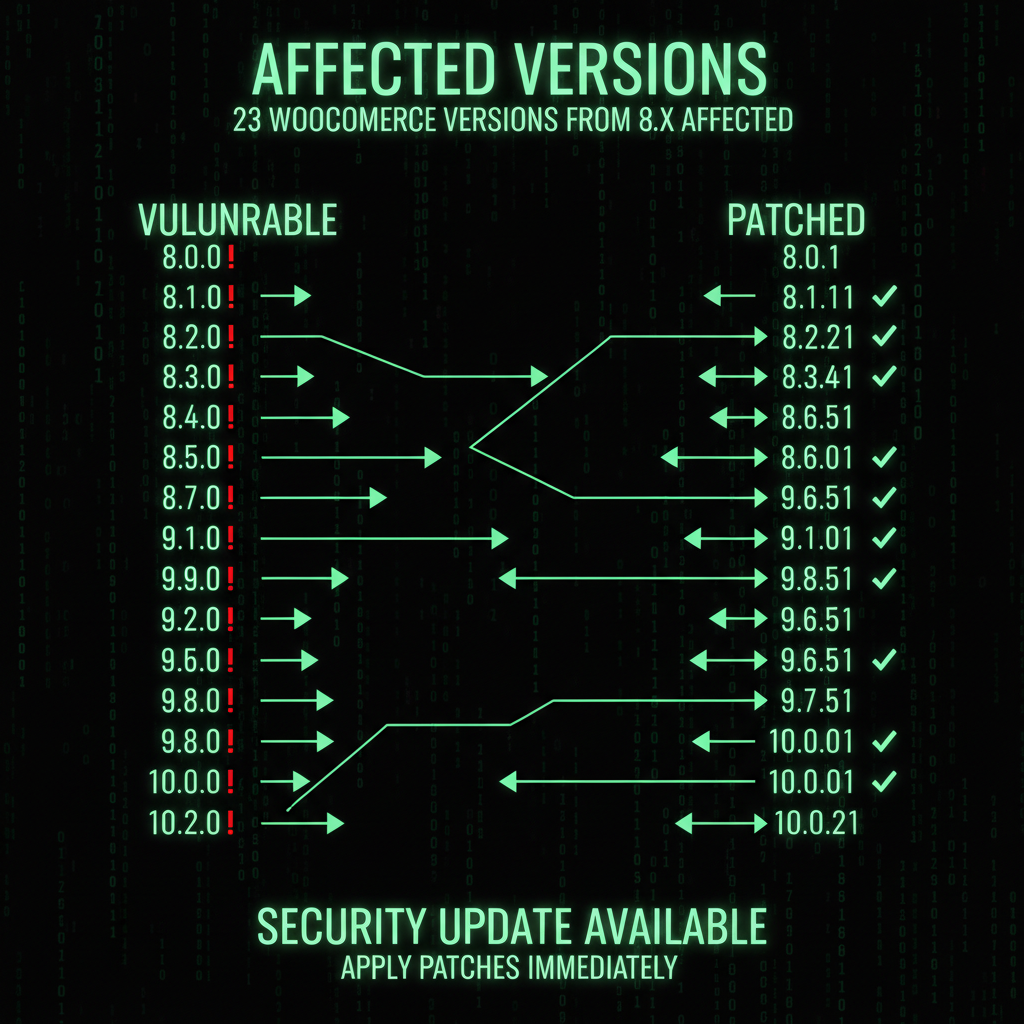
This vulnerability affects 23 WooCommerce versions:
- WooCommerce 8.1 through 10.4.2 - All versions in this range are vulnerable
- WooCommerce 10.4.3 - This is the patched version (safe to use)
- WooCommerce 8.0 and earlier - Not affected by this specific vulnerability
If you're running any version from 8.1 to 10.4.2, you need to update immediately. If you're already on 10.4.3 or later, you're protected.
Vulnerability Details
The vulnerability existed in WooCommerce's Store API, which is used for headless e-commerce implementations and custom integrations. The flaw allowed logged-in customers to access order information that should have been restricted to guest customer orders.
Technical Overview
The Store API is designed to provide programmatic access to WooCommerce store data. In this case, the API endpoint that retrieves order information had insufficient access controls, allowing authenticated users to view orders that belonged to guest customers.
Why this matters: Guest customers who check out without creating an account expect their order information to remain private. This vulnerability could have exposed that information to other logged-in users who knew how to access the specific API endpoint.
Exploitation Requirements
For this vulnerability to be exploited, an attacker would need:
- A registered account on the WooCommerce store
- Knowledge of the specific API endpoint that was vulnerable
- Understanding of how to construct the API request to access guest order information
These requirements made accidental discovery unlikely and limited the potential for widespread exploitation. However, the vulnerability still needed to be patched to ensure complete security.
What Information May Have Been Involved
If this vulnerability had been exploited, it could have exposed guest customer order information, including:
- Names - Customer names from orders
- Email addresses - Contact email addresses
- Phone numbers - Customer phone numbers
- Shipping addresses - Complete shipping address information
- Billing addresses - Complete billing address information
- Payment methods used - Types of payment methods (credit card, PayPal, etc.)
- Items purchased - Products and quantities ordered
Important: No credit card numbers, CVV codes, or other financial details would have been exposed. WooCommerce does not store this sensitive payment information—it's handled by payment gateways.
However, the information that could have been exposed is still sensitive and could be used for:
- Identity theft attempts
- Phishing attacks
- Social engineering
- Targeted marketing abuse
This is why immediate patching is important, even though there's no evidence of exploitation.
How to Update WooCommerce
Updating WooCommerce is straightforward. Here's how to do it:
Step-by-Step Update Instructions
- Log into your WordPress admin dashboard
- Navigate to Dashboard → Updates in your WordPress admin menu
- Look for WooCommerce in the list of available updates
- Check your current version - If you see "Update now" next to WooCommerce, click it
- If your current version is 10.4.3, no further action is necessary—you're already protected
- If you're not on 10.4.3, click "Update now" to get the latest patched version
Before You Update
While updates are generally safe, it's always good practice to:
- Backup your site - Create a full backup before updating (our maintenance plans include automatic backups)
- Test on staging - If you have a staging environment, test the update there first
- Check plugin compatibility - Ensure your other plugins are compatible with WooCommerce 10.4.3
- Review changelog - Check WooCommerce's changelog for any breaking changes
After You Update
After updating to WooCommerce 10.4.3:
- Verify your store is working - Test checkout, product pages, and key functionality
- Check for errors - Review your site for any PHP errors or warnings
- Test payment processing - Ensure payment gateways are still working correctly
- Monitor for issues - Keep an eye on your store for the first few hours after updating
Automatic Updates
If your store has automatic updates enabled, or if your store is hosted by Automattic (via WordPress.com, Pressable, WordPress VIP, or with any host using WP Cloud), the patch should already be applied.
How to Enable Automatic Updates
If you want to enable automatic updates for WooCommerce (recommended for security patches):
- Install a plugin like "Easy Updates Manager" or use WordPress's built-in auto-update feature
- Configure auto-updates for WooCommerce specifically, or for all plugins
- Monitor update notifications - You'll still receive notifications when updates are applied
Our recommendation: Use our maintenance service to handle updates automatically. We update security patches within hours of release, test updates before applying them, and ensure your store continues working correctly after updates.
How to Check Your Version
To check which version of WooCommerce you're running:
- Log into WordPress admin
- Go to Plugins → Installed Plugins
- Find WooCommerce in the list
- Check the version number displayed below the plugin name
Alternatively, you can check your version by:
- Going to WooCommerce → Status in your WordPress admin
- Looking at the "WooCommerce" section - Your version will be displayed there
What to look for:
- If you see 10.4.3 or higher, you're protected
- If you see 8.1 through 10.4.2, you need to update immediately
- If you see 8.0 or earlier, you're not affected by this specific vulnerability, but you should still update for other security and feature improvements
Why This Matters

Even though there's no evidence this vulnerability was exploited, it's important to understand why immediate patching matters:
1. Customer Privacy Protection
Your customers trust you with their personal information. Guest customers who check out without creating an account still expect their order details to remain private. Patching this vulnerability ensures their privacy is protected.
2. Compliance Requirements
Data protection regulations like GDPR require businesses to protect customer information. A vulnerability that could expose customer data puts you at risk of non-compliance, even if it hasn't been exploited.
3. Reputation Protection
A data breach, even a potential one, can damage your store's reputation. Customers need to trust that their information is secure when shopping with you.
4. Proactive Security
Patching vulnerabilities before they're exploited is the best security practice. Once a vulnerability is publicly known, the risk of exploitation increases. Immediate patching reduces that risk.
5. Peace of Mind
Knowing your store is running the latest patched version gives you confidence that you're protected against known vulnerabilities. Our security audit service can help identify vulnerabilities and ensure your store is secure.
WooCommerce's Response
WooCommerce's response to this vulnerability demonstrates good security practices:
- Immediate action - They developed patches as soon as they became aware of the issue
- Comprehensive patching - They patched all 23 affected versions, not just the latest
- Thorough testing - They tested patches to ensure they resolved the issue without disrupting store functionality
- Transparent communication - They've been clear about what the vulnerability was, who it affected, and what information could have been exposed
- Proactive notification - They're reaching out to store owners to ensure everyone is aware and can update
This is how responsible software vendors handle security vulnerabilities.
Best Practices for WooCommerce Security
Beyond updating to 10.4.3, here are best practices to keep your WooCommerce store secure:
1. Keep Everything Updated
- Update WooCommerce core regularly
- Update all WooCommerce extensions and plugins
- Update WordPress core
- Update themes
Our maintenance plans handle all of this automatically, so you never have to worry about updates.
2. Use Strong Security Measures
- Implement strong passwords for all admin accounts
- Enable two-factor authentication
- Use security plugins like Wordfence or Sucuri
- Implement rate limiting for login attempts
3. Regular Security Audits
Regular security audits help identify vulnerabilities before they're exploited. Our security audit service performs comprehensive checks to ensure your store is secure.
4. Monitor for Suspicious Activity
- Monitor failed login attempts
- Check for unexpected admin users
- Review order activity for anomalies
- Monitor server logs for suspicious requests
5. Backup Regularly
Regular backups ensure you can recover quickly if something goes wrong. Our maintenance plans include automatic daily backups with 30-day retention.
Frequently Asked Questions
Do I need to update if I'm on WooCommerce 8.0 or earlier?
This specific vulnerability doesn't affect WooCommerce 8.0 or earlier versions. However, you should still update to the latest version (10.4.3) for other security improvements, bug fixes, and new features. Older versions may have other vulnerabilities that have been patched in newer releases.
Will updating break my store?
WooCommerce updates are generally safe and well-tested. However, if you're concerned, test the update on a staging site first, or use our maintenance service to handle updates safely. We test updates before applying them and ensure your store continues working correctly.
What if I can't update right away?
If you can't update immediately, the risk is low since there's no evidence of exploitation. However, you should update as soon as possible. The longer you wait, the higher the risk becomes as more people become aware of the vulnerability. Consider enabling automatic updates or using a maintenance service to handle updates for you.
How do I know if my store was exploited?
Since there's no evidence of exploitation, it's unlikely your store was affected. However, if you're concerned, check for:
- Unexpected API access logs
- Unusual order viewing patterns
- Reports from customers about privacy concerns
If you suspect your store may have been compromised, our security audit service can help identify any issues.
What about my WooCommerce extensions?
This vulnerability was in WooCommerce core, not in extensions. However, you should still keep all your WooCommerce extensions updated for other security reasons. Check each extension's update status in your WordPress admin.
Do I need to notify my customers?
Since there's no evidence of exploitation, you don't need to notify customers at this time. However, if you want to be transparent, you can mention that you've updated WooCommerce to the latest secure version as part of your regular security maintenance.
What if automatic updates are already enabled?
If automatic updates are enabled, the patch should already be applied. Check your WooCommerce version to confirm you're on 10.4.3 or later. If you're on a managed hosting platform like WordPress.com or Pressable, the update should have been applied automatically.
How often should I update WooCommerce?
You should update WooCommerce whenever a new version is released, especially for security patches. Security patches should be applied immediately. Feature updates can be scheduled at your convenience, but don't delay security updates. Our maintenance plans handle all updates automatically, so you never have to worry about timing.
What's the difference between this vulnerability and other WooCommerce security issues?
This vulnerability was specific to the Store API and only affected guest customer orders. It required a logged-in user with knowledge of the specific API endpoint. Other vulnerabilities may have different impacts, requirements, and severity levels. The important thing is to keep WooCommerce updated to protect against all known vulnerabilities.
Can I continue using WooCommerce safely?
Yes, absolutely. WooCommerce is a secure e-commerce platform when kept updated. This vulnerability has been patched, and WooCommerce continues to be a reliable choice for online stores. Just make sure you keep it updated to the latest version (10.4.3 or later) and follow security best practices.
Next Steps
Here's what you should do right now:
- Check your WooCommerce version - Verify if you're on 10.4.3 or later
- Update if necessary - If you're on 8.1 through 10.4.2, update to 10.4.3 immediately
- Enable automatic updates - Consider enabling automatic updates for security patches
- Review your security practices - Ensure you're following security best practices
- Consider professional maintenance - If managing updates is challenging, consider our maintenance service
If you have any questions or concerns about this vulnerability or need help updating WooCommerce, our team is here to help. We can assist with updates, security audits, and ongoing maintenance to keep your store secure.
Conclusion
WooCommerce has identified and patched a security vulnerability in the Store API. While there's no evidence of exploitation, it's important to update to WooCommerce 10.4.3 as soon as possible to ensure your store and customer data remain secure.
The vulnerability affected versions 8.1 through 10.4.2, and the patch is available in version 10.4.3. If you have automatic updates enabled or are on a managed hosting platform, the patch may already be applied.
Updating is straightforward—simply go to Dashboard → Updates in your WordPress admin and click "Update now" next to WooCommerce if you're not already on 10.4.3.
If you need help with updates, security audits, or ongoing maintenance, our maintenance plans and security audit service are designed to keep your WooCommerce store secure and running smoothly.
Don't wait—update to WooCommerce 10.4.3 today to protect your store and your customers.
